Open Source Multimedia Framework
FFmpeg Complete Guide 2025: The Ultimate Video & Audio Processing Powerhouse
FFmpeg is the world's most powerful open-source multimedia framework, handling everything from simple audio conversion to professional broadcast streaming. Used by YouTube, Netflix, and millions of content creators, it's the invisible engine powering modern digital media.
Updated November 2025 • 15 min read
 Industry Standard
Billions
Videos Processed Daily
500+
Codecs Supported
25+ Years
Active Development
$0
Licensing Cost
What is FFmpeg?
FFmpeg (Fast Forward Moving Picture Experts Group) is a complete, cross-platform solution to record, convert, and stream audio and video. It's a command-line tool that has become the de facto standard for multimedia processing across the entire industry.
Born in 2000, FFmpeg has evolved into the most comprehensive multimedia framework available. It includes libavcodec (audio/video codec library), libavformat (container format library), and libavutil (common utility library) - components that power countless applications you use every day.
Key Insight
FFmpeg isn't just a tool - it's a complete multimedia ecosystem. When you watch YouTube, use VLC, edit in Adobe Premiere, or stream with OBS, you're using FFmpeg technology. It's the invisible foundation of digital media.
Why FFmpeg Dominates the Industry
Universal Compatibility
Supports virtually every audio and video format ever created - from ancient Real Media to cutting-edge AV1.
Blazing Fast
Hardware acceleration support for NVIDIA, AMD, Intel, and Apple Silicon delivers real-time 4K encoding.
Zero Cost
Completely free for personal and commercial use. No licensing fees, ever. Process unlimited content.
Professional Grade
Trusted by Fortune 500 companies, broadcasters, and streaming platforms for mission-critical operations.
FFmpeg + Shoutcast Net
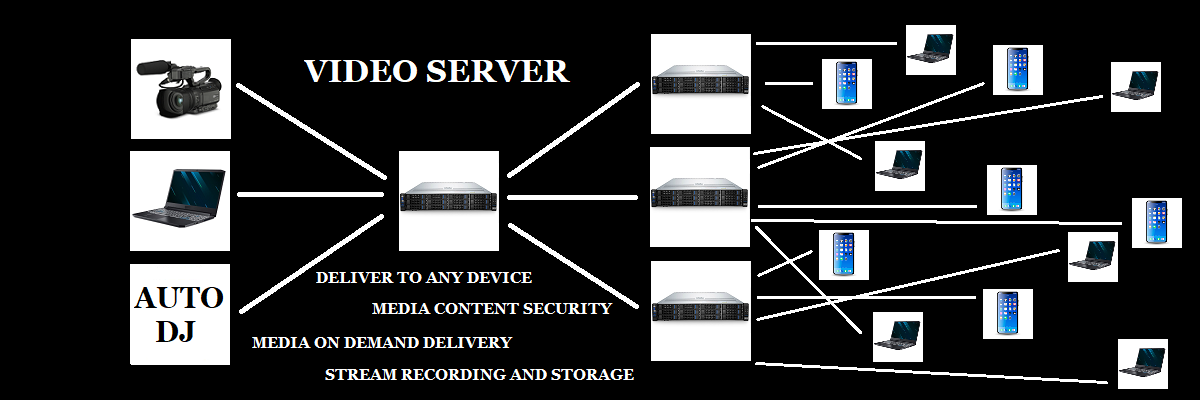
Skip the command-line complexity. Shoutcast Net provides managed FFmpeg streaming with one-click deployment, automated encoding, and 24/7 monitoring.
Core FFmpeg Capabilities
Everything you need for professional multimedia processing
Video Processing
- Format conversion (MP4, MKV, AVI, MOV)
- Resolution scaling & cropping
- Frame rate adjustment
- Video encoding (H.264, H.265, VP9, AV1)
- Filters & effects
- Hardware acceleration
Audio Processing
- Audio extraction & conversion
- MP3, AAC, FLAC, Opus encoding
- Sample rate conversion
- Channel mixing (stereo/mono)
- Volume normalization
- Audio filters & EQ
Live Streaming
- RTMP/RTMPS streaming
- HLS adaptive bitrate
- DASH streaming
- WebRTC real-time delivery
- Multi-bitrate transcoding
- Low-latency protocols
Real-World FFmpeg Use Cases
From content creators to Fortune 500 companies, FFmpeg powers critical workflows
Broadcasting & Streaming
Live stream to YouTube, Twitch, Facebook simultaneously. Transcode in real-time with adaptive bitrate delivery for optimal viewer experience across all devices and connections.
Content Production
Batch convert video libraries, normalize audio levels, generate thumbnails, extract metadata, and prepare content for distribution across multiple platforms with consistent quality.
Enterprise Video
Corporate training videos, webinar archives, surveillance footage processing, and video conferencing infrastructure. Scale from single streams to thousands of concurrent encoders.
Audio Broadcasting
Internet radio stations, podcast processing, music streaming services, and audio-on-demand platforms. Perfect for Shoutcast and Icecast server integration.
Why Choose FFmpeg Over Commercial Alternatives?
Unmatched Format Support
While commercial encoders support 20-50 formats, FFmpeg handles 500+ codecs and containers. Process everything from vintage formats to cutting-edge codecs like AV1 without additional plugins or licensing.
Superior Performance
Hardware acceleration for NVIDIA NVENC, AMD VCE, Intel Quick Sync, and Apple VideoToolbox. Encode 4K video in real-time or batch process thousands of files using multi-threaded CPU encoding.
Automation Ready
Command-line interface makes FFmpeg perfect for scripting and automation. Build custom workflows, integrate with cloud services, or create video processing pipelines that scale from one to millions of files.
Zero Licensing Costs
Commercial encoders cost $300-$10,000+ per seat. FFmpeg is completely free forever. Deploy across unlimited servers, process unlimited content, no usage restrictions or audit nightmares.
Cost Comparison
Adobe Media Encoder: $20.99/month = $252/year
Sorenson Squeeze: $399-$1,299 one-time
Telestream Vantage: $10,000+ enterprise
FFmpeg: $0 forever ✨
Getting Started with FFmpeg
Windows
Download from ffmpeg.org or use Chocolatey package manager
macOS
Install via Homebrew: brew install ffmpeg
Linux
Install via apt, yum, or compile from source
Learning Curve Reality Check
FFmpeg's command-line interface has a learning curve. Basic operations are straightforward, but mastering advanced features requires practice and documentation reading.
Good news: Our FFmpeg How-To Guide provides copy-paste commands for common tasks. Start simple, build confidence, then explore advanced features.
Quick Example Commands
Convert Video Format
ffmpeg -i input.avi output.mp4
Converts AVI to MP4 with default settings
Extract Audio from Video
ffmpeg -i video.mp4 -vn -acodec mp3 audio.mp3
Extracts audio track and saves as MP3
Stream to RTMP Server
ffmpeg -re -i video.mp4 -c:v libx264 -c:a aac -f flv rtmp://live.shoutcastnet.com/live/streamkey
Live stream video file to Shoutcast server
Pro Tip
See our complete FFmpeg How-To Guide for 50+ production-ready commands covering streaming, transcoding, filters, and advanced workflows. All commands tested and optimized for Shoutcast Net infrastructure.
Learn FFmpeg the Right Way
Shoutcast School offers comprehensive FFmpeg training - from basic commands to advanced streaming workflows. Free courses with hands-on examples.
Start Free Course
FFmpeg for Professional Streaming
FFmpeg is the backbone of modern live streaming. Whether you're broadcasting to 10 viewers or 10 million, FFmpeg handles the encoding, transcoding, and delivery with enterprise-grade reliability.
Real-Time Encoding
Encode live video feeds in real-time with sub-second latency. Hardware acceleration ensures smooth 1080p60 or 4K30 streams without dropped frames.
Adaptive Bitrate
Generate multiple quality levels simultaneously for HLS or DASH delivery. Viewers automatically get the best quality for their connection speed.
Multi-Platform Delivery
Stream to YouTube, Twitch, Facebook, and custom RTMP servers simultaneously. One encoder, unlimited destinations.
Managed FFmpeg Streaming
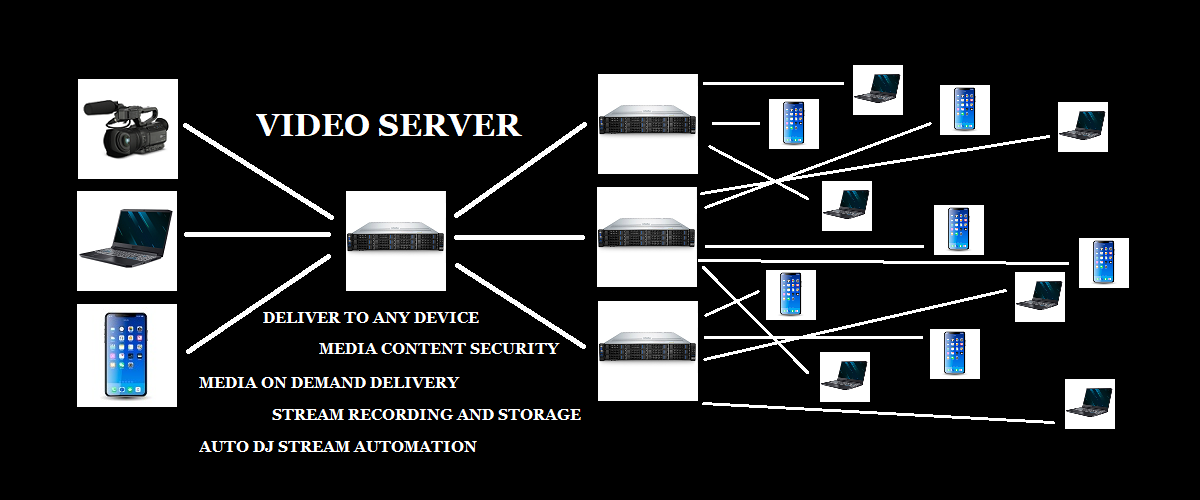
Shoutcast Net provides fully managed FFmpeg streaming infrastructure. No command-line required - just point your encoder and go live in seconds.
View Streaming PlansCommon FFmpeg Workflows
Real-world scenarios and solutions
Video Production Workflow
- Record raw footage in high quality (ProRes/DNxHD)
- Edit in Adobe Premiere or DaVinci Resolve
- Export master copy at highest quality
- Use FFmpeg to create web-optimized versions
- Generate thumbnails and preview clips
- Upload to Shoutcast video server for delivery
Live Streaming Workflow
- Capture video with camera or screen recorder
- Route video to OBS Studio or vMix
- FFmpeg encodes to H.264/AAC in real-time
- Stream via RTMP to Shoutcast server
- Server transcodes to HLS/DASH if needed
- Viewers watch on web, mobile, or TV apps
Podcast Production Workflow
- Record multitrack audio in Audacity/Audition
- Edit and mix tracks together
- Export as high-quality WAV file
- Use FFmpeg to create MP3/AAC versions
- Normalize audio levels for consistency
- Upload to podcast hosting or Shoutcast server
Enterprise Archive Workflow
- Receive legacy video files in various formats
- Use FFmpeg to analyze and validate files
- Batch transcode to standardized format
- Extract metadata and generate reports
- Create proxy/thumbnail versions for DAM
- Archive originals, deploy web versions
Frequently Asked Questions
Skip the Complexity - Stream with FFmpeg Power, Zero Hassle
Shoutcast Net provides enterprise-grade FFmpeg streaming infrastructure without the command-line complexity. Professional encoding, adaptive delivery, and 24/7 monitoring - all managed for you.
No credit card required • Free trial included • Cancel anytime