 Audio DJ
Mixxx DJ Software
Version 2.4.1 • Open Source
Professional open-source DJ software with Shoutcast/Icecast support. Mix tracks, stream to radio stations, and use MIDI controllers for live performances.
Setup TutorialFree Shoutcast Download
Get started with professional broadcasting using industry-standard free software. Download Mixxx for DJ audio streaming, OBS Studio for video streaming, VirtualDJ for pro mixing, and Winamp with Shoutcast plugin. All applications work seamlessly with Shoutcast and Icecast servers.
Instant downloads • No registration • Windows & Mac versions
 Free Forever
All software is 100% legal and free to download with both Mac and Windows versions available. Files are virus-scanned and safe. Legitimate alternative to cracked software. Compatible with Shoutcast, Icecast, and RTMP streaming protocols. Download includes Mixxx (open-source DJ software), OBS Studio (video streaming), VirtualDJ (free & professional editions), and Winamp with Shoutcast plugin (classic broadcasting).
Audio DJ
Version 2.4.1 • Open Source
Professional open-source DJ software with Shoutcast/Icecast support. Mix tracks, stream to radio stations, and use MIDI controllers for live performances.
Setup Tutorial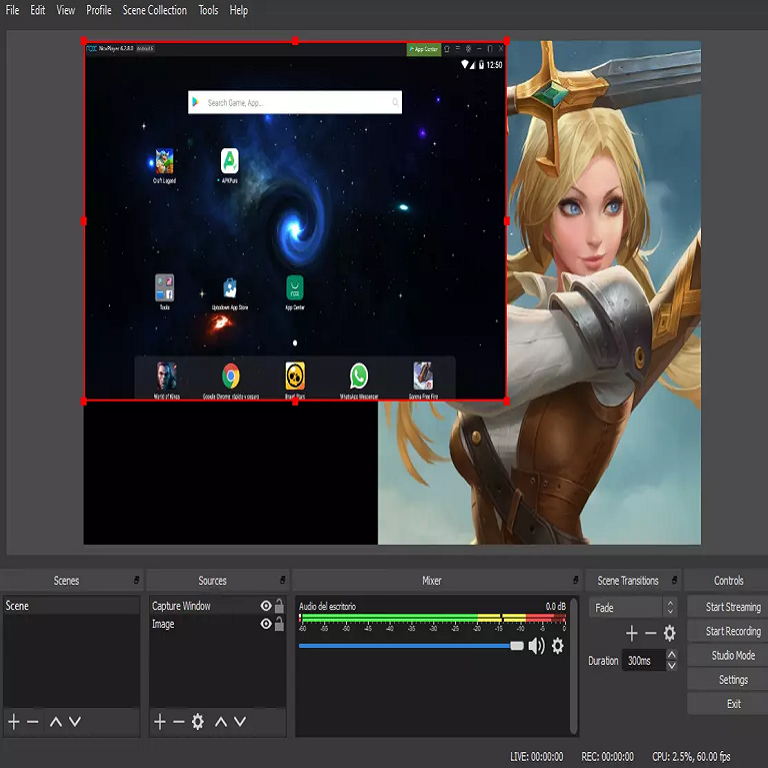 Video Streaming
Version 30.2.2 • Open Source
Industry-standard video streaming software. Stream to YouTube, Twitch, or RTMP servers with multi-scene support, transitions, and real-time effects.
Setup Tutorial Pro DJ
Free & Pro Editions • Legal Alternative to Cracked Software
Professional DJ software for audio and video mixing. Free home version available—no cracks or torrents needed. Stream to Shoutcast servers, support for controllers, effects, and karaoke. Industry standard for DJs and clubs.
 Classic
Classic Edition • Windows Only
Classic media player with Shoutcast DSP plugin for broadcasting. Simple setup for basic audio streaming to Shoutcast servers. Lightweight and reliable.
Install Winamp first, then the Shoutcast DSP plugin
All downloads are virus-scanned and come directly from official sources. No malware, adware, or bundled software.
Open-source software licensed under GPL. Free forever with no hidden costs, subscriptions, or premium tiers.
Get help from our broadcast engineers via tutorials, documentation, and live support for Shoutcast Net customers.
Follow these simple steps to start streaming to Shoutcast Net or any Shoutcast/Icecast server in minutes. All software works seamlessly with our streaming infrastructure.
Run the downloaded installer for your operating system. Installation takes 2-5 minutes. No registration or license key required for Mixxx and OBS Studio.
Sign up for Shoutcast Net to get your stream URL and credentials. 7-day free trial with no credit card required. Or use your existing Shoutcast/Icecast server.
Enter your stream URL and credentials in the software settings. Set bitrate to 128-320 kbps for audio or 2500-6000 kbps for video. Takes 3-5 minutes.
Click the "Start Streaming" button and you're live! Your broadcast is now available worldwide. Share your stream URL with listeners.
Check out our comprehensive setup tutorials with screenshots and video guides. Learn encoder configuration, bitrate optimization, audio routing, and troubleshooting common issues.
The software downloads above are FREE streaming encoders. To broadcast, you also need a Shoutcast server. Here's how to choose:
Download and install the Shoutcast server software on your own Windows/Linux computer or VPS. You manage everything yourself.
We host and manage everything for you. Just download the encoder software above, enter your credentials, and start streaming instantly.
Audio streaming from $4/month, video streaming from $16/month. 7-day free trial, no credit card required.
Choose Self-Hosting if:
Choose Hosted Server if:
Both options work with the same FREE encoder software (Mixxx, OBS Studio, VirtualDJ, Winamp) downloaded above.
These applications are designed to work seamlessly with Shoutcast Net's professional streaming infrastructure. Get low-latency audio and video servers with global CDN delivery, 99.9% uptime guarantee, and unlimited bandwidth.
Download the software, then get a streaming server to broadcast to the world. Try our legal Shoutcast-compatible server free for 7 days.
Start Free Server Trial (14 Days) View Streaming Server Pricing Browse Setup Tutorials