Everything You Need to Know About Video Streaming
Master video streaming technology from basics to advanced. Learn equipment setup, encoding, protocols, and best practices to deliver professional-quality streams for business, education, or entertainment.
What You'll Learn About Video Streaming
- Technology Fundamentals - Protocols, codecs, and infrastructure
- Equipment & Software - Cameras, encoders, and streaming tools
- Setup & Configuration - Step-by-step streaming setup guide
- Best Practices - Bitrate, resolution, and quality optimization
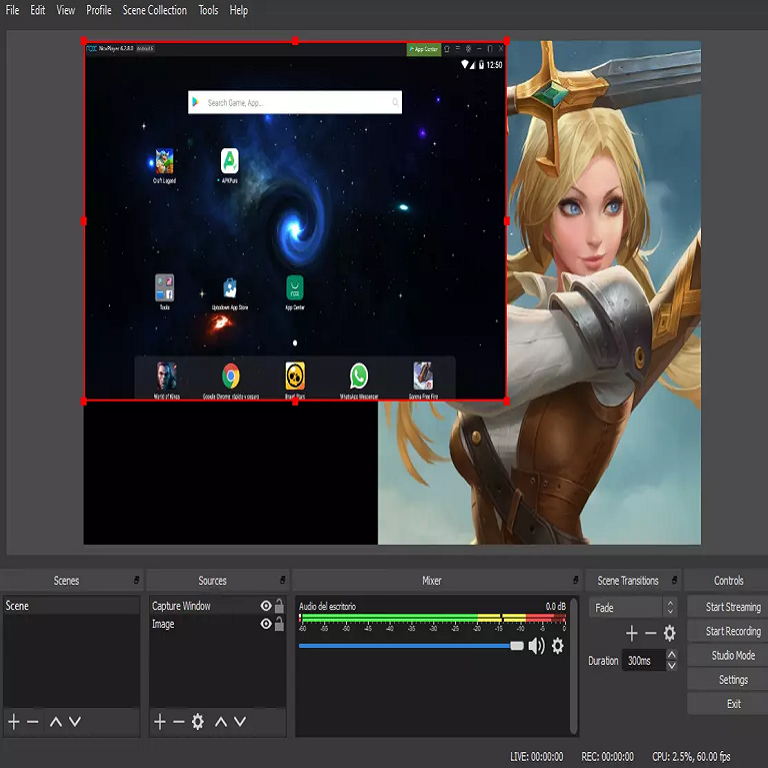
What is Video Streaming?
Video streaming is the continuous transmission of video content over the internet in real-time or on-demand. Unlike traditional file downloads, streaming allows viewers to watch content immediately as it's being delivered, without waiting for the entire file to download.
Live Streaming
Broadcasting video content in real-time as events happen. Perfect for webinars, events, concerts, sports, and interactive sessions with minimal delay between capture and viewer playback.
On-Demand Streaming
Pre-recorded video content available for viewing anytime. Ideal for training videos, tutorials, entertainment content, and educational courses that viewers can watch at their convenience.
How Video Streaming Works
1. Capture
Video source (camera, screen, or file) captures raw video and audio content at your location or studio.
2. Encode
Encoder software (OBS, vMix, Wirecast) compresses video using H.264/H.265 codecs and prepares it for transmission.
3. Transmit
Encoded stream sends via RTMP protocol to streaming server, which processes and distributes to CDN edge servers globally.
4. Deliver
Viewers access stream via HLS or DASH protocol, receiving adaptive quality based on their internet connection speed.
Essential Video Streaming Equipment & Software
Hardware Equipment
-
Camera
DSLR, mirrorless, webcam, or PTZ camera. Minimum 1080p resolution. Popular: Logitech Brio, Sony A7, Canon EOS.
-
Microphone
USB or XLR microphone for clear audio. Popular: Blue Yeti, Shure SM7B, Audio-Technica AT2020.
-
Lighting
Softbox, ring light, or LED panels for professional appearance. Minimum 2-point lighting recommended.
-
Computer
i7/Ryzen 7 CPU, 16GB RAM, dedicated GPU for encoding. Better specs = higher quality streaming.
-
Internet Connection
Upload speed 2x your bitrate. For 1080p: 10+ Mbps upload. Ethernet connection strongly recommended.
Software Tools
-
OBS Studio (Free)
Most popular free encoder. Multi-source mixing, scenes, plugins. Windows, Mac, Linux. Best for beginners to intermediates.
-
vMix ($60-$1200)
Professional mixing, multi-camera, instant replay, virtual sets. Best for professional productions and live events.
-
Wirecast ($599-$799)
User-friendly professional encoder. Great UI, multi-destination streaming. Mac and Windows.
-
Streamlabs ($0-$149/yr)
Gaming-focused with alerts, overlays, chat integration. Built on OBS. Popular with Twitch streamers.
-
XSplit ($15-$25/mo)
Easy-to-use encoder with game capture optimization. Good balance between features and simplicity.
Video Streaming Protocols Explained
RTMP (Ingest)
Real-Time Messaging Protocol. Industry standard for sending video from encoder to server. Low latency, reliable, supported by all encoders.
Use: Broadcasting from OBS/vMix to streaming server.
HLS (Delivery)
HTTP Live Streaming by Apple. Adaptive bitrate, works on all devices, through firewalls. 6-30 second latency. Most widely used delivery protocol.
Use: Delivering video to viewer browsers and apps.
WebRTC (Low Latency)
Web Real-Time Communication. Sub-second latency for interactive streaming. Perfect for auctions, gaming, video chat. Higher bandwidth costs.
Use: Real-time interactive applications.
Video Streaming Best Practices
- 1080p (1920x1080): 4500-6000 Kbps for high quality, 3000-4500 Kbps standard
- 720p (1280x720): 2500-4000 Kbps - best balance for most use cases
- 480p (854x480): 1000-2000 Kbps for mobile or bandwidth-limited viewers
- Audio: 128-192 Kbps AAC, 48kHz sample rate
- Keyframe Interval: 2 seconds for best compatibility with HLS/DASH
- Use Ethernet: WiFi causes packet loss and instability
- Upload Speed Rule: 2x your bitrate (6Mbps stream needs 12Mbps upload)
- QoS Settings: Prioritize streaming traffic in router settings
- Backup Connection: Have 4G/5G backup for critical streams
- Test Before Live: Always run test stream before important broadcasts
- CPU Encoding (x264): Better quality, requires powerful CPU
- GPU Encoding (NVENC/QuickSync): Less CPU load, slightly lower quality
- Close Other Apps: Dedicate system resources to encoder
- Monitor Stats: Watch dropped frames, CPU usage, network status
- Scene Complexity: Static scenes need less bitrate than fast motion
- Adaptive Bitrate: Offer multiple quality levels (auto, 1080p, 720p, 480p)
- Buffer Time: 6-10 seconds recommended for stability
- Mobile Optimization: Test on phones/tablets, not just desktop
- Accessibility: Add closed captions for better reach
- DVR/Rewind: Enable time-shifting for live streams
Start Your Video Streaming Journey Today
Get professional video streaming infrastructure without complexity. For just $16/month, get 100 viewers (up to 1,000 on higher plans), unlimited bandwidth, video up to 6 Mbps (15 Mbps on Video 1000), built-in AutoDJ, and free restreaming to Facebook, Twitch and YouTube (see plan for details). 7-day free trial, no credit card needed.
No credit card required • Cancel anytime • 24/7 support