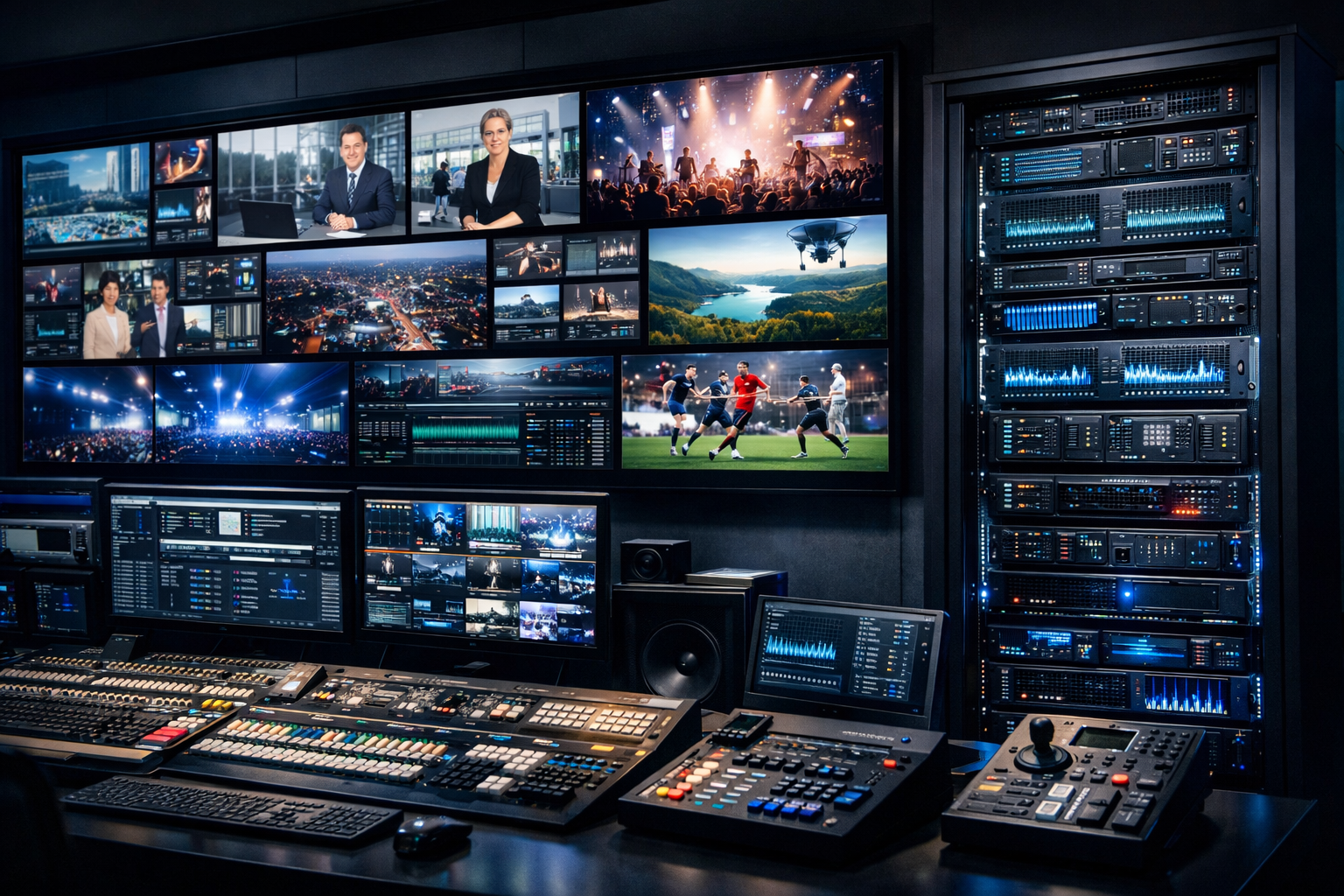
What a Shoutcast video server is (and when to use it)
A Shoutcast video server is the practical, “broadcast-style” way to deliver live (or 24/7) video streams using a dedicated streaming server instead of a social platform’s fragile workflow. In simple terms: you send one clean output from your encoder to your server, then your server delivers the stream to your viewers through a web player, apps, or downstream destinations.
At Shoutcast Net, we focus on a modern hosting experience that goes beyond legacy “audio-only Shoutcast” assumptions. You can build a channel that can stream from any device to any device, handle growth without per-viewer panic, and keep your brand in front—without being forced into Wowza-style expensive per-hour/per-viewer billing.
When a video server makes sense (vs “just go Live”)
A dedicated video streaming server is ideal when you need one or more of the following:
- Brand control: your own player, your own page, your own experience.
- Predictable costs: flat-rate hosting that doesn’t spike when your event goes viral.
- Always-on channels: 24/7 streams with scheduled content and fallback playlists.
- Multi-destination distribution: Restream to Facebook, Twitch, YouTube while still keeping a primary “home” stream.
- Reliability: dedicated infrastructure with 99.9% uptime and support that understands broadcasters.
What people mean by “Shoutcast video” in 2026
Historically, “Shoutcast” is associated with audio streaming. Many broadcasters still say “Shoutcast video server” when they mean a managed streaming host that:
- accepts common ingest from your encoder,
- distributes a stable HD output to viewers,
- supports embeddable players and modern delivery,
- lets you run a station like a station (not like a one-off livestream).
Shoutcast Net is built for creators who want that broadcaster workflow—without the outdated limitations that come with legacy Shoutcast-only setups.
Pro Tip
If you run both audio and video, keep your “station mindset”: treat video like a channel with a schedule, bumpers, and a fallback plan. Pair your video stream with AutoDJ for continuity when your live source drops—viewers stay connected, and you stay professional.
Why flat-rate pricing wins vs per-viewer/per-hour platforms
If you’ve ever streamed a concert, church service, school event, or a DJ set, you already know the most stressful moment: when the audience grows. On many platforms, growth doesn’t just bring engagement—it brings unpredictable invoices.
That’s why Shoutcast Net leans into a simple promise: flat-rate pricing that’s easy to budget. Plans start at $16/month and scale to higher capacity tiers—without the Wowza-style “meter running” feeling.
The hidden tax of per-hour/per-viewer billing
Per-hour or per-viewer pricing models (common with enterprise tools like Wowza) can punish success. You may start cheap, but once your stream gets attention, costs become a moving target. That makes it hard to:
- promote aggressively (because you fear the bill),
- host longer events (because time is money),
- serve communities consistently (because “peak Sunday” gets expensive).
Shoutcast Net’s approach: predictable, broadcaster-friendly
Shoutcast Net is designed for creators and organizations that need reliability and repeatability. With us, you’re not punished for having a good night. You get:
- Flat-rate tiers with clear capacity expectations
- Up to 1,000 listeners (within plan constraints and fair use), so you can grow confidently
- SSL streaming so modern browsers and embedded players behave
- an easy path to launch with a 7 days trial via free trial
Wowza vs Shoutcast Net vs “restream-only” tools
Here’s the practical difference most broadcasters feel in week one:
| Feature / Cost Reality | Shoutcast Net | Wowza (typical) | Restream-only platforms |
|---|---|---|---|
| Pricing model | Flat-rate (starts at $16/mo, higher tiers available) | Often per-hour/per-viewer or usage-based add-ons | Subscription + limitations; not a full “home server” |
| Predictable monthly budget | Yes | Often No during spikes | Sometimes, but features can be capped |
| Always-on station workflow | Yes (broadcast-style hosting) | Possible but complex | Usually No (event-centric) |
| Ownership of your audience | High (your site/player) | High, but costly | Medium (dependent on 3rd-party destinations) |
| Time to launch | Fast (guided setup + templates) | Slower (more engineering) | Fast, but limited control |
Pro Tip
If you’re planning a “big day” (holiday service, tournament, festival), lock in your server first and test for a week. Use the 7 days trial to validate your encoder settings, player embedding, and network stability—before you spend a dollar promoting.
Core features: HD streaming, AutoDJ, restreaming, 99.9% uptime
A “video server” is only useful if it makes your life easier on show day. Shoutcast Net is built around the features broadcasters actually rely on: stable HD delivery, predictable performance, automation tools, and the ability to distribute widely without losing control of your primary stream.
HD streaming that’s built for real audiences
HD isn’t just a resolution—it’s a promise that your stream can remain watchable when networks fluctuate. Our platform is designed to keep streams stable and compatible so you can stream from any device to any device without reinventing your workflow every time you change cameras, laptops, or venues.
AutoDJ for continuity (yes, it still matters in video-first workflows)
AutoDJ is more than a radio feature—it’s your safety net. If your live encoder drops, you can maintain an “always-on” experience with scheduled content, pre-recorded programming, promos, and station IDs. That’s the difference between a channel that feels professional and one that feels like a hobby.
Learn more about our automation options on the AutoDJ page, and pair it with your main station plan through shoutcast hosting.
Restreaming done the smart way
Social platforms are great distribution channels, but they’re not the best “home base.” With Shoutcast Net, you can keep your primary stream on your server and Restream to Facebook, Twitch, YouTube for discovery.
This approach also gives you more control over branding and monetization because your best viewer experience lives on your site, not inside someone else’s app.
99.9% uptime + SSL streaming
Viewers don’t care why a stream is down—they only remember it was down. Shoutcast Net is built around 99.9% uptime targets and production-friendly infrastructure, plus SSL streaming so embeds and modern browsers load cleanly without mixed-content warnings.
Protocol flexibility for modern workflows
Broadcasters in 2026 don’t use one protocol forever. You might ingest from OBS today, a hardware encoder tomorrow, and a remote contribution feed next week. That’s why modern hosting must support any stream protocols to any stream protocols (RTMP, RTSP, WebRTC, SRT, etc)—so you can adapt without migrating platforms.
Latency that feels live
If you’re doing live chat, call-ins, worship engagement, auction events, or interactive coaching, latency is everything. Shoutcast Net is built for workflows that can achieve very low latency 3 sec under the right settings and network conditions—so your audience interaction doesn’t feel delayed and awkward.
Pro Tip
Don’t choose a platform based only on a feature checklist. Choose based on whether you can repeat the workflow weekly without surprises. Flat-rate hosting + automation (like AutoDJ) is how stations stay consistent—especially when volunteers, rotating DJs, or multiple campuses are involved.
Setup workflow: encoder settings, player/embed, IPTV basics
A reliable stream comes down to a repeatable workflow. Below is a broadcaster-friendly setup path you can use whether you’re a DJ, podcaster, church tech, school station manager, or live event crew.
Step 1: Pick your ingest + decide your “source of truth”
Start by deciding what creates your final program output:
- OBS Studio (most common): scenes, overlays, audio routing, easy recording.
- Hardware encoder: great for venues, SDI/HDMI cameras, and non-stop reliability.
- Remote contribution: guests or reporters sending feeds from the field.
Once you have a single clean output, send it to Shoutcast Net as your primary distribution point. That way, you can publish one player link and optionally distribute everywhere else.
Step 2: Use stable encoder settings (HD without buffering)
These guidelines keep HD streams stable on typical networks. You can tweak later—but start here to avoid the most common “it worked in testing” problems.
- Resolution: 1280×720 (720p) for safety; 1920×1080 (1080p) if uplink is strong.
- FPS: 30fps (smooth enough for most events; easier on bandwidth than 60fps).
- Video bitrate: 2500–4500 kbps (720p); 4500–6500 kbps (1080p).
- Keyframe interval: 2 seconds (common requirement for players/CDNs).
- Audio: AAC, 128–192 kbps, 48 kHz.
# Example baseline profile (encoder-agnostic)
Video: H.264 (x264), 1280x720, 30fps, CBR 3500 kbps, Keyframe 2s
Audio: AAC, 160 kbps, 48 kHz, Stereo
Network: Use a wired connection whenever possible
Step 3: Publish your player + embed on your site
Your server is the home base. That means your player should live where your audience already is: your website, your church app page, your school radio page, or your DJ brand hub. Shoutcast Net makes it easy to embed a player so your stream is one click away.
<!-- Example embed pattern (use your actual player URL from your dashboard) -->
<div class="ratio ratio-16x9 border border-secondary rounded overflow-hidden">
  <iframe src="https://YOUR-PLAYER-URL" allow="autoplay; fullscreen" loading="lazy"></iframe>
</div>
Step 4: Restream strategically (don’t let platforms own your stream)
When you Restream to Facebook, Twitch, YouTube, keep your server as the primary destination and treat social networks as satellites. Benefits:
- Your main player stays consistent even if a platform changes rules or throttles reach.
- You can direct viewers back to your site for archives, donations, merch, or membership.
- You reduce the risk of “platform-only failure” taking down your entire broadcast.
Step 5: IPTV basics (what matters and what doesn’t)
IPTV can mean many things, from smart-TV apps to set-top boxes. The important basics:
- Consistency: a stable stream URL and predictable encoding profile.
- Compatibility: modern devices may require specific stream packaging and secure delivery.
- Latency vs stability tradeoff: ultra-low latency is great for interaction, but some IPTV environments prioritize buffer safety.
If you’re planning IPTV distribution, choose settings that prioritize steady playback first, then optimize toward very low latency 3 sec if your device ecosystem supports it.
Where Icecast fits (audio companions and backups)
Many broadcasters pair video with an audio-only stream for listeners on limited bandwidth. If you want a dedicated audio companion stream, consider icecast for wide compatibility, while still keeping your main channel on Shoutcast Net for the full “station” experience.
Pro Tip
Before you go live, run a 30-minute private test and watch from multiple devices (phone on cellular, laptop on Wi‑Fi, smart TV if possible). The goal is to prove you can stream from any device to any device reliably—then lock those encoder settings and don’t change them on show day.
Best-fit use cases: DJs, podcasts, churches, stations, live events
A Shoutcast video server isn’t just for “big media.” It’s for anyone who needs a dependable channel, predictable costs, and a workflow that can scale from a small room to a packed audience without surprise fees.
Radio DJs and music streamers
If you already think like a station, video is your competitive edge: live studio cams, visualizers, track overlays, guest interviews, behind-the-scenes sets, and live chat. Shoutcast Net is built to keep that station cadence while protecting you from platform volatility.
- Always-on presence: go live when you want, keep the channel alive when you’re offline.
- Automation: AutoDJ helps you maintain programming consistency.
- Predictable growth: flat-rate hosting beats “you went viral, now pay more.”
Podcasters who want video without chaos
Video podcasting adds complexity: scenes, remote guests, longer runtimes, and bigger audiences. Instead of relying only on third-party platforms, host your primary live experience on your site and distribute outward.
You can still Restream to Facebook, Twitch, YouTube for discovery while keeping your show’s “home” stable, branded, and monetizable.
Church broadcasters and ministries
Church streaming needs to be simple for volunteers, stable during peak moments, and cost-predictable across the year. Shoutcast Net supports consistent weekly workflows with 99.9% uptime, SSL streaming, and a clear path to low-latency engagement.
- Volunteer-friendly: repeatable encoder presets + a single player link.
- Engagement: aim for very low latency 3 sec where possible for live interaction.
- Cost control: no Wowza-style per-hour/per-viewer surprise when holidays spike.
School radio stations and campus media
Student-run media needs guardrails: a stable platform, consistent player embeds for the school website, and predictable cost approval for administrators. With Shoutcast Net’s flat-rate tiers and reliable delivery, you can build a campus channel that supports:
- sports coverage, assemblies, graduations, performances, and interviews,
- live studio shows with visual branding,
- a consistent place for parents and alumni to tune in.
Live event streamers (festivals, tournaments, conferences)
Events break streams when bandwidth fluctuates and crowds spike. The right hosting plus disciplined settings can keep you stable. Shoutcast Net helps you build a resilient workflow that can accept modern inputs and distribute widely—without turning your invoice into a stress test.
If you need flexibility across contributors and venues, choose a platform that supports any stream protocols to any stream protocols (RTMP, RTSP, WebRTC, SRT, etc) so you aren’t locked into one encoder type.
Pro Tip
Your best conversion move is simple: make one “Watch Live” page and never change the URL. Embed your player once, then drive every platform back to that page. It builds habit, improves SEO, and keeps your audience connected even if a social platform throttles notifications.
Troubleshooting + best practices for stable HD streams
Most streaming problems aren’t “mysteries”—they’re predictable issues around bandwidth, encoding settings, and workflow gaps. Use this section as your pre-flight checklist and your quick-fix guide when something feels off.
Problem: buffering or stuttering playback
Common causes: uplink instability, too-high bitrate, Wi‑Fi interference, variable bitrate spikes.
Fixes that work:
- Switch to wired Ethernet (this solves more issues than any other change).
- Lower video bitrate by 15–25% and test again.
- Use CBR (constant bitrate) where possible to prevent spikes.
- Close cloud backups/sync tools during the live show.
Problem: stream disconnects every few minutes
Common causes: ISP hiccups, router power saving, overloaded CPU, unstable ingest path.
- Reboot networking gear before major events (router/modem).
- Confirm your encoder isn’t maxing CPU/GPU; reduce FPS or resolution if needed.
- Keep keyframe interval consistent (2 seconds is a safe baseline).
- If you use remote contribution, prefer stable links and test early.
Problem: audio out of sync (lip-sync issues)
Common causes: Bluetooth audio delays, mixed sample rates, heavy processing, scene-level latency.
- Avoid Bluetooth mics/headsets for primary program audio.
- Standardize your audio sample rate to 48 kHz.
- Minimize “live” noise reduction/AI processing unless your machine can handle it.
- If needed, apply a small manual audio delay in your encoder/mixer.
Problem: latency is too high for interaction
If you want real-time chat, call-ins, or on-stage feedback, your target should be very low latency 3 sec when your workflow supports it. To get there:
- Use low-latency streaming modes where available.
- Reduce buffer settings in your player configuration (balanced against stability).
- Keep the encoding pipeline simple: fewer conversions, fewer “middle steps.”
Remember: some environments (certain IPTV devices, older networks) trade latency for stability. Choose the right balance for your audience.
Best practices that prevent 90% of “show day” issues
- Create one preset for your encoder and document it for anyone who might go live.
- Do a weekly test even if nothing changed—ISPs and updates can change behavior.
- Run a fallback plan: if live drops, switch to scheduled content using AutoDJ.
- Embed once, promote forever: one player page that always works.
- Distribute smartly: keep your server as home base, then Restream to Facebook, Twitch, YouTube for reach.
- Choose a platform that scales: Shoutcast Net flat-rate beats Wowza’s expensive per-hour/per-viewer billing when audiences spike.
A quick pre-flight checklist (copy/paste)
Pre-Flight (15 minutes before going live)
- Wired Ethernet connected and verified
- Encoder preset loaded (resolution/FPS/bitrate/keyframe)
- Audio meters peaking safely (no clipping)
- Test playback on phone (cellular) + laptop (Wi‑Fi)
- Player page loads over SSL (no browser warnings)
- Fallback content ready (AutoDJ / playlist / standby scene)
- If restreaming: confirm destinations (Facebook/Twitch/YouTube) are set
Pro Tip
If you’re switching from a legacy setup, don’t replicate old limitations—upgrade the workflow. Shoutcast Net gives you modern flexibility, up to 1,000 listeners (plan-based), and predictable pricing, so you can focus on the show instead of babysitting usage meters like you often must with Wowza.
Ready to launch your channel on flat-rate hosting?
Start with $16/month plans, lock in predictable costs, and validate your workflow with a 7 days trial. Build a channel that can stream from any device to any device—without per-viewer/per-hour surprises.