What Exactly is Icecast Metadata?
For anyone running an internet radio station, from seasoned DJs to school broadcasters, creating an engaging listener experience is paramount. While high-quality audio is the foundation, there's a small but powerful piece of data that dramatically enhances that experience: metadata.
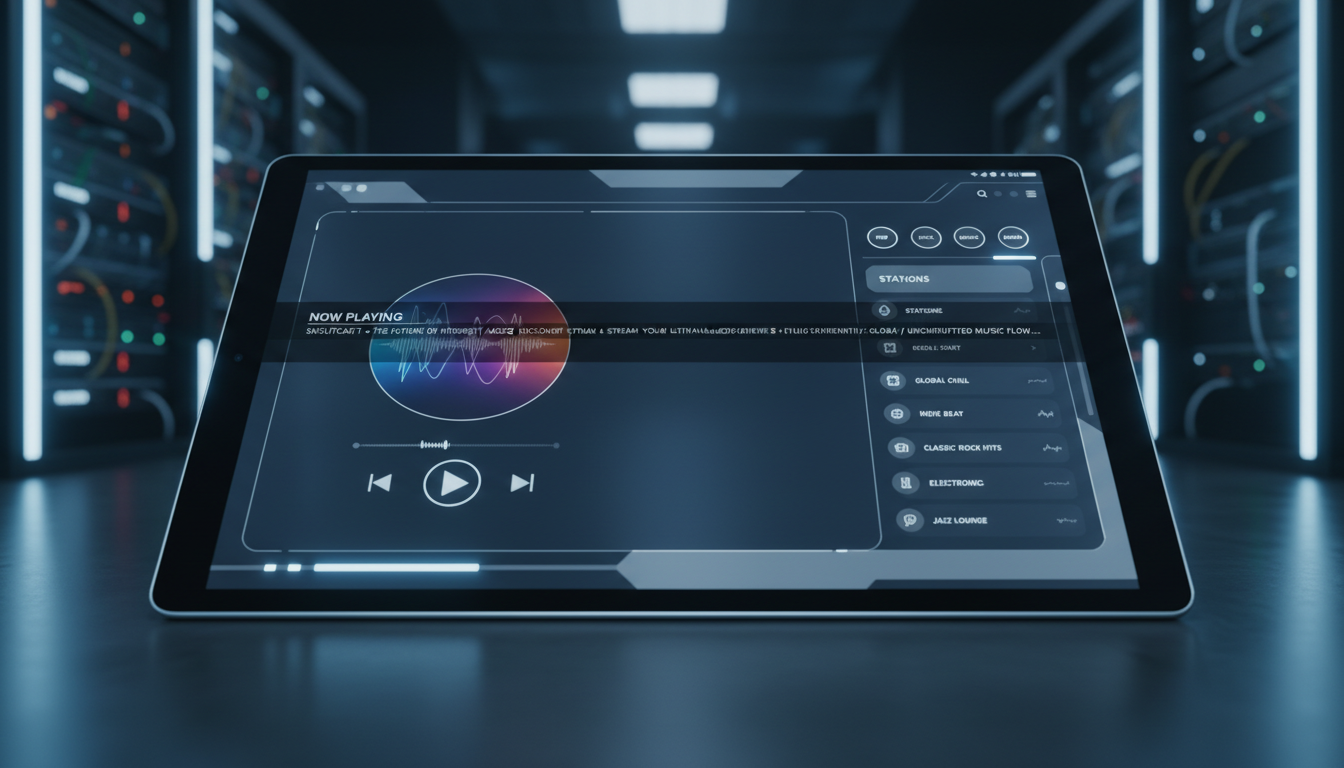
In the context of an Icecast stream, metadata is simply text-based information that is sent alongside your audio stream. Its most common and recognizable use is for "Now Playing" information—displaying the current artist and song title to your listeners. However, it can contain any text data you wish to transmit, such as the DJ's name, the show's title, promotional messages, or even contact information.
This data is embedded directly into the audio stream itself. Think of your stream as a continuous flow of data packets. Most of these packets contain audio, but at specific intervals (usually at the start of a new song), a special packet containing the text-based metadata is inserted. This is known as in-band metadata. Listener players are designed to detect these special packets, extract the text, and display it without interrupting the audio playback.
Why is Metadata So Important?
- Listener Engagement: Listeners love to know what they're hearing. Displaying track info encourages them to discover new music and connect more deeply with your programming.
- Professionalism: A stream with accurate, timely metadata looks and feels more professional, putting your station on par with major broadcasters.
- Discoverability: Many streaming apps and directories use metadata to help users find stations playing artists they like. Good metadata can directly lead to new listeners.
- Legal Compliance: For stations that pay royalties, accurate metadata logs are often a requirement for reporting to performance rights organizations (PROs) like ASCAP, BMI, and SOCAN.
Pro Tip: Boost Your Metrics
Stations that consistently provide accurate 'Now Playing' metadata often see a measurable increase in average listener session duration. When a listener can identify and save a song they like, they are more likely to stay tuned in for the next one. It transforms passive listening into an active, engaging experience.
The Journey of a 'Now Playing' Update
Understanding how that "Artist - Title" text gets from your computer to your listener's screen can help you troubleshoot issues and optimize your setup. It's a five-step journey that happens in a matter of seconds.
You (DJ Software) ==> Encoder ==> Shoutcast Net Server ==> Internet ==> Listener's Player
      [Step 1]          [Step 2]         [Steps 3 & 4]                     [Step 5]
Step 1: The Source (Your Automation Software)
It all begins in your broadcast software (e.g., Mixxx, RadioBOSS, SAM Broadcaster, VirtualDJ). When you load a new track, the software reads its embedded information, known as ID3 tags (for MP3s) or Vorbis comments (for OGG/FLAC). These tags contain the artist, title, album, and more. For live content, you can often type this information in manually.
Step 2: The Encoder
The same software that encodes your audio into a streamable format (like MP3 or AAC) is also responsible for handling the metadata. When a new song begins, the encoder takes the text from Step 1, formats it (typically as `Artist - Title`), and wraps it in a special metadata packet. It then injects this packet into the outgoing audio stream.
Step 3: The Journey to the Server
This combined stream of audio and metadata packets travels from your computer over the internet to your dedicated Shoutcast Net streaming server. You connect to a specific IP address and port provided in your welcome email, authenticating with a password.
Step 4: The Shoutcast Net Icecast Server
Our powerful server receives your stream on a specific "mountpoint" (e.g., `/live`). The server does two things simultaneously:
- It reads the incoming metadata and uses it to update its public status page. This allows web players and apps to fetch the current song info via a separate HTTP request if they need to.
- It leaves the metadata embedded within the audio stream as it relays it to all connected listeners. This ensures players that read in-band metadata get the update directly.
This robust processing is a core feature of our platform, which is built to handle not just Icecast, but a full range of protocols. We can ingest and output **any stream protocols to any stream protocols (RTMP, RTSP, WebRTC, SRT, etc)**, making our service far more versatile than legacy Shoutcast providers.
Step 5: The Listener's Player
Finally, the stream reaches your listener's device—be it a web browser player, a mobile app like TuneIn, or a desktop player like VLC. The player buffers a few seconds of audio and, upon detecting the metadata packet, extracts the text and displays it on the user interface. The audio playback remains seamless.
Pro Tip: Understanding Latency
If you notice a delay between when a song starts and when the metadata updates on a player, it's almost always due to player-side buffering, not the server. Standard HTTP streaming requires a buffer of 15-45 seconds. For applications needing instant updates, Shoutcast Net offers plans with **very low latency 3 sec** streaming using modern protocols like WebRTC, perfect for live events and interactive broadcasts.
Shoutcast vs. Icecast Metadata: Key Differences
While both server types achieve the same goal, they handle metadata differently under the hood. Understanding these differences helps explain why Icecast is generally considered the more modern and flexible standard, though Shoutcast Net supports both flawlessly.
| Feature | Icecast | SHOUTcast (Legacy v1/v2) |
|---|---|---|
| Standard | Based on Ogg/Xiph standards. Well-documented and open. | Proprietary `ICY` protocol. Less standardized. |
| Update Method | In-band packets within the stream. Also supports an out-of-band HTTP POST/GET method for updates (`/admin/metadata`). | In-band only. The server injects metadata into the stream at an interval defined by the `icy-metaint` header. |
| Format | Flexible key-value pairs (e.g., `artist=U2`, `title=With Or Without You`). Most encoders send a single `song` or `title` key. | A single string field: `StreamTitle='Artist - Title'`. Less flexible. |
| Character Encoding | Natively supports UTF-8 for special characters. | Historically problematic with non-ASCII characters, though modern clients have improved compatibility. |
The main takeaway is that Icecast was designed with flexible metadata in mind, while Shoutcast's method was more of an add-on to an existing protocol. The Icecast out-of-band update URL is particularly powerful, allowing our integrated AutoDJ system and other custom tools to update song information without being the direct audio source.
At Shoutcast Net, we believe in flexibility. Whether you prefer Icecast for its modern features or need Shoutcast hosting for compatibility with older equipment, our platform is ready. We let you choose the best tool for your job, unlike restrictive hosts or expensive, complex solutions like Wowza that lock you into a specific ecosystem.
Pro Tip: Choose Icecast for New Stations
If you're starting a new station from scratch, we recommend choosing our Icecast plans. The technology is more modern, flexible, and better equipped for future standards. If you have an existing workflow built around Shoutcast, don't worry—our platform will handle it perfectly. You can start your new station today with our risk-free 7 days trial.
How to Send Metadata to Your Shoutcast Net Server
Getting your 'Now Playing' info to display is straightforward. There are three primary methods, depending on your setup.
Method 1: From Your DJ/Automation Software (Standard)
This is the most common method. Virtually all streaming encoder software has built-in support for sending metadata.
- In your encoder's connection settings, you'll enter your Shoutcast Net server IP, port, password, and mountpoint (e.g., `/live` for Icecast) or Stream ID (for Shoutcast).
- Look for a checkbox labeled "Enable Metadata," "Send Metadata," or similar. Ensure it is checked.
- The software will typically provide a format string. The default is often `%artist% - %title%`. This automatically pulls the artist and title from your audio file's tags and sends them in the correct format.
- Connect to the server and start playing. The metadata will be sent automatically at the start of each track.
Method 2: Using the URL Update Method (Advanced)
This is an Icecast-specific feature that is incredibly powerful for custom applications, web-based remote controls, or our AutoDJ. It allows you to "push" a metadata update to the server using a simple HTTP request.
You can test this from a command line using `curl`. Replace the placeholders with your actual server details.
# Command to update metadata for an Icecast mountpoint
curl --user source:YourSourcePassword "http://YOUR_SERVER_IP:PORT/admin/metadata?mount=/your_mountpoint&mode=updinfo&song=New%20Artist%20-%20New%20Title"
Let's break down that command:
- --user source:YourSourcePassword: You authenticate using the username `source` and your source password.
- /admin/metadata: The special Icecast administrative path for this function.
- ?mount=/your_mountpoint: Specifies which stream on the server to update.
- &mode=updinfo: Tells the server we are updating information.
- &song=...: The new song string. Note that spaces and special characters must be URL-encoded (e.g., a space becomes `%20`).
Method 3: Using Shoutcast Net's AutoDJ
The easiest method of all! If you use our powerful AutoDJ system, metadata is handled for you. Simply upload your MP3 files to your playlist manager in our control panel. Our system automatically reads the ID3 tags from each file. When the **AutoDJ** plays a track, it simultaneously pushes the correct metadata to the server. It's a "set it and forget it" solution for 24/7 broadcasting.
Pro Tip: Find Your Details Easily
All the information you need—server IP, port, password, and mountpoint—is clearly displayed in your Shoutcast Net client area dashboard. No need to hunt through confusing configuration files. We make it simple to get connected and start streaming.
Troubleshooting Common Metadata Problems
Even with a great setup, you might run into a snag. Here are solutions to the most common metadata issues.
- Check Encoder Settings: Double-check that "Send Metadata" is enabled in your software.
- Check Credentials: Verify you are using the correct server IP, port, password, and mountpoint/stream ID. A password mismatch is a common culprit.
- Firewall: Ensure no firewall on your PC or network is blocking the connection to the server port.
- Check ID3 Tags: The most likely cause is incorrect ID3 tags on your audio files. Use a tag editor (like MP3Tag) to correct the artist and title fields on the files themselves.
- Check Encoder Format: Ensure your encoder's metadata format string is correct. If it's set to use the filename instead of tags, it could be sending `track01.mp3` instead of `U2 - One`.
- Encoder Settings: In your broadcasting software, look for a metadata encoding setting and ensure it is set to UTF-8. Latin-1 or ISO-8859-1 can cause issues.
- Script Encoding: If you're using the URL update method, ensure your script is sending the data as UTF-8 and properly URL-encoding it.
Pro Tip: Isolate the Problem
Your Shoutcast Net server has a built-in status page. You can usually access it at `http://YOUR_SERVER_IP:PORT/`. This page shows the exact metadata the server is currently receiving from your encoder. If the metadata is correct there but wrong on your web player, the problem is with the player. If it's wrong on the server status page, the problem is with your encoder or source.
Why Choose Shoutcast Net for Icecast Hosting?
Managing metadata is just one piece of the puzzle. To run a successful online broadcast, you need a hosting partner that provides a powerful, reliable, and affordable platform. That's where Shoutcast Net excels.
While legacy providers are stuck with old technology and companies like Wowza charge confusing and expensive per-hour/per-viewer fees, Shoutcast Net offers a modern, flat-rate solution. Our audio plans start at just $4/month for 100 listeners with unlimited bandwidth, and scale affordably to 500 ($8/mo) or 1,000 listeners ($16/mo). Video plans are also available.
The Shoutcast Net Advantage:
- Unmatched Flexibility: Our platform is designed to **stream from any device to any device**. We handle **any stream protocols to any stream protocols (RTMP, RTSP, WebRTC, SRT, etc)**, ensuring you're never limited by technology.
- Powerful Automation: Our built-in AutoDJ system with playlist management and automatic metadata handling makes running a 24/7 station effortless.
- Social Reach: Expand your audience with our option to **Restream to Facebook, Twitch, YouTube**. Included free on every audio and video plan.
- High Performance: We guarantee 99.9% uptime, provide free SSL on all streams for secure listening, support high-quality audio up to 320 kbps, and offer plans with **very low latency 3 sec** streaming.
- Predictable Pricing: No surprise bills. You get unlimited bandwidth and a fixed monthly price, so you can grow your audience without worrying about costs.
Stop wrestling with outdated servers or worrying about unpredictable costs. Power your broadcast with a platform built for the future of streaming.
Experience the power and simplicity of Shoutcast Net, risk-free.
Pro Tip: More Than Just a Server
When you choose one of our Icecast hosting plans, you're not just renting server space. You're getting a complete streaming ecosystem with a user-friendly control panel, powerful features like AutoDJ, and expert support, all for one simple, flat-rate monthly price. It's the professional solution without the enterprise cost.