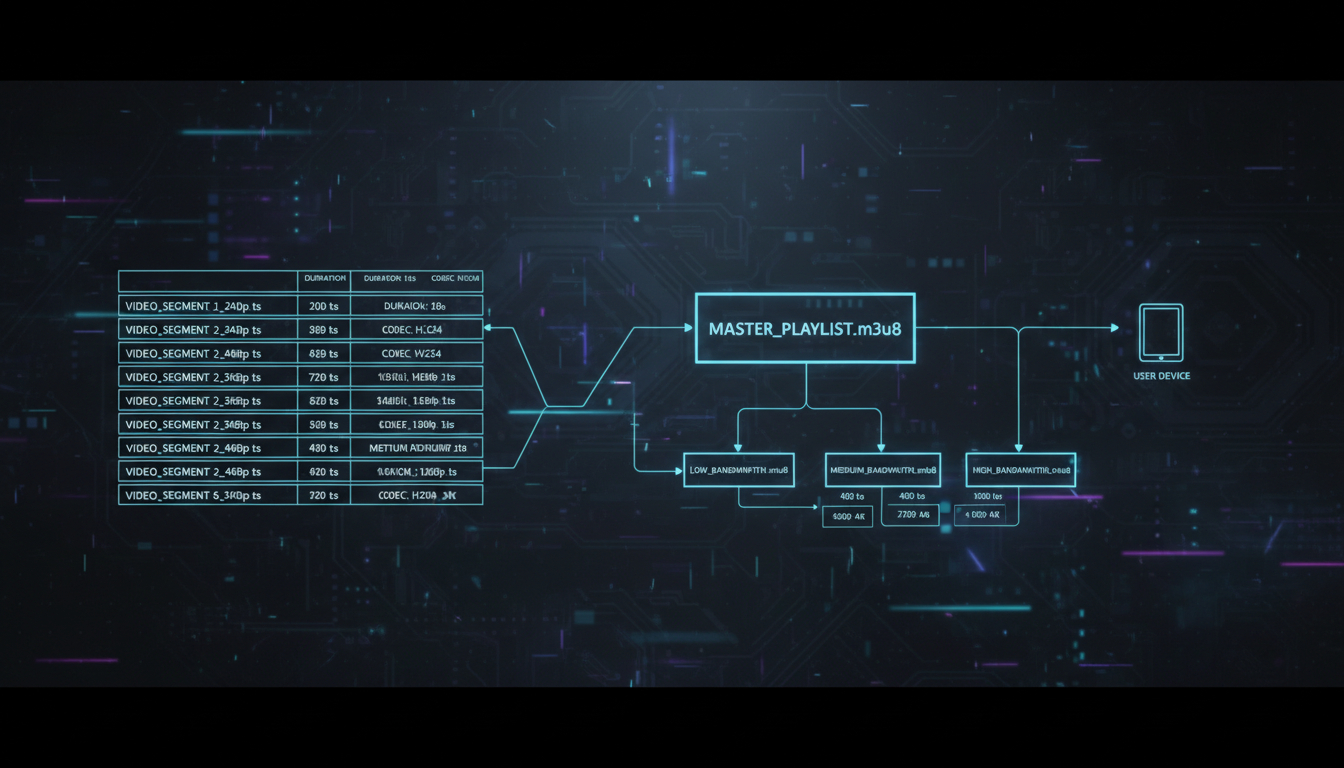
As a broadcaster, you pour your heart into your content. You've perfected your playlist, fine-tuned your microphone, and you're ready to share your passion with the world. But have you ever wondered about the technical magic that happens between your studio and your listeners' devices? How does your single audio stream reliably reach thousands of people on iPhones, Androids, web browsers, and smart speakers, all at the same time?
The answer lies in a small but powerful text file: the streaming manifest. This unsung hero of the digital age is the key to modern, reliable, and high-quality streaming. It's the "playlist of playlists" that guides every listener's device, ensuring a smooth, uninterrupted experience. In this guide, we'll demystify the two most important manifest files—M3U8 and MPD—and show you how Shoutcast Net handles all the complexity for you.
What is a Streaming Manifest File?
Imagine you're sending a very long letter. Instead of one giant scroll of paper, you break it into numbered pages and include a table of contents. A streaming manifest works on the same principle. Instead of sending one continuous, monolithic stream (like legacy Shoutcast and Icecast servers did), modern streaming protocols break your live broadcast into small chunks of audio or video, typically 2 to 10 seconds long.
The manifest file is a simple text file that acts as the table of contents for these chunks. It provides a constantly updated list of the most recent media segments, telling the listener's player app (like VLC, a web player, or a mobile app) which chunk to download and play next. This "chunking" method is the foundation of HTTP-based streaming technologies.
But why go to all this trouble? The primary reason is Adaptive Bitrate Streaming (ABR). Your server doesn't just create one set of chunks; it creates several versions simultaneously at different quality levels (e.g., a high-quality 192kbps stream, a standard 128kbps stream, and a low-bandwidth 64kbps stream). The manifest file lists all these available quality levels. This allows the listener's player to intelligently switch between them on the fly based on their current network conditions. If they move from a strong Wi-Fi signal to a weak cellular one, the player can seamlessly switch to a lower bitrate version without stopping the audio, preventing buffering and dropouts.
Reading about manifests and ABR can feel overwhelming. The good news? With Shoutcast Net, you don't need to manage any of this. Our advanced streaming cloud automatically ingests your single, high-quality stream and generates all the necessary chunks and manifest files (both M3U8 and MPD) for you. You get the benefits of enterprise-grade ABR technology without writing a single line of code.
HLS and the M3U8 Manifest: The Apple Standard
What is HLS?
HLS stands for HTTP Live Streaming. It was developed by Apple to stream video and audio to the first iPhones. Since then, it has become the most widely supported streaming protocol on the planet. Its key advantage is that it uses the same standard HTTP protocol as regular web traffic (running on ports 80 and 443), which means it easily passes through almost any firewall without special configuration.
Anatomy of an M3U8 File
The manifest file used by HLS has an .m3u8 extension, which signifies a "UTF-8" encoded "M3U" playlist. It's a plain text file you can open in any text editor. For a live stream, the server constantly overwrites this file to add the newest segment and remove the oldest ones.
Here is a simplified example of a live M3U8 playlist:
#EXTM3U
#EXT-X-VERSION:3
#EXT-X-TARGETDURATION:10
#EXT-X-MEDIA-SEQUENCE:152

#EXTINF:10.0,
segment152.ts
#EXTINF:10.0,
segment153.ts
#EXTINF:10.0,
segment154.ts#EXTM3U: The header that declares it's an M3U8 file.#EXT-X-TARGETDURATION: Specifies the maximum duration of any media segment (in this case, 10 seconds).#EXT-X-MEDIA-SEQUENCE: The sequence number of the first segment in the list. This number continuously increases as the stream progresses.#EXTINF: The duration of the media segment that follows.segment152.ts: The actual name of the media chunk file. The ".ts" stands for Transport Stream, a common container format for HLS.
For Adaptive Bitrate, HLS uses a "master playlist" that points to several "variant" playlists, like this:
#EXTM3U
#EXT-X-STREAM-INF:PROGRAM-ID=1,BANDWIDTH=128000,NAME="Standard"
audio_128k/playlist.m3u8
#EXT-X-STREAM-INF:PROGRAM-ID=1,BANDWIDTH=64000,NAME="Low"
audio_64k/playlist.m3u8
The player first downloads this master file, sees the available bitrates (128kbps and 64kbps), and chooses the appropriate variant playlist to start streaming from.
Pros and Cons of HLS/M3U8
- Pros: Unmatched device compatibility. It's natively supported on iOS, Android, macOS, Windows, Linux, all major web browsers, smart TVs, and more. It's reliable and firewall-friendly.
- Cons: Higher latency. Because the player needs to download a few chunks before starting playback, traditional HLS latency is often in the 10-30 second range. This is a significant drawback compared to legacy protocols or newer technologies.
The universal support for HLS makes it non-negotiable for any serious broadcaster. Shoutcast Net's infrastructure is built to deliver your stream via HLS to ensure you can stream from any device to any device. Whether your listeners are using an iPhone app or a custom web player, our servers provide a compatible HLS stream with our guaranteed 99.9% uptime and secure SSL streaming.
DASH and the MPD Manifest: The Open Standard
What is MPEG-DASH?
DASH stands for Dynamic Adaptive Streaming over HTTP. Unlike HLS, which is controlled by Apple, DASH is an international open standard developed by the Moving Picture Experts Group (MPEG). The goal was to create a single, industry-standard, codec-agnostic protocol to unify the fragmented streaming landscape.
Anatomy of an MPD File
The manifest file for DASH is called a Media Presentation Description (MPD) and uses an .mpd extension. It's an XML file, which makes it more structured and flexible than M3U8, but also more verbose.
Here is a highly simplified MPD structure for a live audio stream:
<?xml version="1.0" encoding="UTF-8"?>
<MPD type="dynamic" availabilityStartTime="2024-01-01T00:00:00Z">
  <Period>
    <AdaptationSet mimeType="audio/mp4">
      <!-- 128kbps AAC Audio Stream -->
      <Representation id="1" bandwidth="128000" codecs="mp4a.40.2">
        <SegmentTemplate media="segment-$Number$.m4s" initialization="init.mp4" />
      </Representation>
      <!-- 64kbps AAC Audio Stream -->
      <Representation id="2" bandwidth="64000" codecs="mp4a.40.2">
        <SegmentTemplate media="segment-$Number$.m4s" initialization="init.mp4" />
      </Representation>
    </AdaptationSet>
  </Period>
</MPD>
The XML structure clearly defines different <AdaptationSet> blocks for audio, video, or captions, and multiple <Representation> tags for each quality level. This structure is what makes DASH so flexible and powerful.
Pros and Cons of DASH/MPD
- Pros: It's an open standard, free from corporate control. It's codec-agnostic, meaning it can carry virtually any audio or video format. It generally offers lower latency than traditional HLS. It's widely supported on Android, Chrome, Firefox, and most modern smart TVs.
- Cons: Its biggest weakness is the lack of native support on Apple devices. While you can play DASH streams on Safari or in iOS apps, it requires a JavaScript-based player (like Shaka Player or dash.js) to parse the MPD and manage the streaming, adding complexity for developers.
You shouldn't have to choose between HLS and DASH. A modern streaming provider should offer both. At Shoutcast Net, our philosophy is to handle the conversion of any stream protocols to any stream protocols (RTMP, RTSP, WebRTC, SRT, etc). You send us a single stream from your encoder, and we automatically generate both HLS and DASH manifests, ensuring every listener gets the best format for their device, no exceptions.
M3U8 vs. MPD: Which is Right for Your Station?
For a broadcaster, the technical choice between M3U8 and MPD can be summarized easily: you need both. To reach 100% of your potential audience, you must serve HLS/M3U8 for Apple devices and can benefit from the advanced features of DASH/MPD for everyone else. Here’s a head-to-head comparison:
| Feature | M3U8 (HLS) | MPD (DASH) |
|---|---|---|
| Controlling Body | Apple Inc. | ISO/MPEG (Open International Standard) |
| File Format | Plain Text Playlist (.m3u8) | XML Document (.mpd) |
| Native iOS/Safari Support | Yes | No (Requires JavaScript Player) |
| Native Android/Chrome Support | Yes | Yes |
| Typical Latency | Higher (10-30 seconds) | Lower (6-12 seconds) |
| Codec Flexibility | More restricted (H.264 video, AAC audio are standard) | Codec-agnostic (supports VP9, AV1, Opus, etc.) |
The best strategy, used by giants like Netflix and YouTube, is to serve both protocols. This is where a powerful streaming host like Shoutcast Net becomes invaluable. We eliminate the dilemma entirely. Our unified streaming engine takes your single source stream and dynamically packages it into HLS and DASH on the fly. Your listeners’ players automatically pick the best format, and you never have to think about it.
While HLS and DASH have inherent latency, some applications demand near-real-time interaction. For those cases, Shoutcast Net also supports WebRTC, a cutting-edge protocol that can achieve very low latency 3 sec or even sub-second delay. This is perfect for live interviews, sports commentary, or any application where immediacy is critical. It's another example of how we provide the right tool for every broadcasting job.
How Shoutcast Net Simplifies Manifests with AutoDJ
So far, we've focused on live broadcasting. But what happens when you're not on the air? A dead stream is a lost opportunity. This is where the Shoutcast Net AutoDJ system transforms your station into a 24/7 operation, and it's deeply connected to manifest generation.
Our AutoDJ is a powerful, cloud-based media scheduler. You simply upload your audio files (MP3s, AACs) — your songs, ads, jingles, pre-recorded shows, or sermons — directly to our web-based control panel. Then, you can drag and drop these files into playlists and schedule them to play at any time. When you're not broadcasting live, the AutoDJ takes over, streaming your curated playlists from our high-availability servers.
Here's the key: the AutoDJ system becomes the source of your stream. It automatically encodes your media files into a continuous stream and, just like a live broadcast, generates the adaptive HLS (M3U8) and DASH (MPD) manifests for it. This means your station is always online, always adaptive, and always compatible with every device, even when you're sleeping. The transition between your live broadcast and the AutoDJ is completely seamless for your listeners.
This is a world away from the complexity of legacy Shoutcast servers, which often required you to run a separate, unstable `sc_trans` or `liquidsoap` process on a local computer to achieve a similar result. With Shoutcast Net, it's all integrated, reliable, and managed in the cloud.
The AutoDJ feature is included with our most popular Shoutcast hosting and Icecast hosting plans. It's one of the most-loved features by radio DJs, podcasters, and church broadcasters who want a professional, round-the-clock station without the hassle. You can explore its full potential with our no-obligation 7 days trial.
Why Our Flat-Rate Pricing Beats Per-Viewer Costs
All this advanced technology—transcoding, ABR, HLS/DASH manifest generation, AutoDJ—sounds expensive. And with other providers, it often is. Many enterprise streaming platforms, like Wowza, use pricing models that can be devastating for independent broadcasters. They charge based on a combination of per-viewer hours, total bandwidth used, and transcoding time.
Imagine your Sunday service or a special DJ set suddenly goes viral. With a usage-based billing model, your success would be punished with a surprise bill that could run into hundreds or even thousands of dollars. This model creates uncertainty and actively discourages growth.
Shoutcast Net is different. We believe in empowering broadcasters, not penalizing them. That's why we offer simple, predictable, flat-rate monthly pricing starting at just $4/month. All of our core plans include up to 1,000 listeners and unlimited bandwidth. You pay one low price and can grow your audience as large as you want without ever worrying about a surprise overage bill.
Our flat-rate plans include all the premium features we've discussed: HLS & DASH delivery, 99.9% uptime, secure SSL streaming on a free HTTPS link, a powerful control panel, and the ability to Restream to Facebook, Twitch, YouTube. It's an all-in-one solution designed for broadcasters who want enterprise-grade technology with predictable, budget-friendly costs.
Don't just take our word for it. We encourage you to compare our simple, all-inclusive plans on our shop page with the complex pricing calculators on competitor websites. The value is undeniable. Ready to experience the power and simplicity of a modern streaming host built for broadcasters? Start your 7 days trial today and see the difference for yourself.