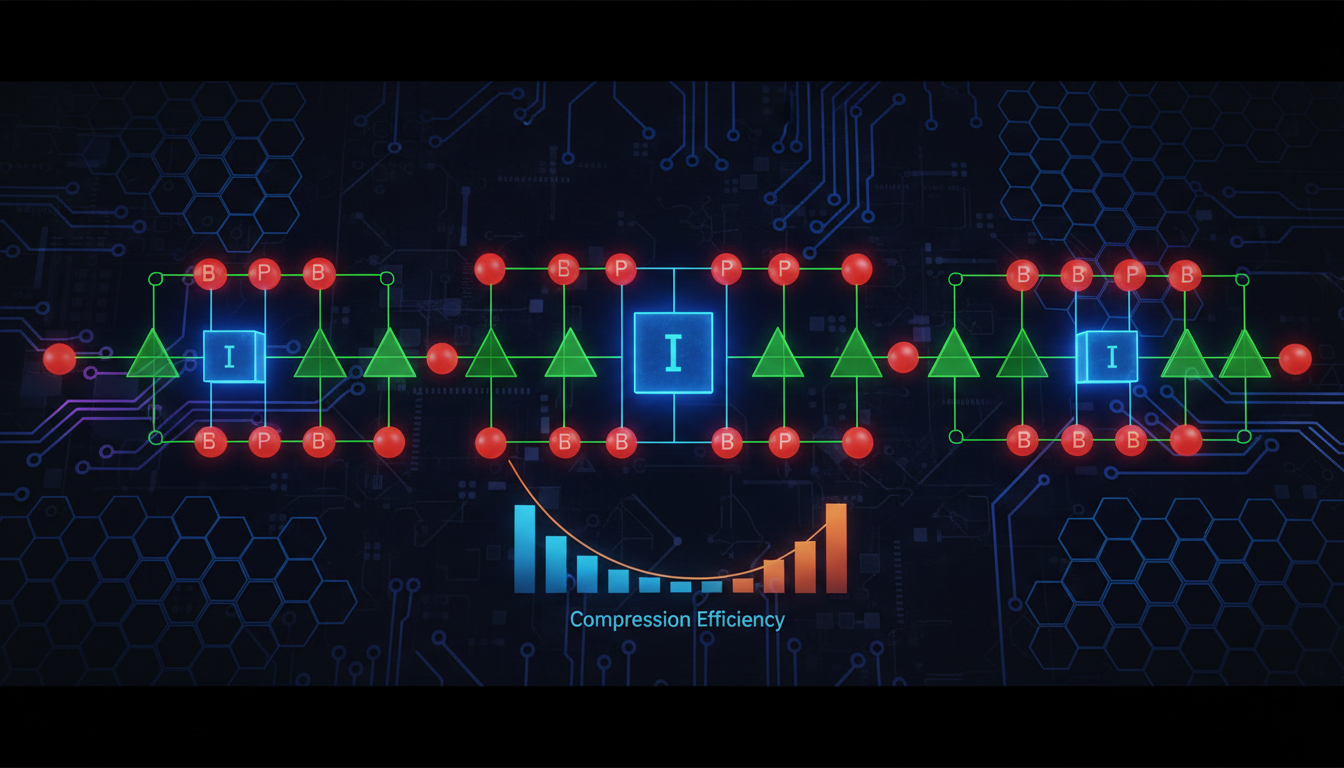
What is a Group of Pictures (GOP)?
Welcome, broadcasters! At Shoutcast Net, we believe that empowering you with technical knowledge is the key to a perfect stream. Today, we're diving deep into one of the most critical, yet often misunderstood, concepts in video encoding: the Group of Pictures, or GOP.
Imagine your live video stream is like a high-tech flipbook. Each page is a frame of video. If you had to draw every single page from scratch, the flipbook would be incredibly thick, heavy, and slow to flip through. This is what uncompressed video is like—massive and impossible to send over a standard internet connection.
Video compression is the magic that makes streaming possible. And the GOP is the fundamental organizational unit of that compression. A GOP is a sequence of consecutive frames in a compressed video stream. Instead of sending a full, detailed picture for every frame, the encoder cleverly groups them. It starts with one complete picture and then, for the next several frames, it only sends the changes from the previous one. A car moving across a static background, for example, only requires the encoder to send the data for the moving car, not the entire background again and again.
This grouping strategy dramatically reduces the amount of data needed, lowering your bandwidth requirements and making it possible to stream high-quality video to your audience worldwide. Understanding how a GOP works is the first step to taking full control over your stream's quality, latency, and stability.
Pro Tip: GOP is Your Efficiency Dial
Think of the GOP as the main efficiency dial on your stream encoder (like OBS, vMix, or Wirecast). A well-configured GOP balances visual quality with bandwidth usage. Getting it right means a smooth, buffer-free experience for your viewers, whether they're watching a live DJ set, a church service, or a school radio broadcast with video. Getting it wrong can lead to pixelation, stuttering, and viewer frustration.
The Building Blocks: I-Frames, P-Frames, and B-Frames Explained
A Group of Pictures isn't just a random collection of frames; it's a structured sequence built from three distinct frame types. Each type serves a unique purpose in the compression process. Understanding their roles is essential for mastering your stream settings.
I-Frames (Intra-coded Frames) - The Foundation
An I-frame, also known as a keyframe, is the starting point and foundation of every GOP. It's a full, complete image, compressed on its own without referencing any other frame. Think of it as a high-quality JPEG or PNG image. Because it contains all the visual data for that moment in the video, it's the largest and most data-intensive frame type.
- Self-Contained: An I-frame can be decoded all by itself.
- Highest Quality: It provides the highest fidelity for a single frame.
- Error Correction: If your stream has a glitch or a dropped packet, the next I-frame provides a complete refresh point for the viewer's player, clearing up any artifacts.
- Seeking & Channel Surfing: When a viewer joins your stream or seeks to a new point in a VOD, their player MUST start decoding at an I-frame. More I-frames mean faster start-up times.
P-Frames (Predicted Frames) - The Forward Motion
A P-frame is a "predicted" frame. It's much more efficient than an I-frame because it only stores the changes that have occurred since the previous I-frame or P-frame. It works by saying, "Take the last frame, and just move this block of pixels here and change the color of that block there." This is called "forward prediction."
- Efficient: P-frames are significantly smaller than I-frames.
- Dependent: A P-frame cannot be decoded without the data from the preceding I-frame or P-frame it references.
- Good for Motion: They are excellent at efficiently describing motion and changes over time.
B-Frames (Bi-directional Predicted Frames) - The Super-Optimizer
A B-frame is the most complex and most efficient frame type. It's "bi-directional" because it can look both backward to a previous frame (like a P-frame) AND forward to a future frame to find redundant information. This allows for the highest level of compression.
- Most Efficient: B-frames are the smallest of the three frame types, offering the best bandwidth savings.
- Highly Dependent: They require data from both past and future frames to be decoded.
- Increased Latency: Because the encoder needs to "see" future frames before it can create the B-frame, their use inherently adds a small delay (latency) to the encoding process.
A typical GOP structure might look like this:
I  B  B  P  B  B  P  B  B  P  B  B  I
^                                    ^
Start of GOP                      End of GOP, Start of next
In this example, the GOP starts with a full-quality I-frame. The following P-frames describe the forward motion, and the B-frames fill in the gaps with maximum efficiency by looking in both directions. The entire sequence depends on that initial I-frame for its reference.
Pro Tip: B-Frames and Latency
While B-frames are fantastic for saving bandwidth, they are the primary cause of encoding-side latency. For interactive streaming where every millisecond counts, some broadcasters choose to disable B-frames entirely (setting `B-frames=0` in OBS). This increases bandwidth but reduces the initial encoding delay. With Shoutcast Net's powerful servers and support for protocols like WebRTC, you can achieve **very low latency 3 sec** streaming, and managing B-frames is a key part of that equation.
How GOP Length & Keyframe Interval Affect Stream Quality
Now that you know the building blocks, let's talk about the architecture. The two most important settings you'll encounter in your streaming software are GOP Length (or GOP Size) and Keyframe Interval. While they sound different, they are two ways of describing the same thing: how often an I-frame appears in your stream.
- Keyframe Interval: This is typically measured in seconds. A "Keyframe Interval of 2 seconds" means your encoder will be forced to create a new I-frame every two seconds, regardless of how many frames that is. This is the most common setting in software like OBS.
- GOP Length: This is measured in the number of frames. If you're streaming at 30 frames per second (FPS) and set a Keyframe Interval of 2 seconds, your GOP Length is 60 frames (30 FPS * 2s).
The length of your GOP has a direct and significant impact on three key aspects of your stream:
1. Bandwidth Efficiency
A longer GOP (e.g., a 4-second keyframe interval) contains fewer I-frames and more P- and B-frames. Since I-frames are the largest, a longer GOP is more bandwidth-efficient. A shorter GOP (e.g., a 1-second keyframe interval) has more I-frames, leading to higher average bandwidth usage.
2. Quality on Scene Changes
Imagine you're streaming a DJ set and you suddenly cut from a shot of your decks to a wide shot of the dancing crowd. This is a massive visual change. If this cut happens in the middle of a long GOP, the P-frames will struggle to efficiently describe such a drastic change, which can result in a moment of heavy pixelation or "blockiness" until the next I-frame arrives to refresh the whole picture. A shorter GOP ensures that a full-quality I-frame is never far away, making scene changes look crisp and clean.
3. Viewer Join Time & Seeking
As we mentioned, a viewer can only start watching your stream at an I-frame. If your keyframe interval is set to 10 seconds, a new viewer might have to wait up to 10 seconds for the next I-frame to arrive before their video can start playing. This is an eternity in internet time! A shorter GOP of 1-2 seconds provides a much better "channel surfing" experience and is critical for Adaptive Bitrate (ABR) streaming, where the player needs to switch between quality levels seamlessly at a keyframe.
| GOP Characteristic | Shorter GOP (e.g., 1-2 sec interval) | Longer GOP (e.g., 4-10 sec interval) |
|---|---|---|
| Bandwidth Usage | Higher | Lower |
| Quality on Scene Changes | Excellent | Can be poor; may cause artifacts |
| Viewer Join/Seek Time | Fast | Slow |
| Error Recovery | Fast (next I-frame is soon) | Slow (artifacts may persist longer) |
| Best For | High-motion, live events, ABR, low latency | Low-motion content, archival, VOD where bandwidth is paramount |
Pro Tip: The 2-Second Rule of Thumb
For the vast majority of live streaming applications on platforms like Twitch, YouTube, and directly to your Shoutcast Net server, a keyframe interval of 2 seconds is the gold standard. It provides an excellent balance of quality, efficiency, and compatibility. It's the setting we recommend for 95% of our broadcasters and is a fantastic starting point for any stream. Our Shoutcast hosting plans are optimized to handle this standard with ease.
Best GOP Settings for Different Streaming Scenarios
While the 2-second rule is a great starting point, expert broadcasters tailor their GOP settings to their specific content. At Shoutcast Net, we provide the flexibility to handle any configuration you choose, allowing you to **stream from any device to any device** with optimal performance. Here’s how to fine-tune your GOP for different scenarios.
For High-Motion Content (DJ Sets, Live Music, Sports)
Content with constant motion, flashing lights, and frequent camera cuts benefits greatly from a shorter GOP. The frequent I-frames ensure that rapid changes are rendered clearly without smearing or blockiness.
- Recommended Keyframe Interval: 1 to 2 seconds.
- Why: This ensures a full picture refresh happens often, keeping the action crisp. A 1-second interval is excellent for the most demanding action but will use more bandwidth.
- Shoutcast Net Advantage: With our flat-rate plans and up to 1,000 listeners, you don't have to worry about the slightly higher bandwidth of a 1-second GOP. You can deliver the best quality without fear of a surprise bill.
For Low-Motion Content (Podcasts, Sermons, Talk Shows)
If your stream consists of a person talking with a static background, there are very few changes from frame to frame. In this case, you can use a slightly longer GOP to maximize bandwidth efficiency without a noticeable drop in quality.
- Recommended Keyframe Interval: 2 to 4 seconds.
- Why: Since the scene is static, P- and B-frames can efficiently describe the minor changes (like mouth movement) for a longer duration. Going beyond 4 seconds is generally not recommended for live content due to slow join times.
- Consideration: Even in a talk show, if you have frequent lower-third graphic changes or camera switches, sticking closer to a 2-second interval is safer.
For Ultra-Low Latency Interactive Streaming (WebRTC)
When your goal is near-real-time interaction with your audience, achieving **very low latency 3 sec** streaming is paramount. This is where Shoutcast Net's WebRTC services shine. For this use case, your GOP structure is critical.
- Recommended Keyframe Interval: 1 second.
- B-Frames: Set to 0. Disabling bi-directional prediction removes the "look-ahead" buffer, which is a primary source of encoder latency.
- Why: A 1-second GOP and zero B-frames create a stream that can be encoded and decoded with minimal delay. Every second, there's a new, complete I-frame that acts as a fast entry and sync point, which is essential for the WebRTC protocol.
For Adaptive Bitrate (ABR) & Restreaming
If you're using Shoutcast Net's transcoding to provide multiple quality levels (ABR) or our **Restream to Facebook, Twitch, YouTube** feature, a consistent and aligned GOP is non-negotiable. This is called a "closed GOP" structure.
- Recommended Keyframe Interval: 2 seconds (strict).
- Why: When a viewer's connection quality changes, their player needs to switch from, say, the 1080p stream to the 480p stream. This switch can only happen cleanly at a keyframe. If the keyframes across all your quality renditions are perfectly aligned every 2 seconds, the switch is seamless. If they're not, the viewer will experience a freeze or glitch.
- Shoutcast Net Handles This: When you use our cloud transcoding and restreaming services, we automatically manage GOP alignment to ensure a flawless ABR and multistreaming experience for your viewers.
Pro Tip: Test, Test, and Test Again!
The best way to find your perfect settings is to experiment. Use the Shoutcast Net **7 days trial** to your advantage. Do a private test stream with high-motion content and a 4-second GOP. Then try it with a 1-second GOP. See the difference for yourself! Record your tests and watch them back to spot any artifacts. Your eyes are the ultimate judge of quality.
GOP vs. Bandwidth: How Flat-Rate Pricing Saves You Money
Understanding the relationship between your GOP settings and bandwidth usage is not just a technical exercise—it has major financial implications, especially depending on your choice of streaming provider.
As we've established, a shorter GOP (more I-frames) results in a higher average bitrate. Let's say a 2-second keyframe interval results in a 4000 Kbps stream, while a 1-second interval for the same content pushes the bitrate up to 5000 Kbps to maintain quality. This 25% increase in bandwidth can have a terrifying effect on your monthly bill with certain providers.
The Danger of Per-GB / Per-Viewer Billing (The Wowza Model)
Legacy and enterprise-focused platforms like Wowza often use a metered billing model. They charge you based on the total gigabytes of data you stream out or based on "viewer hours." In this environment, your GOP settings become a source of financial anxiety.
- Punished for Quality: Choosing a 1-second GOP for better quality directly translates to a higher bill. You are financially penalized for providing a better experience.
- Unexpected Spikes: If you have a successful stream and your viewer count spikes, your bandwidth costs will skyrocket proportionally. A great broadcast can lead to a budget-breaking invoice.
- Complexity and Fear: You're forced to constantly monitor your usage and might be tempted to use a longer, lower-quality GOP just to save money, compromising your broadcast's professionalism.
This model is fundamentally at odds with a broadcaster's goal: to deliver the highest quality stream to as many people as possible.
The Freedom of Flat-Rate Unlimited (The Shoutcast Net Model)
At Shoutcast Net, we reject the metered billing model. We believe in simple, predictable, and fair pricing that empowers you to succeed. Our plans, starting at an incredible **$4/month**, offer a flat monthly rate with **100–1,000 listeners (by plan)** and unmetered bandwidth.
This changes the entire equation:
- Stream the Best Quality, Always: Want to use a 1-second GOP for your high-action DJ set? Go for it. Your bill will be exactly the same. There is no penalty for quality.
- Success is Rewarded, Not Punished: If your stream goes viral and you get 10,000 viewers instead of 100, we say "Congratulations!" Your bill doesn't change.
- Peace of Mind: Set your GOP for optimal visual performance and forget about it. Focus on your content, not a usage meter. You get all the power of our enterprise-grade network, which can handle **any stream protocols to any stream protocols (RTMP, RTSP, WebRTC, SRT, etc)**, with the simplicity of a single monthly price.
When you compare the legacy Shoutcast limitations or the expensive, complicated billing of Wowza, the Shoutcast Net advantage is clear. We provide a modern, robust platform with features like **AutoDJ**, SSL streaming, and 99.9% uptime, all wrapped in a pricing model that makes sense for broadcasters of all sizes.
Pro Tip: Calculate Your Potential Savings
Imagine a 4-hour live event streamed at 5000 Kbps (a high-quality 1080p stream with a short GOP) to 500 viewers. On a metered platform, the data transfer would be enormous (approx. 4,400 GB), leading to a bill that could be hundreds, if not thousands, of dollars. On Shoutcast Net, that same event is covered by your low, flat monthly fee. The choice is obvious. Check out our affordable plans today.
Configuring GOP in OBS for Shoutcast Net
Let's put all this theory into practice. Configuring your GOP in Open Broadcaster Software (OBS), the most popular free streaming encoder, is straightforward. Your Shoutcast Net server is ready to receive your stream, so getting this one setting right on your end is crucial.
Follow these steps:
- Open OBS and go to Settings.
- Click on the Output tab on the left.
- Set the Output Mode to Advanced. This reveals the detailed encoding options you need.
- Navigate to the Streaming tab within the Output settings.
- Look for the setting named Keyframe Interval (seconds, 0=auto). This is your GOP control.
Here is what the key settings look like:
Output Mode:              Advanced

Encoder:                  NVIDIA NVENC H.264 (or x264 if you don't have an NVIDIA GPU)
Rate Control:             CBR (Constant Bitrate)
Bitrate:                  4500 Kbps (for 1080p30) or 2500 Kbps (for 720p30)
Keyframe Interval:        2
Preset:                   Quality (or P5: Slow on NVENC)
B-frames:                 2 (for general streaming) or 0 (for low latency)
The All-Important Setting: Keyframe Interval
For 95% of broadcasts to your Shoutcast Net server, you should set the Keyframe Interval to `2`.
Do NOT leave it at `0` (auto). While "auto" sounds smart, it can cause the encoder to create a very long GOP if your scene is static, leading to the slow join times and ABR issues we discussed. Forcing a keyframe every 2 seconds is the most reliable method for live streaming.
Once you have your OBS settings configured, you simply enter the RTMP server URL and stream key provided in your Shoutcast Net control panel. Our servers will ingest your perfectly configured stream and make it available to your audience across the globe. Whether you need to **stream from any device to any device** or use our powerful **Restream to Facebook, Twitch, YouTube** feature, a consistent 2-second keyframe interval from OBS is the foundation for success.
Pro Tip: Your Stream, Your Protocol
While you're sending a standard RTMP stream from OBS, remember that Shoutcast Net can convert that on the fly. We handle **any stream protocols to any stream protocols (RTMP, RTSP, WebRTC, SRT, etc)**. This means you can send us a simple RTMP stream, and we can deliver it to your viewers as low-latency HLS or even WebRTC, all powered by the same core stream. Your correct GOP setting in OBS ensures this conversion process is smooth and reliable. Ready to try it? Sign up for our free **7 days trial** and start streaming like a pro today!