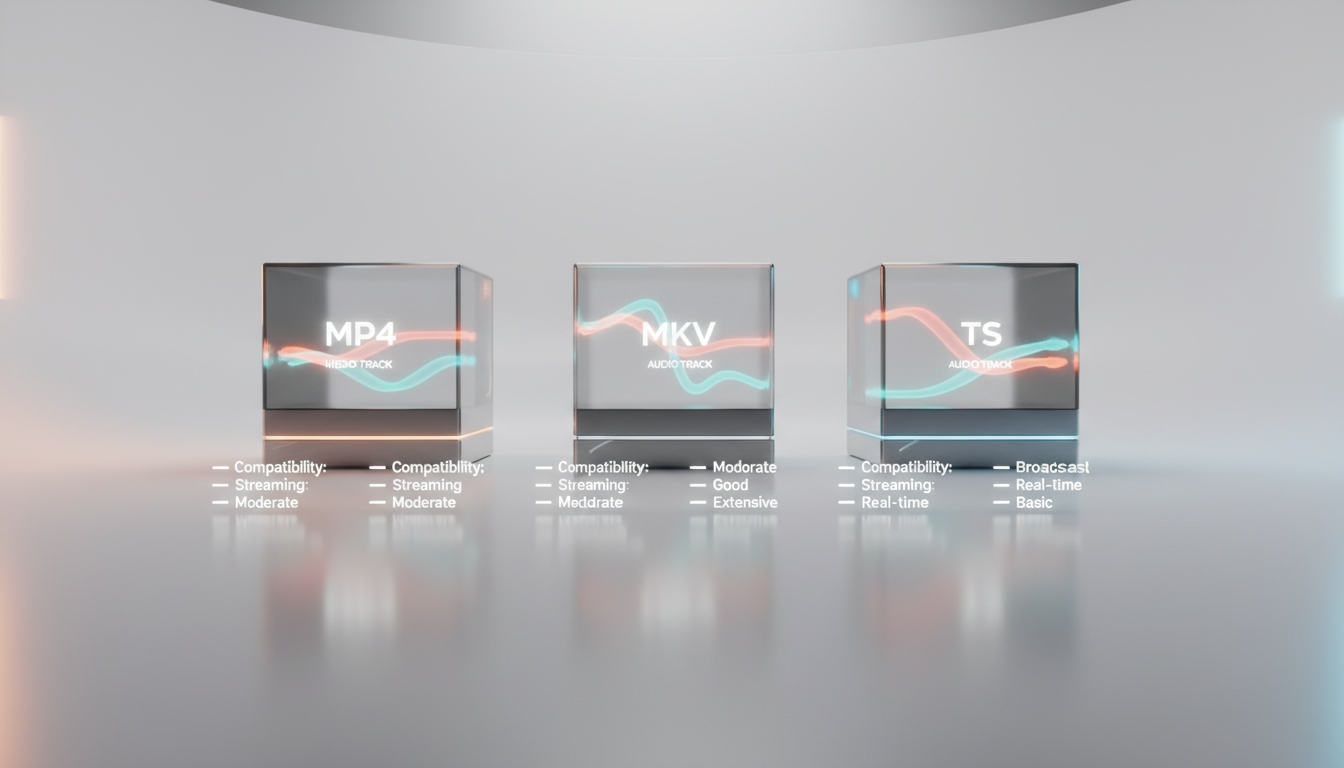
Welcome to the Shoutcast Net School, where we demystify the technology behind professional streaming. As a broadcaster, you're focused on your content—the music, the sermon, the live event. But understanding the technical foundation can dramatically improve your stream's quality and reliability. Today, we're unwrapping the concept of video container formats. You've seen the file extensions—.mp4, .mkv, .ts—but what do they actually mean for your broadcast? Let's find out.
What is a Video Container Format?
Imagine you're shipping a complete home entertainment system. You wouldn't just throw the TV, the speakers, the remote, and the cables into the truck separately. You'd pack them securely into a large, labeled box. The box itself doesn't change the electronics inside, but it holds them all together for transport.
A video container format is exactly like that shipping box. It's a file structure that "contains" or "wraps" multiple streams of data into a single file for storage or transmission. These data streams typically include:
- Video Stream: The actual moving pictures, compressed by a video codec (like H.264, H.265/HEVC, or AV1).
- Audio Stream(s): The sound, compressed by an audio codec (like AAC, MP3, or Opus). A container can hold multiple audio tracks, such as for different languages or commentary.
- Subtitles/Closed Captions: Text tracks for accessibility or translation.
- Metadata: "Data about the data," such as the title, artist, album art, chapter markers, and technical information like frame rate and resolution.
It's crucial to understand that the container is not the codec. The container is the box; the codec is the compression method used on the video and audio inside the box. You can have the same H.264 video and AAC audio inside an MP4, an MKV, or a TS container. The container's job is to define how these streams are organized and synchronized.
+-----------------------------------------------------+
| VIDEO CONTAINER FILE (e.g., my_stream.mp4)          |
|                                                     |
|  +-----------------+   +-----------------+          |
|  |   METADATA      |   |  VIDEO STREAM   |          |
|  | (Title, etc.)   |   | (Codec: H.264)  |          |
|  +-----------------+   +-----------------+          |
|                                                     |
|  +-----------------+   +-----------------+          |
|  |  AUDIO STREAM   |   | SUBTITLE STREAM |          |
|  |  (Codec: AAC)   |   |   (e.g., SRT)   |          |
|  +-----------------+   +-----------------+          |
|                                                     |
+-----------------------------------------------------+
The choice of container affects compatibility, features, and suitability for different applications like live streaming versus on-demand playback. Let's break down the three most common containers you'll encounter.
Don't confuse container formats with streaming protocols. A container (like MP4) bundles your media. A protocol (like RTMP, SRT, or WebRTC) is the delivery method used to transport that media from your encoder to a server, like Shoutcast Net. Often, a protocol will wrap a container for transport. For example, RTMP typically carries media that is packaged in a format similar to FLV or MP4. The beauty of a modern service like Shoutcast Net is that it's protocol-agnostic; our servers can ingest and transcode **any stream protocols to any stream protocols (RTMP, RTSP, WebRTC, SRT, etc)**, so you don't have to worry about the complex plumbing.
MP4 (.mp4): The Universal Standard for Compatibility
The MPEG-4 Part 14, or MP4, is the undisputed king of compatibility. If you've ever downloaded a video, watched a clip on social media, or played a file on your phone, it was almost certainly an MP4. It's the default format for the web, mobile devices, and most consumer electronics.
Strengths of MP4
- Universal Compatibility: Plays natively on virtually every modern device, browser, and operating system without special software.
- Excellent for VOD: It's the standard for Video On Demand. Platforms like YouTube and Vimeo use it for their final delivery files.
- Good Metadata Support: Can store a wide range of metadata, including cover art, which is perfect for music videos or podcast episodes.
- Efficient: Offers a good balance of quality, file size, and feature support with relatively low overhead.
Weaknesses of MP4 for Live Streaming
The biggest drawback of the traditional MP4 format lies in its structure. An MP4 file contains a crucial piece of data called the "moov atom," which acts as an index or table of contents for the entire file. This moov atom is typically written at the very end of the file after the recording or encoding process is complete.
For live streaming, this is a huge problem. If your stream is interrupted—say, your encoder crashes or your internet connection drops—the file is never properly "finalized." The moov atom is never written, and the entire recording becomes unplayable and unrecoverable. This makes standard MP4 a risky choice for recording live events directly.
Modern streaming protocols like HLS and DASH work around this by using a variant called Fragmented MP4 (fMP4). This breaks the video into small, self-contained chunks, each with its own mini-index, making it suitable for live delivery. But for direct-to-disk recording, the risk remains.
# A simple FFmpeg command to create a standard MP4 file.
# The "-movflags +faststart" attempts to move the moov atom to the beginning
# to help with web playback, but the file still needs to be finalized.

ffmpeg -i input.mov -c:v libx264 -c:a aac -movflags +faststart output.mp4
MP4 is the perfect format for your AutoDJ media library. When you upload video files for your 24/7 automated broadcast, MP4's universal compatibility and robust metadata support ensure your files play flawlessly and display correct title and artist information. For a VOD-style playlist, there is no better choice. Prepare your video files as MP4s for the most reliable AutoDJ experience on Shoutcast Net.
MKV (.mkv): The Flexible Powerhouse for Features
Matroska, or MKV, is not an acronym for a company or standards body. It's an open-source, royalty-free container format designed to be future-proof. Think of it as the Swiss Army knife of containers. While MP4 is about universal compatibility, MKV is about maximum flexibility and features.
Strengths of MKV
- Incredible Flexibility: Can hold a virtually unlimited number of video, audio, and subtitle tracks in almost any format. Want a video with five different language audio tracks and ten subtitle tracks? MKV can handle it.
- Error Resilience: MKV is highly resistant to file corruption. Because it doesn't rely on a single index at the end of the file like MP4, if your recording crashes, you can almost always recover the entire video up to the point of failure. This makes it a fantastic choice for recording long, live events.
- Open Standard: It's completely open and free to use, which has led to wide adoption in the open-source community (e.g., OBS Studio, FFmpeg, VLC).
- Advanced Features: Supports chapter markers, menus, and advanced metadata tagging that goes beyond what MP4 typically offers.
Weaknesses of MKV
The primary weakness of MKV is its lack of native support in web browsers and on many consumer devices like smart TVs or mobile phones. While a powerful computer with VLC media player can play anything, you can't assume a viewer's device can handle an MKV file directly. It often needs to be "remuxed" (re-packaged) into an MP4 container for final delivery, a process that is very fast and doesn't require re-encoding the video.
# FFmpeg command to remux an MKV file into an MP4 without re-encoding.
# This is a very fast process. Note the "-c copy" flag.

ffmpeg -i my_recording.mkv -c copy my_web_version.mp4
Most professional streamers use a simple, powerful workflow: record locally in MKV, stream to the cloud in RTMP/SRT. Software like OBS Studio recommends recording to MKV for its crash protection. You can set OBS to record in MKV while simultaneously streaming to your Shoutcast Hosting server. This gives you a safe, high-quality local backup of your broadcast. If you need to upload the recording later, you can quickly remux it to MP4. This is the best of both worlds: safety for your recording, and the power of Shoutcast Net for your live delivery.
TS (.ts): The Professional's Choice for Live Broadcasts
The MPEG Transport Stream (TS) is the seasoned veteran of the container world. It was designed from the ground up for one purpose: broadcasting digital video and audio over potentially unreliable networks. It's the standard for over-the-air television (ATSC, DVB), satellite, and cable TV. Its design philosophy prioritizes robustness and continuous playback above all else.
Strengths of TS
- Extreme Error Resilience: A TS is composed of tiny, 188-byte packets. Each packet has its own header and can be identified and synchronized independently. This means that if some packets are lost or corrupted during transmission (a common occurrence in wireless broadcast), the decoder can simply skip them and resync on the next valid packet, resulting in a momentary glitch rather than a total stream failure.
- Designed for Live: You can tune into a TS broadcast at any point and start decoding and playing almost instantly. There's no need to wait for a file to download or for an index to be read. This is fundamental to its use in live television and also in modern internet streaming protocols like HLS (HTTP Live Streaming), which uses TS segments.
- Low Latency Suitability: The packet-based nature of TS is well-suited for low-latency transmission.
Weaknesses of TS
The main drawback of TS is its overhead. All those headers on every tiny 188-byte packet add up, making a TS file slightly larger than an MP4 or MKV containing the exact same video and audio. For a multi-terabyte archive, this can make a difference. For live streaming, however, the robustness it provides is often worth the small overhead cost.
It also has less robust support for modern, complex metadata and non-standard codecs compared to the hyper-flexible MKV container.
You don't need to generate TS files yourself, but it's important to know that the technology powering your professional live stream relies on its principles. When you stream to Shoutcast Net, our powerful cloud infrastructure takes your incoming RTMP or SRT stream and transmuxes/transcodes it in real-time into formats like HLS, which uses TS segments for delivery. This ensures your viewers get a stable, high-quality experience, even on flaky mobile connections. It's this broadcast-grade architecture that allows us to offer features like **very low latency 3 sec** streaming, something legacy Icecast and SHOUTcast audio-only servers can't touch.
Comparison Table: MP4 vs. MKV vs. TS
Here’s a side-by-side look at the key characteristics of each container format.
| Feature | MP4 (.mp4) | MKV (.mkv) | TS (.ts) |
|---|---|---|---|
| Typical Use Case | Web video, VOD, mobile playback, AutoDJ files | Local recording (OBS), archiving masters, storing complex multi-track files | Live broadcast (TV, Satellite), HLS streaming segments |
| Live Streaming Suitability | Poor (for direct recording), but fMP4 variant is excellent for HLS/DASH | Excellent (for local recording due to crash recovery) | Excellent (designed for broadcast and unreliable networks) |
| File Corruption Resilience | Poor (unfinalized file is often unrecoverable) | Excellent (file is typically recoverable up to point of failure) | Superior (packet-based structure is highly resilient) |
| Browser/Device Compatibility | Excellent (universal support) | Poor (requires specific players or remuxing) | Poor (for direct playback), but universally supported as part of HLS |
| Metadata/Track Support | Good (standard metadata, limited tracks) | Excellent (chapters, menus, unlimited tracks of any type) | Good (supports broadcast-specific metadata like PSIP) |
| Overhead | Low | Low | Slightly Higher (due to packet headers) |
Which Format is Best for Your Shoutcast Net Stream?
After all this technical detail, the answer is refreshingly simple and highlights the power of using a modern streaming provider like Shoutcast Net.
For Your Live Broadcast: Focus on the Protocol, Not the Container
When you're live, you're not uploading a "file." You're sending a continuous stream of data. Your encoder (like OBS, vMix, or a hardware encoder) packages your video and audio and sends it via a protocol like RTMP or SRT. Your primary job is to send a stable stream to your Shoutcast Net ingest URL.
Our platform does the heavy lifting. We take your single feed and automatically prepare it for delivery to all viewers. This means we can **stream from any device to any device**. We create the necessary HLS and DASH streams (which use TS and fMP4 segments) to ensure smooth playback on browsers, mobile phones, and smart TVs. We also power features like **Restream to Facebook, Twitch, YouTube**, all from your single, high-quality source stream.
For Your Local Recordings: Use MKV
As we've established, for the safety of your content, set your encoder (like OBS) to record to MKV. This protects you from losing hours of work due to a simple crash.
For Your AutoDJ Playlist: Use MP4
When uploading content for your 24/7 scheduled broadcast using our powerful AutoDJ feature, MP4 is the ideal choice. Its universal compatibility and metadata support ensure your video files will be processed and played correctly, with all your track information and artwork intact.
This is where the Shoutcast Net advantage becomes crystal clear. Unlike legacy SHOUTcast audio servers that can't handle video or complex protocols, and unlike expensive, complicated platforms like Wowza with their confusing per-viewer, per-hour billing, Shoutcast Net offers a simple, powerful, and affordable solution. For a flat monthly rate starting at just $4/month, you get 100–1,000 listeners (by plan), 99.9% uptime, SSL streaming, a powerful AutoDJ, and the peace of mind that our broadcast-grade infrastructure is handling the technical complexity for you.
Ready to experience the power and simplicity of professional video streaming? Sign up for our 7 days trial and see for yourself how easy it is to launch a high-quality broadcast with Shoutcast Net. No credit card required. Your content deserves a world-class delivery network.