Welcome, broadcasters! In the world of digital audio, terms like 'Sample Rate' and 'Bit Depth' are thrown around constantly. They sound technical and intimidating, but understanding them is crucial for delivering a high-quality, buffer-free stream to your audience. Whether you're a radio DJ, a podcaster, or streaming your church service, getting these settings right is the difference between a professional broadcast and an amateur one.
This guide will demystify these concepts. We'll ditch the complex jargon and focus on what you, an online broadcaster, actually need to know. We'll explore what these settings mean, bust some common myths, and give you practical, real-world recommendations to get the best sound out of your Shoutcast hosting plan.
What is Audio Sample Rate?
Imagine you're trying to describe a smooth, curved line using only a series of dots. The more dots you use, the more accurately you can represent the original curve. This is the perfect analogy for audio sample rate.
Analog audio, like the sound waves traveling from your mouth to a microphone, is a continuous wave. To make it digital, your computer or encoder needs to take a series of "snapshots" or measurements of this wave every second. The sample rate is the number of snapshots taken per second. It's measured in Hertz (Hz) or kilohertz (kHz).
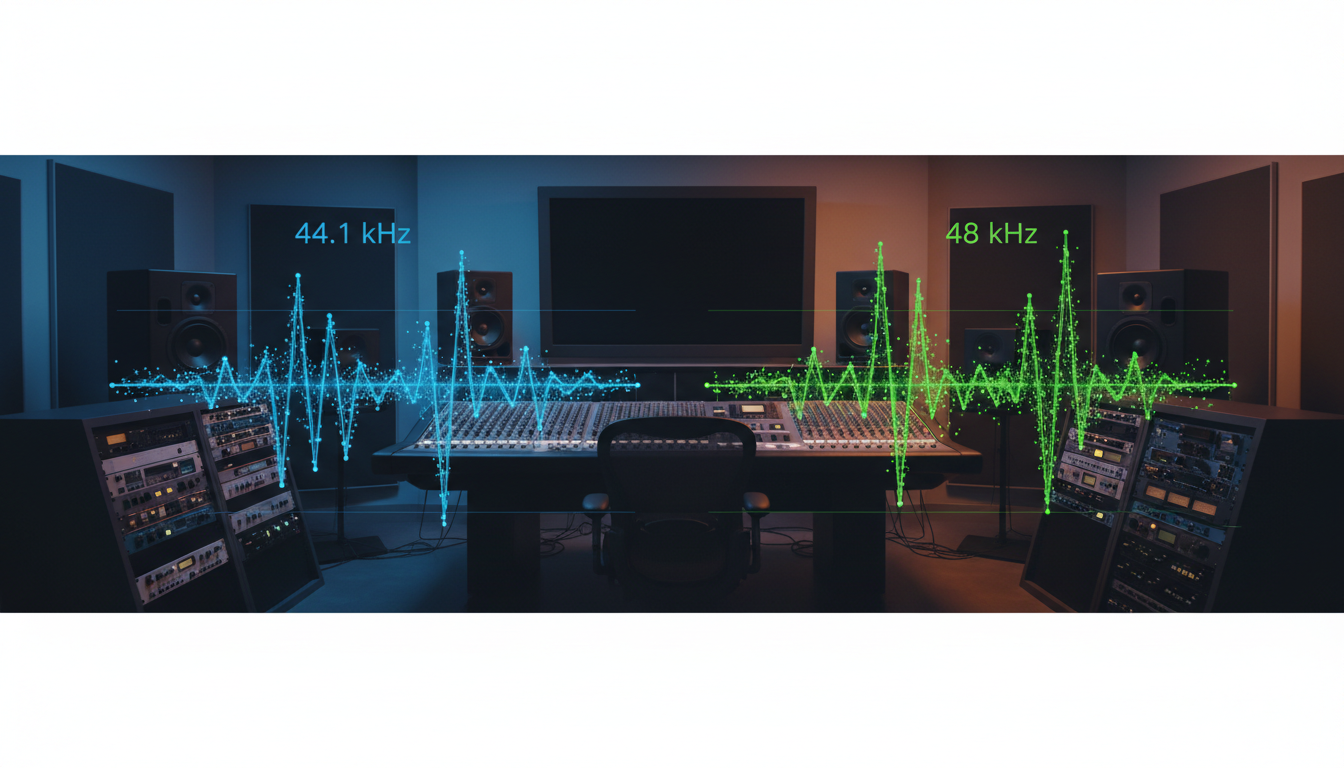
For example, a sample rate of 44.1kHz means the audio hardware is capturing 44,100 individual measurements of the audio wave every single second. A higher sample rate takes more snapshots, theoretically capturing a more accurate picture of the original sound wave.
Visualizing Sample Rate
Let's visualize how a low vs. high sample rate captures a simple sound wave. The 'o' represents a sample point.
Original Analog Wave:
      ---
     /   \
--- /     \ ---
   /       \
---         ---

Low Sample Rate (e.g., 8kHz - Telephone Quality):
      -o-
     /   \
--- o     o ---   (Not enough points to define the curve well)
   /       \
---         -o-

High Sample Rate (e.g., 44.1kHz - CD Quality):
      o-o
     o   o
--- o     o ---   (Many points accurately trace the curve)
   o       o
---         o-o
As you can see, the higher sample rate provides a much more faithful digital representation of the original analog sound. Common sample rates you'll encounter are:
- 8kHz & 16kHz: Used for voice-only applications like telephone systems and two-way radios. Not recommended for broadcasting.
- 44.1kHz: The standard for audio CDs and by far the most common for music streaming.
- 48kHz: The standard for audio in digital video (e.g., DVDs, Blu-ray, and professional video production).
- 96kHz & 192kHz: High-resolution audio formats typically used only in professional recording and mastering studios.
Pro Tip: Match Your Sources
For best results, set your broadcasting software (like OBS, BUTT, or Mixxx) to the same sample rate as your source audio files. If most of your music library is 44.1kHz (which is likely), set your stream's sample rate to 44.1kHz. This prevents unnecessary and potentially quality-degrading sample rate conversion. Shoutcast Net's flexible platform, including our powerful AutoDJ system, can handle whatever standard sample rate you send us.
What is Audio Bit Depth?
If sample rate is the number of snapshots per second, bit depth is the amount of detail in each snapshot. It determines the dynamic range of your audio—the difference between the quietest possible sound and the loudest possible sound.
Each audio sample is stored as a binary number (a series of 1s and 0s). The bit depth is the number of bits used for each sample. A higher bit depth allows for more possible values to describe the amplitude (loudness) of the wave at that point in time.
- 16-bit audio: Uses 16 bits per sample. This allows for 216, or 65,536, possible levels of amplitude. This provides a theoretical dynamic range of 96 decibels (dB).
- 24-bit audio: Uses 24 bits per sample. This allows for 224, or 16,777,216, possible levels. This provides a massive theoretical dynamic range of 144 dB.
Quantization and Noise Floor
Think of these levels as rungs on a ladder. When digitizing the audio, the amplitude of the wave is rounded to the nearest available rung. This rounding process is called quantization. With a low bit depth, the "rungs" are far apart, and the rounding can be significant, introducing a small amount of error known as quantization noise. This noise creates the "noise floor" of the digital audio file.
With 24-bit audio, the rungs on the ladder are incredibly close together, making the quantization error so minuscule it's pushed far below the noise floor of even the best recording equipment and is completely inaudible.
Low Bit Depth (e.g., 8-bit):
The smooth analog wave is forced onto a few "steps".
      ---
     /   \
--- /-----\ ---   (Notice the jagged, blocky representation)
   /       \
---         ---

High Bit Depth (e.g., 16-bit or 24-bit):
The steps are so small, the digital representation is virtually identical to the smooth analog wave.
      ---
     /   \
--- /     \ ---   (Looks smooth because there are 65,536+ steps)
   /       \
---         ---
While 24-bit is essential during recording and mixing to provide "headroom" for audio processing without adding noise, it is almost always overkill for the final distribution stream your listeners will hear.
Pro Tip: 16-bit is the Streaming Standard
For online streaming, 16-bit is the gold standard. The 96dB dynamic range of 16-bit audio is greater than the dynamic range of most listening environments and playback systems. Streaming in 24-bit offers no audible benefit to the listener and unnecessarily increases the processing load on your encoder. Stick with 16-bit for your final stream output.
The 'CD Quality' Myth: 44.1kHz/16-bit Explained
For decades, "CD Quality" has been the benchmark for digital audio. The standard for Compact Discs is 44.1kHz sample rate and 16-bit bit depth. But why were these specific numbers chosen? It wasn't arbitrary; it was based on the science of human hearing.
The Nyquist-Shannon Sampling Theorem
This intimidating-sounding theorem has a very simple principle: to accurately reproduce a frequency, you must sample it at least twice as fast. This is known as the Nyquist rate.
The accepted range of human hearing is from about 20 Hz to 20,000 Hz (20kHz). Younger people with undamaged ears might hear up to 20kHz, but this drops off with age. To accurately reproduce the highest frequency a human can possibly hear (20kHz), you need a sample rate of at least 40kHz (20,000 * 2).
The creators of the CD chose 44.1kHz. This provides coverage up to 22.05kHz, comfortably covering the entire range of human hearing with a small buffer for filter processing. Any audio information above 22kHz captured by higher sample rates (like 48kHz or 96kHz) is physically impossible for a human to hear.
Why 16-bit was "Good Enough"
As we discussed, 16-bit audio provides a dynamic range of 96dB. A quiet library is about 30dB, and a loud rock concert is about 110dB. However, consumer playback systems and listening environments rarely allow for a 96dB dynamic range. Furthermore, most commercially produced music is compressed and mastered to have a much narrower dynamic range to sound "loud" and consistent on the radio and through earbuds. Therefore, the 96dB offered by 16-bit audio was, and still is, more than sufficient for final distribution.
The "myth" of CD quality isn't that it's bad; it's that it's somehow outdated. For the purpose of listening, 44.1kHz/16-bit is a scientifically-backed standard that perfectly covers the capabilities of human hearing. Modern platforms like Shoutcast Net are a huge leap forward from legacy Shoutcast servers, offering robust support for these standards with modern features like SSL streaming and up to 1,000 listeners, but the fundamental principles of digital audio remain the same.
Pro Tip: Source is King
Don't fall into the trap of thinking a 96kHz/24-bit stream will magically make your broadcast sound better. A well-produced, well-mixed track at 44.1kHz/16-bit will always sound superior to a poorly produced track at a higher resolution. Focus on high-quality source material, a good microphone, and solid mixing techniques. That's where 99% of your audio quality comes from. You can test your quality for free with our 7 days trial.
Recommended Settings for Your Shoutcast Stream
Now for the most important part: what settings should you actually use? The answer depends on your content. The goal is to find the perfect balance between audio fidelity and bandwidth efficiency to ensure all your listeners have a great, buffer-free experience.
Here are our recommended settings for different types of broadcasts on Shoutcast Net. We recommend using the AAC (Advanced Audio Coding) codec whenever possible, as it provides better quality at lower bitrates than MP3.
| Stream Type | Sample Rate | Bit Depth | Bitrate (AAC) | Rationale |
|---|---|---|---|---|
| Talk Radio / Podcast | 44.1kHz | 16-bit | 64 - 96 kbps | Excellent clarity for voice. Higher bitrates offer diminishing returns. Mono streaming at 64kbps is often sufficient and saves bandwidth. |
| General Music Station | 44.1kHz | 16-bit | 128 kbps | The industry sweet spot. Offers excellent stereo quality that is virtually indistinguishable from higher rates for most listeners, while being accessible on mobile connections. |
| High-Fidelity Music | 44.1kHz or 48kHz | 16-bit | 192 - 256 kbps | For stations focused on classical, jazz, or electronic music with a wide dynamic range. This provides extra detail for discerning listeners with good playback systems. |
| Live Event / Church | 48kHz | 16-bit | 96 - 128 kbps | Video equipment often defaults to 48kHz, so matching this avoids conversion. 128kbps provides clear voice and music for a mixed-source broadcast. |
These are starting points. The beauty of Shoutcast Net's flat-rate plans, starting at just $4/month, is that you have the freedom to experiment. Unlike Wowza, which can charge you more for higher bitrate streams or more listeners, our model is simple: you get **up to 1,000 listeners** and **unlimited bandwidth** for one low price. You never have to worry about a surprise bill for being successful.
Pro Tip: The Universal Sweet Spot
If you're unsure where to start, you cannot go wrong with 44.1kHz sample rate, 16-bit bit depth, and a 128 kbps AAC stream. This is a fantastic all-around setting that provides excellent quality for both music and speech and is reliable for listeners on a wide variety of devices and network conditions. All our shoutcast hosting plans are perfectly optimized for this popular configuration, ensuring **99.9% uptime** for your station.
How Sample Rate & Bit Depth Affect Bandwidth
It's a common misconception that changing your sample rate from 44.1kHz to 48kHz will dramatically increase your stream's bandwidth usage. This isn't quite true. While these settings determine the size of the uncompressed audio, it's the encoder bitrate that dictates the final size of your stream.
Let's do the math for a raw, uncompressed stereo audio file (like a .WAV file):
Bitrate = Sample Rate × Bit Depth × Number of Channels
For a standard CD-quality stereo signal:
44,100 (samples/sec) * 16 (bits/sample) * 2 (channels) = 1,411,200 bits per second
1,411,200 bps = 1,411.2 kbps
That's over 1,400 kbps! Nobody streams uncompressed audio because it requires a massive amount of bandwidth. This is where your encoder (using AAC or MP3) comes in. When you set your encoder to "128 kbps", you are telling it to compress that 1,411 kbps signal down to a consistent 128 kbps stream.
The encoder achieves this by intelligently discarding audio information that you are least likely to hear. So, while sample rate and bit depth define the quality of the audio fed into the encoder, your final bandwidth usage is determined almost entirely by the bitrate you choose in your broadcast software.
Where it has a minor, indirect effect is that encoding a 48kHz source to 128kbps is slightly less efficient than encoding a 44.1kHz source to 128kbps, as the encoder has to "work harder" to discard more data. However, the final output bandwidth remains 128kbps.
Pro Tip: Focus on Encoder Bitrate
Your primary concern for bandwidth should be your encoder's bitrate setting. This is the number that directly impacts your listeners' data usage and buffering potential. With Shoutcast Net, you don't have to worry about your own server bandwidth costs. Unlike Wowza's complex per-hour/per-viewer billing that punishes growth, our flat-rate plans give you unlimited bandwidth. This allows you to choose the bitrate that's best for your audience, not your wallet. You can even offer multiple bitrates to serve different listeners!
Why Higher Isn't Always Better for Streaming
In the world of audio, it's easy to assume "bigger numbers are better." A 96kHz/24-bit stream must be better than a 44.1kHz/16-bit one, right? For the final delivery of a stream to a listener, the answer is definitively no. Here's a summary of why sticking to the standards is the professional choice.
- Inaudible Difference: As explained by the Nyquist theorem, any audio captured above ~22kHz is physically inaudible to humans. Streaming this extra data is like shipping a package full of empty space—it wastes resources for no benefit.
- Playback Bottlenecks: The vast majority of your audience is listening on consumer-grade equipment: earbuds, laptop speakers, car stereos, or smart speakers. These devices lack the high-end Digital-to-Analog Converters (DACs) needed to resolve the theoretical benefits of high-resolution audio. The difference is lost before it ever reaches their ears.
- Encoding Inefficiency: Lossy codecs like AAC and MP3 are optimized for standard sample rates. Feeding them ultra-high-resolution audio can sometimes lead to unpredictable results or artifacts as the encoder struggles to process large amounts of inaudible information. It's more efficient and reliable to encode from a standard 44.1kHz/16-bit source.
- Listener Experience is Paramount: A stream that plays without buffering on a mobile connection is infinitely better than a "high-resolution" stream that stutters and stops. Accessibility and reliability should always be your top priority.
High sample rates and bit depths are critically important tools in the recording and production studio. They provide essential headroom for effects, EQ, and other processing without degrading the audio. But once your track is mixed and mastered, the best practice is to dither and downsample to the standard delivery format of 44.1kHz/16-bit for maximum compatibility and efficiency.
Pro Tip: Focus on Content, Not Specs
Let Shoutcast Net handle the technical complexities so you can focus on what you do best: creating great content. Our platform is designed for ultimate flexibility. We empower you to stream from any device to any device, and our advanced server technology can ingest and deliver **any stream protocols to any stream protocols (RTMP, RTSP, WebRTC, SRT, etc)**. Whether you need **very low latency 3 sec** streaming for live interviews or want to **Restream to Facebook, Twitch, YouTube**, we have you covered. Stop worrying about audio specs and start broadcasting.
Ready to go live with a platform built for broadcasters? Start your 7 days trial and experience the power and simplicity of Shoutcast Net today.