Transcoding vs Transmuxing: Which One Should Your Stream Use?
If you’ve ever tried to take one live feed and deliver it everywhere—apps, browsers, smart speakers, social platforms, and embedded players—you’ve run into two similar-sounding workflows: transcoding and transmuxing. They’re not interchangeable, and choosing the wrong one can raise your CPU cost, increase delay, or quietly reduce audio/video quality.
This FAQ-style guide explains both in plain English, then maps them to real broadcaster use cases: radio DJs, music streamers, podcasters, churches, school radio stations, and live event streamers. The goal is simple: help you stream from any device to any device while keeping quality high and costs predictable.
Running your stream on a budget? Shoutcast Net offers flat-rate, up to 1,000 listeners plans starting at $16/month, plus a 7 days trial, 99.9% uptime, SSL streaming, and built-in AutoDJ. Compare that to Wowza’s expensive per-hour/per-viewer billing and you’ll see why many broadcasters prefer predictable pricing.
Quick takeaway
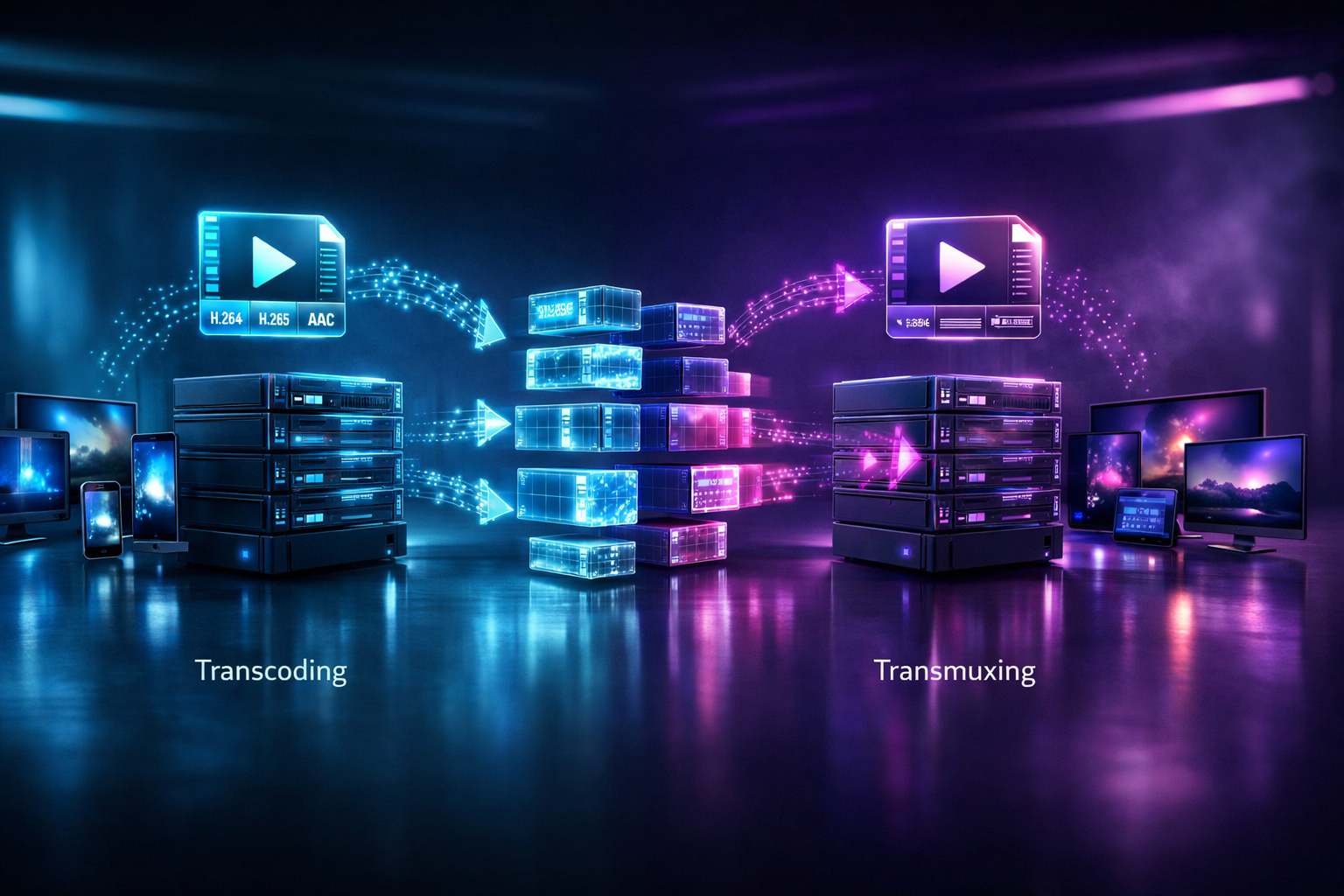
Transcoding changes the codec/bitrate/resolution (re-encoding). Transmuxing keeps the codec but changes the container/protocol (repackaging).
Try Shoutcast Net with a 7 days trial or explore plans in the shop.
Transcoding vs transmuxing (simple definitions)
Transcoding means decoding a stream and re-encoding it into a different codec and/or different quality settings (bitrate, sample rate, resolution, frame rate). It’s like taking a WAV recording and exporting it as MP3 at 128 kbps—or taking a 1080p H.264 camera feed and generating multiple HLS renditions for adaptive streaming.
Transmuxing means changing the container and/or delivery protocol while leaving the underlying audio/video codec intact. Think “repackaging” instead of “recompressing.” For example, taking H.264 + AAC from RTMP and packaging it into HLS segments for iOS playback—without re-encoding.
FAQ: Is transmuxing “lossless”?
Usually, yes in the quality sense—because the audio/video is not re-encoded. But it can still introduce small delays (buffering/segmenting) depending on the target protocol (for instance, HLS segment sizes).
FAQ: Why do streamers mix these up?
Because both workflows can convert “one input” into “multiple outputs” and both are often done in the same tool (FFmpeg, GStreamer, cloud media servers). The key difference is whether the codec changes. If the codec changes, it’s transcoding.
Pro Tip
If your priority is speed and efficiency, try to transmux first. Only transcode when you must meet device compatibility, bandwidth limits, loudness targets, or platform rules.
What actually changes: codec, container, bitrate, resolution
To choose correctly, it helps to separate four commonly confused pieces of a stream:
1) Codec (how media is compressed)
A codec is the compression method: MP3, AAC, Opus (audio) or H.264/AVC, H.265/HEVC, AV1 (video). Changing codec always requires transcoding because the stream must be decoded and re-encoded.
- Audio examples: MP3 → AAC for better efficiency at lower bitrates.
- Video examples: H.264 → H.265 to reduce bandwidth (at the cost of more CPU and compatibility constraints).
2) Container (how media is packaged)
A container wraps the media: MP4, MKV, TS, FLV, WebM. Containers affect how data is organized, timestamped, and delivered. Changing container can often be done via transmuxing (no re-encode).
- Examples: FLV (RTMP) → MPEG-TS (HLS segments), MP4 → fragmented MP4 (fMP4) for modern HLS.
3) Bitrate & sample rate (how much data per second)
Changing bitrate (e.g., 320 kbps → 128 kbps) or sample rate (48 kHz → 44.1 kHz) requires transcoding. That’s because you’re changing the encoded representation.
Practical audio guidance for broadcasters:
- Speech/podcasts: 64–96 kbps AAC can sound very good.
- Music radio: 128–192 kbps AAC is a common “quality vs bandwidth” balance.
4) Resolution & frame rate (video detail and motion)
Any change in resolution (1080p → 720p) or frame rate (60 fps → 30 fps) is transcoding. For live events, multiple renditions enable adaptive bitrate (ABR), which helps viewers on mobile or spotty Wi‑Fi.
In live video, ABR is a major reason transcoding exists at all.
At-a-glance comparison table
| Task | Transcoding? | Transmuxing? | Typical impact |
|---|---|---|---|
| MP3 → AAC | Yes | No | CPU cost increases; quality depends on settings |
| 320 kbps → 128 kbps | Yes | No | Lower bandwidth; possible quality loss |
| RTMP (FLV) → HLS (TS/fMP4) | No (if same codecs) | Yes | Fast repackaging; added segmenting latency |
| 1080p → 720p + 480p ladder | Yes | No | More compute; better viewer compatibility |
Pro Tip
If you’re diagnosing a stream problem, ask: “Did the codec change?” If yes, you’re dealing with transcoding side effects (CPU load, quality tradeoffs). If no, it’s likely transmuxing side effects (packaging/latency/buffering).
When you should use transcoding (common streamer scenarios)
Use transcoding when you need to change the actual encoded media to match bandwidth realities, device support, loudness standards, or platform requirements. It’s compute-heavy, but often essential for reliability and reach.
Scenario 1: Serving multiple bitrates for different listeners
A single “high quality” stream is not ideal for everyone. Some listeners are on mobile data or congested school/church Wi‑Fi. Multi-bitrate delivery reduces buffering and dropouts.
- Example: Create 64 kbps AAC (speech-friendly), 128 kbps AAC (standard), and 192 kbps AAC (high quality music).
- On-air benefit: fewer complaints like “it keeps cutting out” during peak times.
Scenario 2: Codec compatibility upgrades (MP3 to AAC/Opus)
MP3 is widely compatible, but AAC can sound better at the same bitrate, and Opus can be excellent for speech at low bitrates. If your input is locked to one codec but your target players prefer another, transcoding bridges the gap.
Scenario 3: Live video + ABR ladders (events, churches, schools)
If you’re streaming a graduation, Sunday service, or a live concert, ABR is the difference between “everyone can watch” and “only good connections can watch.” That requires transcoding into multiple resolutions/bitrates.
For reference, industry surveys regularly show that buffering and startup delay are leading causes of viewer abandonment; even modest reductions in rebuffering significantly improve completion rates. That’s why ABR remains a best practice for public live streams.
Scenario 4: Loudness normalization and clean speech for podcasts
Podcasters often need consistent loudness and dynamics control. While some loudness tools are “processing” rather than “transcoding,” the moment you re-encode to publish final audio formats, you’re transcoding. A clean workflow is: process → encode AAC/MP3 → distribute.
A practical FFmpeg example (audio transcoding)
Here’s a simple example converting a high-bitrate MP3 into AAC for streaming efficiency:
ffmpeg -i input.mp3 -c:a aac -b:a 128k -ar 44100 -ac 2 output.aacAnd here’s an example producing two AAC outputs (basic “ladder” for audio-only):
ffmpeg -i input.wav \
  -map 0:a -c:a aac -b:a 64k  -f adts out_64k.aac \
  -map 0:a -c:a aac -b:a 128k -f adts out_128k.aac
Pro Tip
Transcoding is where costs can spiral—especially with providers that bill like Wowza (per-hour/per-viewer) instead of a predictable plan. If you want stable budgeting for a station, church, or school, pick a host that emphasizes flat-rate streaming and scale-friendly infrastructure like Shoutcast hosting with up to 1,000 listeners.
When you should use transmuxing (fast repackaging)
Transmuxing is the right tool when your audio/video codec is already acceptable, but the delivery format is not. It’s popular in live pipelines because it’s fast, efficient, and avoids generation loss from re-encoding.
Scenario 1: RTMP ingest to HLS playback (common live workflow)
Many encoders output RTMP. Many viewers (especially on mobile and Safari) prefer HLS. If the incoming stream is H.264 + AAC, you can often transmux RTMP → HLS without re-encoding.
Scenario 2: One feed, many platforms
If you need to Restream to Facebook, Twitch, YouTube, you may not want to re-encode the stream multiple times. Transmuxing and protocol bridging help you keep the original encode and package it where needed—especially when you’re moving between any stream protocols to any stream protocols (RTMP, RTSP, WebRTC, SRT, etc).
Scenario 3: Modernizing “legacy” constraints without changing your encoder
Some legacy streaming setups (including older Shoutcast-era assumptions) can be restrictive when you want new playback targets, SSL requirements, or newer packaging. Transmuxing is a way to keep your encoder output stable and update distribution around it.
A practical FFmpeg example (transmuxing)
This example repackages (no re-encode) from one container to another:
ffmpeg -i input.mp4 -c copy output.mkvAnd this is the “tell” that you’re transmuxing: -c copy means copy the encoded streams as-is.
Pro Tip
If your CPU is spiking, fans are screaming, or cloud bills are climbing, check whether you’re accidentally transcoding. In many cases, transmuxing is enough to reach more devices—especially when you’re only changing packaging for browser/mobile playback.
Cost, latency, and quality tradeoffs you can feel on-air
The difference between transcoding and transmuxing shows up in three places you’ll notice immediately during a live show: cost, latency, and quality.
Cost: CPU and infrastructure
Transcoding is compute-intensive (decode + encode), especially for video and multi-rendition ladders. Transmuxing is comparatively lightweight because it mostly repackages data.
This is why pricing models matter. Providers with metered billing (often similar to Wowza’s per-hour/per-viewer approach) can get expensive fast when you scale events, add multiple renditions, or restream to multiple endpoints. Shoutcast Net focuses on predictable, flat-rate streaming with up to 1,000 listeners, which is far easier for stations and churches to budget.
Latency: from “studio-live” to “viewer delay”
Latency depends on the protocol and pipeline, but the workflow affects it:
- Transcoding can add delay due to encoding lookahead, buffering, and multi-rendition processing.
- Transmuxing can still add delay if it creates segments (e.g., HLS), but is typically faster than full re-encode.
If your use case demands “as close to real-time as possible” (sports commentary, live call-ins, auctions), aim for ultra-low-latency protocols and optimized pipelines. With the right setup you can target very low latency 3 sec in many real-world environments, but it requires careful protocol choice and player support.
Quality: generation loss vs. clean pass-through
Every time you re-encode lossy media (MP3, AAC, H.264), you risk generation loss: pre-echo, smeared transients, and reduced clarity. Transmuxing avoids this by keeping the original encoded stream intact.
Quick decision matrix
| Goal | Best choice | Why |
|---|---|---|
| Reach more devices without changing quality | Transmuxing | Repackage for compatibility; minimal compute |
| Reduce bandwidth for mobile listeners | Transcoding | Lower bitrate or change codec efficiently |
| ABR for live video (720p/480p, etc.) | Transcoding | Multiple renditions require re-encode |
| Switch between protocols/endpoints quickly | Transmuxing | Fast packaging and protocol bridging |
Pro Tip
When you’re planning a live show, treat transcoding like adding a new “mix bus” in your studio: powerful, but it needs headroom. If your host locks you into legacy limitations or metered pricing, you’ll feel it during peak traffic. Shoutcast Net’s flat-rate model and 99.9% uptime are built for real stations, not “bill shock.”
Recommended workflows for DJs, churches, podcasters, and stations
Below are practical, field-tested workflows that balance compatibility, cost, and on-air reliability. They’re designed to help you stream from any device to any device without getting trapped in expensive per-hour/per-viewer ecosystems.
Radio DJs & music streamers (audio-first)
Recommended: Keep your studio encoder simple, and only transcode when you need additional bitrates.
- Primary stream: AAC 128–192 kbps for music.
- Backup/secondary: AAC 64–96 kbps for mobile/data-saver listeners.
- Always-on programming: Use AutoDJ to stay live when the DJ rig disconnects.
With Shoutcast Net, you can run a professional station with SSL streaming and up to 1,000 listeners while keeping costs predictable (plans starting at $16/month in the shop).
Podcasters (production + distribution)
Recommended: Transcode once at the end of production to your delivery format(s), then distribute without re-encoding again.
- Edit/master: WAV/AIFF in your DAW.
- Export: AAC/MP3 at consistent loudness targets.
- Live podcast events: Consider transmuxing/protocol bridging if you’re feeding multiple platforms simultaneously.
If you also run a 24/7 talk stream, pairing hosting with AutoDJ keeps your channel active between episode drops.
Church broadcasters (services, conferences, hybrid events)
Recommended: Use a stable contribution feed from your encoder, then choose transmuxing or transcoding based on where viewers watch.
- If you need maximum compatibility: RTMP ingest → transmux to HLS for viewers.
- If you need multiple qualities: transcode to an ABR ladder (e.g., 1080p/720p/480p).
- If you need social reach: Restream to Facebook, Twitch, YouTube from your master feed, avoiding multiple on-site encodes.
Shoutcast Net’s flat-rate approach helps churches avoid the surprise costs common with metered video stacks.
School radio stations (clubs, campuses, athletics)
Recommended: Keep it resilient: one main audio stream + a lighter fallback, plus automation.
- Main: AAC 128 kbps (music + voice).
- Fallback: AAC 64 kbps for students on mobile or congested Wi‑Fi.
- Continuity: Use AutoDJ to cover after-school gaps and prevent dead air.
If you’re migrating from older “legacy Shoutcast limitations,” look for modern hosting features like SSL and scalable capacity. Shoutcast Net is built for today’s listeners and offers a 7 days trial to validate your setup quickly.
Live event streamers (concerts, sports, festivals)
Recommended: Decide based on audience diversity and latency needs:
- Need ABR and widest compatibility: transcode an H.264 ladder and package for HLS playback.
- Need fast turnaround with minimal compute: transmux into the required playback container/protocol if codecs already match.
- Need interactive delay: engineer for very low latency 3 sec with the right protocol/player pairing.
For complex distribution, plan for bridging any stream protocols to any stream protocols (RTMP, RTSP, WebRTC, SRT, etc) so your production team can ingest from pro gear while viewers watch on everyday devices.
Where Shoutcast Net fits (and why broadcasters choose it)
Broadcasters typically want three things: reliable delivery, simple management, and predictable cost. Shoutcast Net is designed around that reality—offering $16/month starting price, a 7-day free trial / 7 days trial option for quick testing, 99.9% uptime, SSL streaming, and up to 1,000 listeners. That’s a practical contrast to Wowza’s expensive per-hour/per-viewer billing models that can punish growth.
Ready to build a stable streaming workflow? Start with Shoutcast hosting, add AutoDJ for continuity, or explore Icecast options depending on your stack. You can also browse the shop or activate your 7 days trial today.
Pro Tip
Write down your “must-play” destinations (website player, mobile apps, smart TV, social platforms). If the codecs are already compatible, prioritize transmuxing. If you must serve multiple qualities or change codec/bitrate for listeners, use transcoding—and choose hosting that won’t punish you for scaling.