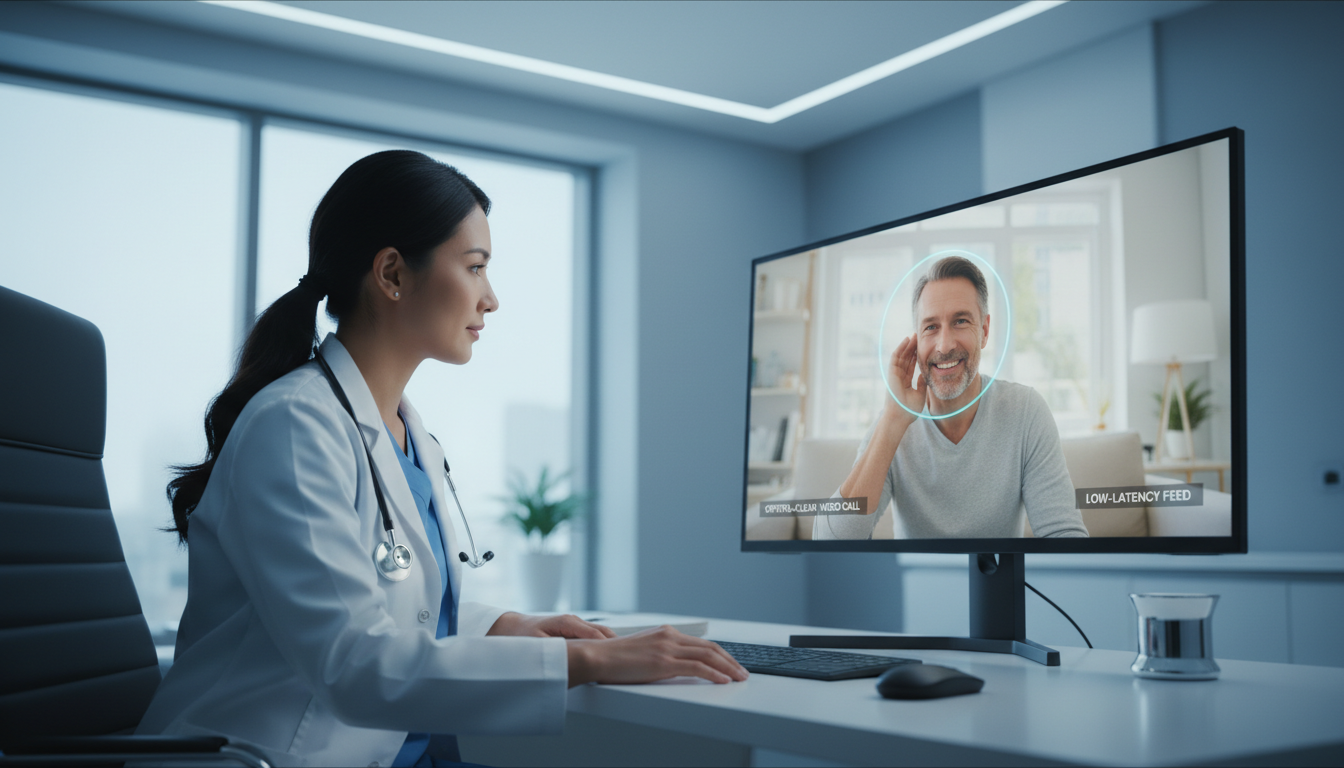
The world of digital communication is rapidly expanding, and one of the most significant transformations is happening in healthcare. Telemedicine, once a niche concept, is now a mainstream reality. For broadcasters, streamers, and digital creators, this presents a unique opportunity: to apply your technical skills in a new, impactful, and growing field. You already know how to manage a stream; now it's time to learn how to secure it for a clinical setting.
However, streaming for healthcare isn't like streaming a DJ set or a gaming session. It comes with stringent security and privacy requirements, most notably the Health Insurance Portability and Accountability Act (HIPAA) in the United States. The stakes are high, and a single misstep can have serious consequences.
This guide is designed for you—the technically savvy broadcaster looking to understand the landscape of telemedicine video streaming. We'll break down the complexities of HIPAA, compare server options, and provide a step-by-step framework for building a secure, reliable, and—most importantly—affordable telehealth streaming solution for 2026 and beyond. We'll show you how Shoutcast Net's powerful, flat-rate platform is the ideal foundation for this venture.
Why Flat-Rate Streaming is Crucial for Telehealth
Before we dive into the technical weeds of encryption and protocols, let's talk about the business model. In healthcare, budget predictability isn't just a convenience; it's a necessity. Clinics, hospitals, and private practices operate on tight, carefully planned budgets. The last thing they need is a surprise bill that's ten times higher than last month's because patient consultations ran longer or more people needed care.
This is the fundamental problem with many enterprise streaming solutions, like Wowza. They often operate on a pay-as-you-go model, charging you for every gigabyte of data transferred or every minute a viewer is connected. Consider the variables in a telehealth scenario:
- Variable Session Length: A quick follow-up might last 10 minutes, while a complex diagnostic consultation could take over an hour.
- Fluctuating Patient Load: One day might see 20 virtual visits, while the next could have 100 during a health crisis or seasonal peak.
- Unpredictable Data Usage: Higher resolution video for clearer diagnostics uses more data. Screen sharing medical records or lab results adds to the total.
With a per-use billing model, your costs become a moving target. If a doctor has a series of long, high-definition consultations, the streaming bill could skyrocket. This financial uncertainty is a significant barrier for healthcare providers looking to adopt or scale their telehealth services.
The Shoutcast Net Advantage: Predictable, Unlimited, and Affordable
This is where a flat-rate model changes the game. At Shoutcast Net, we believe in simple, transparent pricing. You pay one fixed monthly price for your chosen plan, and you get unlimited bandwidth. That's it. No overage charges, no complex calculations, no surprise fees.
For a telehealth application, this means:
- Budget Certainty: A provider knows exactly what their streaming cost will be each month, allowing for precise financial planning.
- No Penalties for Providing Care: Doctors don't have to rush through appointments or reduce video quality to save on streaming costs. They can focus on patient care.
- Scalability without Fear: As the practice grows and adds more patients or providers, they can simply upgrade to a higher-tier plan with a known, fixed cost.
Our video streaming plans are designed for this exact scenario, starting at just $16/month for 100 concurrent viewers. This predictability is the financial bedrock upon which a sustainable telehealth service is built.
Pro Tip: Frame the Cost Conversation
When discussing streaming solutions with potential healthcare clients, lead with Total Cost of Ownership (TCO). Explain that while a competitor's base rate might seem low, the variable costs of bandwidth and viewer hours create massive financial risk. A flat-rate plan from Shoutcast Net eliminates this risk entirely, making it the fiscally responsible choice for any healthcare organization.
Understanding HIPAA Requirements for Live Video
HIPAA is a federal law that sets the standard for protecting sensitive patient data. Any data that can be used to identify a patient and is related to their health status, provision of healthcare, or payment for healthcare is considered Protected Health Information (PHI). In a video consultation, the video and audio feed itself is PHI.
When streaming PHI, you move from being a simple broadcaster to a "Business Associate" under HIPAA, which carries significant responsibilities. Here are the core technical pillars you must address for a HIPAA-aware streaming setup.
1. End-to-End Encryption (E2EE)
This is non-negotiable. The video stream must be encrypted at all points: from the provider's camera, across the internet to the streaming server, and from the server to the patient's device. This prevents unauthorized parties from intercepting and viewing the consultation.
- Encryption in Transit: Your stream must use strong encryption protocols like TLS (Transport Layer Security). Shoutcast Net provides free SSL streaming on all plans, ensuring the connection between the encoder, our server, and the player is secure over HTTPS and RTMPS.
- Encryption at Rest: If you record and store consultations (which requires explicit patient consent), the stored files must also be encrypted.
2. Strict Access Controls
You cannot have a public stream link for a private consultation. Only the specific, authorized provider and patient should be able to access the live video. This requires a robust system for authentication and authorization.
The best practice is to use token-based authentication. Instead of a static stream URL, your application generates a unique, single-use, time-limited URL for each session. This ensures that even if a link is somehow exposed, it expires quickly and cannot be used to access other sessions. We'll cover how this works in the setup guide.
3. The Business Associate Agreement (BAA)
This is a critical legal document. A BAA is a contract between a healthcare provider (the "Covered Entity") and a service provider (the "Business Associate") that handles PHI. The BAA outlines the responsibilities of the Business Associate to protect that PHI in accordance with HIPAA rules.
A healthcare provider must have a BAA in place with every vendor in their technology stack that has access to PHI. This includes their EHR (Electronic Health Record) provider, their cloud storage provider, and their streaming provider. Shoutcast Net provides the secure infrastructure and transport layer that enables a HIPAA-aware workflow. The responsibility for establishing a BAA and ensuring overall compliance rests with the healthcare entity implementing the service.
Pro Tip: Understand the Shared Responsibility Model
HIPAA compliance is a partnership. A streaming provider like Shoutcast Net is responsible for the security of the platform (server security, network integrity, providing encryption tools). The healthcare provider (you or your client) is responsible for the security on the platform (implementing access controls, managing users, getting BAAs, and ensuring their own workflows are compliant). Make this distinction clear from the start.
Choosing Your Server: Shoutcast Net vs. Competitors
The streaming server is the heart of your telehealth operation. It's the central hub that receives the video from the provider and delivers it to the patient. Your choice of server impacts cost, reliability, latency, and security. Let's compare the leading options.
| Feature | Shoutcast Net | Wowza | Legacy Shoutcast/Icecast |
|---|---|---|---|
| Primary Use Case | Flexible Audio/Video Streaming | Enterprise Video Platform | Internet Radio (Audio-Only) |
| Pricing Model | Flat-Rate Monthly (Unlimited Bandwidth) | Per-Hour/Per-GB/Per-Viewer (Complex & Expensive) | Varies (often self-hosted or basic plans) |
| Video Support | Yes | Yes | No (Audio-only) |
| Latency | Very low latency 3 sec (with WebRTC/SRT) | Low latency capable (often at extra cost) | High (10-30 seconds, unsuitable for conversation) |
| Security | Free SSL Streaming, supports token auth | Robust security features | Basic, lacks modern security for PHI |
| Protocol Support | Any stream protocols to any stream protocols (RTMP, RTSP, WebRTC, SRT, etc) | Wide protocol support | HTTP/ICY (outdated for video) |
| Ease of Use | Easy-to-use control panel | Steep learning curve, requires developers | Requires config file editing |
| Free Trial | 7 days trial | Yes, limited | N/A |
Why Shoutcast Net is the Smart Choice for Telehealth
As the table shows, Shoutcast Net hits the sweet spot for building a telehealth service. Legacy Shoutcast and Icecast servers are immediately disqualified as they are audio-only and lack the security for this application. The real comparison is with enterprise platforms like Wowza.
While Wowza is powerful, its pricing model is its Achilles' heel for healthcare. The unpredictable costs make it a non-starter for most budget-conscious organizations. Furthermore, it often requires a dedicated team of developers to implement and manage.
Shoutcast Net provides the critical features you need in a package that is both affordable and manageable. With our platform, you can stream from any device to any device, thanks to our support for any stream protocols to any stream protocols (RTMP, RTSP, WebRTC, SRT, etc). This flexibility is vital. You also get the very low latency 3 sec performance needed for natural, real-time conversations. Coupled with our flat-rate pricing (video plans at $16 for 100 viewers, $32 for 500, and $64 for 1,000) and our famous 99.9% uptime, Shoutcast Net delivers enterprise-grade reliability without the enterprise-grade price tag. You can even test it all with our 7 days trial.
Pro Tip: Focus on Protocol Flexibility
The ability to handle multiple protocols is a superpower. You can ingest a stream using secure and reliable SRT from the provider's office, and then deliver it to the patient's browser using WebRTC for ultra-low latency. This level of control, standard with Shoutcast Net, is often a premium add-on elsewhere.
Step-by-Step: Setting Up Your Secure Telemedicine Stream
Now, let's get practical. This is a high-level overview of the steps involved in configuring a secure stream on Shoutcast Net. The key is combining our powerful streaming engine with a secure application layer (your website or app).
Step 1: Choose Your Shoutcast Net Video Plan
Your first step is to select a plan that fits your expected needs. Unlike our audio plans that start at just $4/month, video requires more resources. Our video plans are competitively priced:
- Video 100: 100 concurrent viewers for $16/month
- Video 500: 500 concurrent viewers for $32/month
- Video 1000: 1000 concurrent viewers for $64/month
All video plans include unlimited bandwidth, SSL streaming, and the full power of our platform. Start with a plan that matches your initial launch size; you can easily upgrade later. Head over to our shop to see the options, or start with our free 7 days trial to get a feel for the system.
Step 2: Secure Your Server in the Control Panel
Once your service is active, you'll get access to our intuitive control panel. Here are the first critical settings:
- Enable SSL/HTTPS: Locate the SSL option for your stream and ensure it is enabled. This will change your stream URLs from `http` and `rtmp` to `https` and `rtmps`, adding the first layer of encryption.
- Set a Strong Stream Key: Your stream key (or stream name) is like a password for your broadcast. Use a long, randomly generated string. Do not use something simple like "telemed".
Step 3: Implement Token-Based Access Control (Application Layer)
This is the most critical step for HIPAA compliance and is handled by the web application that your patients and providers use. Shoutcast Net provides the streaming endpoint, and your application controls who can access it.
Here’s the workflow:
- A patient logs into their secure portal on your website.
- They click "Start Consultation."
- Your web server backend communicates with the Shoutcast Net API (or uses a pre-configured token generation script).
- It generates a unique, secure token with a short expiration time (e.g., 5 minutes).
- This token is appended to the stream URL, creating a one-time-use link.
- This unique URL is passed to the video player embedded in the patient's secure portal page.
This process ensures that only an authenticated user coming from your secure application can view the stream, and only for a limited time. This prevents link sharing and unauthorized access.
# Example of a secure, tokenized URL
https://your-server.shoutcastnet.com:1234/live/stream.m3u8?token=a1b2c3d4e5f6g7h8i9j0&expires=1672531200
Step 4: Connect Your Encoder Software
The provider will use an encoder to send their video and audio to the secure RTMPS or SRT endpoint provided by Shoutcast Net. In the encoder settings, they will input the server URL and their unique, private stream key from Step 2.
Step 5: Embed a Secure Player
On the patient's side, you will embed a modern HTML5 video player (like Video.js, JW Player, or a custom WebRTC player) into your secure web portal. This player must be configured to request the tokenized URL from your backend (Step 3) for playback. The result is a seamless, secure viewing experience entirely contained within your trusted environment.
Pro Tip: Separate Your Concerns
Think of Shoutcast Net as your dedicated, secure video delivery network. Think of your website or mobile app as the "gatekeeper." Your app handles user logins and permissions. Shoutcast Net handles the heavy lifting of ingesting, processing, and delivering the high-quality, low-latency video stream once your app gives the "OK" via a secure token. This separation is a hallmark of robust, secure architecture.
Essential Hardware and Software for Telehealth Broadcasting
A successful telehealth stream depends on quality from end to end. While Shoutcast Net ensures a reliable server, the provider's setup and software are equally important for a professional experience.
Provider-Side Hardware
This is about clarity and professionalism. The goal is to make the virtual consultation feel as close to an in-person visit as possible.
- HD Webcam: A 1080p or 4K webcam is essential for clear diagnostics. A Logitech C920 or a Razer Kiyo Pro are excellent starting points.
- Dedicated Microphone: Do not rely on the webcam's built-in mic. A quality USB microphone like a Blue Yeti or Rode NT-USB will ensure the patient can hear every word clearly. Crystal-clear audio is more important than video for communication.
- Good Lighting: A simple ring light or key light will illuminate the provider's face, removing shadows and creating a more trustworthy and professional appearance.
- Wired Internet Connection: Wi-Fi is convenient but can be unstable. A wired Ethernet connection to the router is strongly recommended for a consistent, high-quality broadcast without dropouts.
Provider-Side Software (Encoder)
The encoder is the software that captures video and audio from the hardware, packages it, and sends it to your Shoutcast Net server. The most popular and flexible choice is OBS Studio.
- It's Free and Open Source: No licensing fees.
- Highly Flexible: The provider can easily switch between their webcam, a document camera, or a screen share to show lab results or educational diagrams.
- Protocol Support: OBS supports RTMP/RTMPS and SRT, allowing you to use the best protocol for your low-latency, secure stream to Shoutcast Net.
Patient-Side Requirements
The beauty of a web-based solution is its accessibility. The patient should not need to install any special software. Thanks to our platform's ability to stream from any device to any device, the requirements are minimal:
- A modern web browser (Chrome, Firefox, Safari, Edge).
- A smartphone, tablet, or computer with a working camera and microphone.
- A reasonably stable internet connection.
This simplicity is key to patient adoption and reduces technical support headaches.
Pro Tip: Create an Encoder Profile
If you're deploying this solution for multiple providers, create a pre-configured OBS Studio profile. Set up the optimal bitrate (e.g., 2500-4000 kbps for 1080p), audio settings, and stream server information. You can then export this profile and have new providers import it for a one-click setup, ensuring consistency and quality across the board.
Scaling Your Telehealth Service Affordably
Your telehealth service is a success. You're adding more providers and seeing more patients every day. Now what? With the wrong streaming partner, growth is terrifying because it means unpredictable, exponential cost increases. With Shoutcast Net, growth is exciting because it's predictable and affordable.
Because our plans are based on a fixed number of concurrent viewers with unlimited bandwidth, scaling is a simple, linear process. When you start to regularly hit the viewer limit of your current plan, you just log in and upgrade. The cost is known ahead of time.
- Moving from 100 to 500 simultaneous viewers? Your cost goes from $16 to a predictable $32 per month.
- Need to support 1,000 simultaneous consultations? That's a flat $64 per month.
This model allows you to align your operational costs directly with your revenue and growth, without ever worrying about a single high-usage day breaking the bank.
Leveraging Other Features for a Better Experience
As your service matures, you can use other Shoutcast Net features to enhance the patient and community experience.
Creative Use of AutoDJ: Our famous AutoDJ feature isn't just for music radio. You can use it to create a sophisticated "virtual waiting room." While a patient waits for their provider to join the call, the AutoDJ can stream a pre-recorded loop of calming music, helpful tips for preparing for their consultation, or short informational videos about the practice. This turns dead air into a positive, engaging experience.
Community Outreach with Restreaming: For public-facing communication—like a health seminar, a "meet the doctors" event, or a public Q&A on a health topic—you can leverage our restreaming capabilities. With some of our plans, you can Restream to Facebook, Twitch, YouTube, and other platforms simultaneously. This is a powerful tool for marketing and community engagement. Crucially, this should NEVER be used for private consultations containing PHI. It is strictly for one-to-many public broadcasts. Be sure to check your plan for details on restreaming availability.
Pro Tip: Use AutoDJ for the Waiting Room
Set up a separate, low-cost audio streaming plan (starting at just $4/month) with our AutoDJ feature. Upload a playlist of royalty-free music and informational audio clips. When a patient enters the virtual consultation room before the doctor, your application can automatically play this waiting room stream. It's a simple, affordable way to make your service feel more polished and professional.
Ready to Build the Future of Healthcare Communication?
The demand for secure, reliable, and affordable telehealth is only going to grow. With Shoutcast Net, you have the technology, the pricing model, and the support to build a world-class service.
Stop worrying about unpredictable bandwidth bills and complex server management. Focus on what matters: providing a clear, secure, and accessible connection between patients and providers.
Start Your 7 Days Free Trial Today