For any broadcaster, from a community radio DJ to a live event producer, there's one sound that's more terrifying than any other: silence. "Dead air" is the ultimate nightmare. It means your listeners are hearing nothing, your message isn't getting through, and your station's credibility is on the line. One minute you're live, connecting with your audience; the next, a technical gremlin strikes, and your stream is gone.
What if your PC crashes mid-show? What if your studio's internet connection drops? What if the server hosting your stream has a hiccup? These aren't "if" questions; for any long-running broadcast, they are "when" questions. Without a plan, each of these incidents can lead to extended downtime, frustrated listeners, and a damaged reputation.
This is where a robust streaming server disaster recovery and failover plan becomes your most valuable asset. It's your station's insurance policy against the unexpected. This guide will walk you through everything you need to know to build a bulletproof strategy, ensuring your stream stays on-air 24/7. We'll show you how Shoutcast Net's powerful, affordable tools are specifically designed to keep you broadcasting, no matter what happens.
What is Streaming Disaster Recovery & Why You Need It
Let's break down the terminology. While often used interchangeably, "disaster recovery" and "failover" are two sides of the same coin.
- Disaster Recovery (DR) is the overall plan. It's a documented strategy that outlines how your station will respond to and recover from a technical disaster. It covers everything from identifying potential risks to defining the step-by-step procedures to get your stream back online.
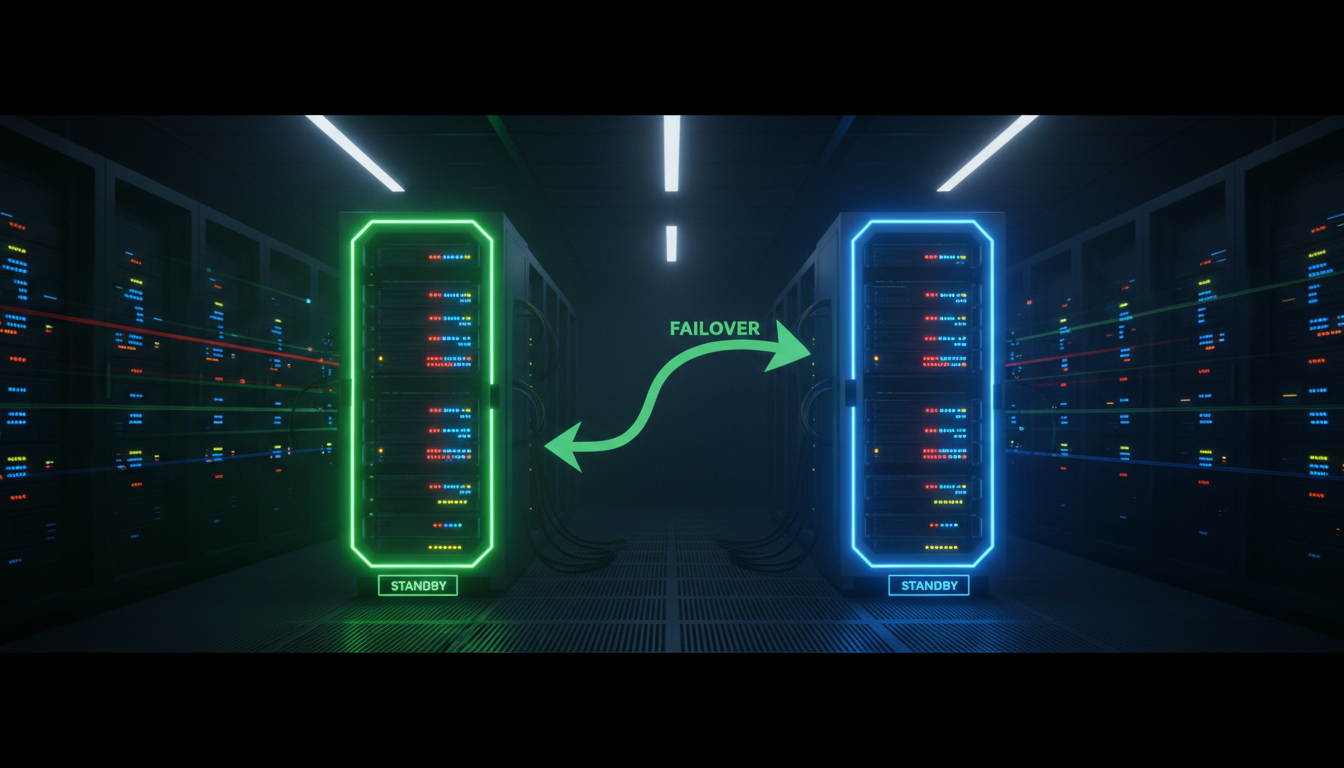
- Failover is the technical mechanism that executes part of your DR plan. It's the automatic process of switching from a failed component (like your live encoder) to a redundant or backup system (like a secondary server or an AutoDJ playlist) to avoid or minimize downtime.
Think of it like a pilot and a co-pilot. The disaster recovery plan is the flight manual that says, "If the primary engine fails, engage the backup." The failover is the co-pilot actually flipping the switch to turn on that backup engine.
Why Is This Non-Negotiable for Modern Broadcasters?
In the early days of internet radio, listeners were more forgiving of technical glitches. Today, the landscape is fiercely competitive. Your audience has endless options, and their attention is fleeting. Here’s why a DR plan is essential:
-
Listener Trust and Retention: Consistency builds loyalty. If your listeners know they can always tune in and hear your content, they'll keep coming back. Frequent dead air erodes that trust and sends them searching for more reliable streams.
-
Professionalism and Reputation: Whether you're a school radio station, a church broadcasting services, or a professional DJ, uptime is a measure of your professionalism. A stable stream shows you take your broadcast seriously.
-
Revenue Protection: If your station runs advertisements or is sponsored, every second of dead air is lost revenue. Advertisers pay for ears, and if no one is listening, you're not delivering on your promise.
-
Peace of Mind: As a broadcaster, you have enough to worry about—content, playlists, interviews, and production. A solid failover system lets you focus on creating great content, knowing that a technical safety net is in place to catch you if something goes wrong.
With Shoutcast Net, implementing a professional-grade failover solution is not only possible but also incredibly affordable. Our platform is built with redundancy in mind, giving you the tools to compete with the big players without breaking the bank.
Pro Tip: Think Beyond Live
Disaster recovery isn't just for 24/7 live stations. Even if you're a podcaster who only streams live once a week or a church broadcasting a Sunday service, an outage during that critical window can mean losing your entire audience for that event. A failover plan ensures that even a brief interruption doesn't derail your entire broadcast.
Common Disasters That Cause Dead Air
To build an effective plan, you first need to understand what you're up against. Most streaming outages can be traced back to one of three areas: your local setup, the server, or simple human error. Here are the most common culprits:
1. Local (Studio-Side) Failures
These are problems that happen at your location, where you are encoding and sending the stream from.
- Internet Connection Loss: This is the most frequent issue. Your local ISP has an outage, your router needs a reboot, or someone trips over the ethernet cable. If your encoder can't reach the server, your stream goes down instantly.
- Encoder PC/Hardware Crash: The computer or hardware device running your broadcast software (like OBS, RadioBOSS, or a hardware encoder) freezes, overheats, or suffers a fatal "blue screen of death."
- Power Outage: A storm or local grid issue knocks out the power to your studio. Without a battery backup (UPS), everything goes dark.
- Software Glitches: Your broadcast software unexpectedly quits, a plugin fails, or an automatic update causes a conflict that stops the encoding process.
2. Server-Side Failures
These are problems that occur at the data center where your streaming server is hosted. While reputable providers like Shoutcast Net boast 99.9% uptime, no system in the world is 100% immune to failure.
- Hardware Failure: Though rare due to redundant components in data centers, a server's hard drive, RAM, or network card could theoretically fail.
- Network Congestion/Outage: A major fiber line cut or a routing issue within the data center's network could temporarily make your server unreachable.
- Software Updates/Maintenance: Planned maintenance is usually scheduled for off-peak hours, but unplanned critical patches can sometimes require a swift server reboot.
3. Human Error
Never underestimate the potential for simple mistakes to cause major outages.
- Incorrect Configuration: Entering the wrong server address, port, or password in your encoder.
- Accidentally Stopping the Stream: Clicking the "Stop Streaming" button by mistake or closing the wrong window.
- Firewall/Antivirus Issues: A new security software update on your PC suddenly decides to block your encoder from accessing the internet without warning.
The good news is that for nearly every one of these scenarios, a simple and effective failover solution can be put in place, and Shoutcast Net's AutoDJ is your most powerful weapon.
Pro Tip: The #1 Culprit
In our experience, the vast majority (over 90%) of "dead air" incidents are caused by local-side failures, specifically interruptions in the broadcaster's own internet connection. This is why having a server-side backup like AutoDJ is so critically important—it immediately solves the most common point of failure.
How to Build Your Failover Plan with Shoutcast Net
Building a disaster recovery plan sounds intimidating, but it's a straightforward process. With Shoutcast Net's features, you can create a professional-grade plan in four simple steps.
Step 1: Identify Your Critical Risks
Look at the list of common disasters from the previous section. Which ones are most likely to affect you? For most independent broadcasters, the top risks are:
- Loss of local internet connection.
- Crash of the primary encoder PC.
- Accidental disconnection of the live source.
Your plan should prioritize mitigating these first.
Step 2: Choose Your Failover Strategy
Shoutcast Net provides several layers of redundancy you can implement, from simple and effective to highly advanced.
- Primary Strategy: AutoDJ Failover (Recommended for All)
This is the easiest and most effective safety net. Our system constantly monitors for a live source connection. The moment your live stream disconnects for any reason, our server automatically and instantly switches to your pre-configured AutoDJ playlist. Your listeners will experience a seamless transition from your live show to your backup music or content, with zero dead air. We'll cover this in more detail in the next section.
- Advanced Strategy: Redundant Server Failover
For maximum resilience, you can run two separate Shoutcast Net streams. Thanks to our incredibly low prices, this is a truly viable option. A typical setup looks like this:
- Primary Server: Your main shoutcast hosting plan (e.g., a $4/month plan for 100 listeners).
- Backup Server: A second, identical plan, perhaps even located in a different geographic region for ultimate redundancy.
Many professional broadcast encoders (like RadioBOSS or SAM Broadcaster) can be configured to automatically try connecting to the backup server if the primary one is unreachable. While more complex, this protects against the very rare scenario of a server-side issue.
Step 3: Configure Your Systems
Putting your plan into action involves simple configuration in your Shoutcast Net control panel and your encoder software.
In the Shoutcast Net Control Panel:
- Navigate to the AutoDJ section.
- Upload your backup content (MP3s of music, station IDs, "we'll be right back" announcements, or pre-recorded shows).
- Create one or more playlists.
- Enable the AutoDJ and ensure it's set to "start when live source disconnects."
In Your Encoder (Conceptual Example for Failover):
If you're using a primary/backup server strategy, your encoder settings might have a section for "Failover" or "Backup Servers". The logic would look like this:
# This is a conceptual example, not literal code
Encoder Settings:
  Primary Server:
    Host: server1.shoutcastnet.com
    Port: 8000
    Password: your_primary_password

  Backup Server 1:
    Host: server2.shoutcastnet.com
    Port: 8010
    Password: your_backup_password

  Connection Logic:
    - Attempt to connect to Primary Server.
    - If connection fails after 3 retries, automatically switch to Backup Server 1.
Step 4: Document and Communicate
Write down your plan. It doesn't need to be a 50-page manual. A simple document with server details, passwords, and the steps to follow during an outage is enough. If you have a team, make sure everyone knows the plan and where to find the document.
Pro Tip: Leverage Our Flexible Platform
Our platform is designed for ultimate flexibility. You can stream from any device to any device, using a wide array of protocols. Whether you're using a hardware encoder in your studio, a laptop with OBS, or even a mobile app, our servers can handle it. We support any stream protocols to any stream protocols (RTMP, RTSP, WebRTC, SRT, etc), ensuring compatibility and making it easy to set up primary and backup sources, even if they use different technologies.
Using AutoDJ as Your First Line of Defense
If you take only one thing away from this guide, let it be this: enabling AutoDJ in failover mode is the single most important step you can take to guarantee 100% broadcast continuity. It's simple, effective, and included with our feature-rich hosting plans. It is your ultimate safety net against dead air.
How Does AutoDJ Failover Work?
The concept is brilliantly simple. The Shoutcast Net server acts as an intelligent switch. It constantly listens for your incoming live stream.
Live Source Connected
Your encoder is sending a live signal. The server passes this directly to your listeners.
Live Source Disconnects
Your internet drops or your PC crashes. The server detects the disconnect and instantly switches the audio source to the AutoDJ playlist.
When your live source is available again and you reconnect your encoder, the server automatically switches back, fading out the AutoDJ and putting your live show back on the air. The listener experience is seamless. They never hear a moment of silence—just a smooth transition from live content to your backup playlist, and back again.
Key Benefits of AutoDJ Failover
- Instantaneous Activation: There's no delay. The moment your stream drops, the backup is live.
- Eliminates the Most Common Failures: It single-handedly solves issues with your local internet, PC crashes, and software glitches.
- Keeps Your Station "Live": Even when you're not, your station is still broadcasting content, keeping listeners engaged and on your channel.
- Easy to Manage: Our web-based control panel makes it simple to upload MP3s, manage your media library, and build playlists with a drag-and-drop interface.
- Cost-Effective: This powerful feature is built into our core service. You don't pay extra for this essential protection, unlike other platforms that nickel-and-dime you for every feature.
This is a massive advantage over legacy Shoutcast v1/v2 servers, which have no native failover capability. If your source disconnected from an old-school server, your stream would simply die. Our modern Icecast-based platform, which powers our shoutcast hosting, has this intelligence built-in from the ground up.
Pro Tip: Curate Your Failover Playlist
Don't just upload random songs to your AutoDJ. Be strategic! Create a specific "Failover Playlist" that includes:
- A pre-recorded announcement like, "We're experiencing temporary technical difficulties with our live show. Please stay tuned, we'll be back shortly."
- Your station's jingles and IDs to maintain branding.
- A selection of music or content that fits your station's format.
- An evergreen pre-recorded show or interview.
Cost Analysis: The Shoutcast Net Advantage
A disaster recovery plan is only effective if it's affordable to implement and maintain. This is where Shoutcast Net's pricing model provides a decisive advantage over other providers, especially those like Wowza that use complex, usage-based billing.
We believe in simple, predictable, flat-rate pricing. You pay one low monthly fee for a set number of listener/viewer slots, and you get unlimited bandwidth and traffic. This is crucial for disaster recovery planning.
Let's compare the cost of running a redundant streaming setup on Shoutcast Net versus a platform with per-viewer/per-hour pricing.
| Feature | Shoutcast Net (Flat-Rate) | "The Other Guys" (e.g., Wowza, Per-Usage) |
|---|---|---|
| Base Pricing Model | Fixed monthly fee. Predictable and easy to budget. (e.g., $4/mo for 100 audio listeners). | Complex fees based on hours streamed, number of viewers, and gigabytes of egress bandwidth. |
| Cost of a Backup Server | Extremely affordable. A second 100-listener server costs just another $4/month. Total cost for full redundancy: $8/month. | Prohibitively expensive. You pay for all usage on the backup server, effectively doubling your costs even if it's just sitting idle for failover. |
| AutoDJ Failover | Included feature. Provides instant, no-cost failover protection on a single server. | Often requires complex custom scripting or is a premium add-on. The content it plays still incurs bandwidth/usage costs. |
| Bandwidth Costs | Unlimited and included. Never worry about overage fees, even if your stream goes viral. | A primary source of cost. A sudden listener spike can result in a massive, unexpected bill. |
| Budget Predictability | High. Your bill is the same every single month. | Low. Your bill fluctuates wildly based on viewership and uptime. |
The difference is stark. With Shoutcast Net, you can run a fully redundant primary/backup server setup for as little as $8 per month. On a usage-based platform, the cost would be unpredictable and likely many times higher.
Our model is designed to empower broadcasters of all sizes. A school radio station, a local church, or an independent music DJ can afford the same level of redundancy as a major commercial broadcaster. You get premium features like up to 320 kbps audio, free SSL for secure streaming, and our powerful AutoDJ system, all starting at just $4/month. Our video plans are equally competitive, starting at just $16/month for 100 viewers.
Furthermore, our platform offers cutting-edge features like very low latency 3 sec streaming and options for free restreaming to Facebook, Twitch and YouTube; see plan for details. This combination of affordability, robust features, and predictable cost makes Shoutcast Net the clear choice for any serious broadcaster.
Pro Tip: Try Before You Buy
Don't just take our word for it. You can experience the power and simplicity of our platform completely free. We offer a no-obligation 7 days trial. Set up your server, configure the AutoDJ failover, and test it for yourself. See how easy it is to create a professional, resilient stream before spending a single dollar.
Testing and Maintaining Your Disaster Recovery Plan
A disaster recovery plan you've never tested is just a theory. To have true confidence in your setup, you need to simulate failures and ensure your failover mechanisms work as expected. Regular testing turns theory into proven practice.
Your Failover Testing Checklist
Schedule a "disaster drill" for your station at least once every quarter. It only takes a few minutes and can save you hours of downtime later. Here’s what to do:
- 1. Announce the Test (Optional): If you have a live audience, you can make the test part of your content. "Alright listeners, we're about to run a quick test of our backup system. Let's see how fast it kicks in!" This builds transparency and confidence.
-
2. Simulate a Local Failure: While streaming live, perform one of these actions:
- Simply click "Stop Streaming" or disconnect in your encoder software.
- For a more realistic test, unplug the ethernet cable from your encoder PC.
-
3. Monitor the Result: Open your public stream page and listen.
- Did the AutoDJ kick in automatically?
- How long was the silence? With Shoutcast Net, it should be nearly instantaneous.
- Is the content playing from your designated failover playlist?
-
4. Test the Recovery: Plug your ethernet cable back in or restart the stream from your encoder.
- Did the server automatically switch back to your live source?
- Was the transition back to live smooth for the listener?
-
5. Review and Maintain: After the test, ask yourself:
- Does my AutoDJ playlist have enough content? A good rule of thumb is to have at least 2-3 hours of content to cover an extended outage.
- Is the content still fresh and relevant? Update it periodically with new music, jingles, or announcements.
- Are my documented passwords and server details still correct?
Regularly performing these drills will make responding to a real emergency second nature. You'll know exactly how your system behaves and have confidence that your listeners will never be left in silence.
Pro Tip: Use Your Logs
Your Shoutcast Net control panel provides access to detailed server logs. After a test (or a real event), review the logs. You can see the exact timestamps when the live source disconnected and when the AutoDJ took over. This data is invaluable for verifying that your system is working perfectly and for diagnosing any potential issues in your broadcast chain.
Stay On-Air, No Matter What
Dead air is not an inevitability; it's a choice. By failing to plan, you are planning to fail. A comprehensive disaster recovery and failover strategy is the hallmark of a professional broadcaster who values their content and their audience.
We've shown you that building this protection doesn't have to be complicated or expensive. With Shoutcast Net, you have the essential tools at your fingertips:
- Instant AutoDJ Failover
- Affordable Redundancy
- Predictable Flat-Rate Pricing
Stop worrying about technical glitches and start focusing on what you do best: creating amazing content. Let us handle the technology and provide the safety net that keeps you on-air 24/7.
Ready to build your bulletproof stream?
Explore Our Plans Start Your Free 7 Days Trial