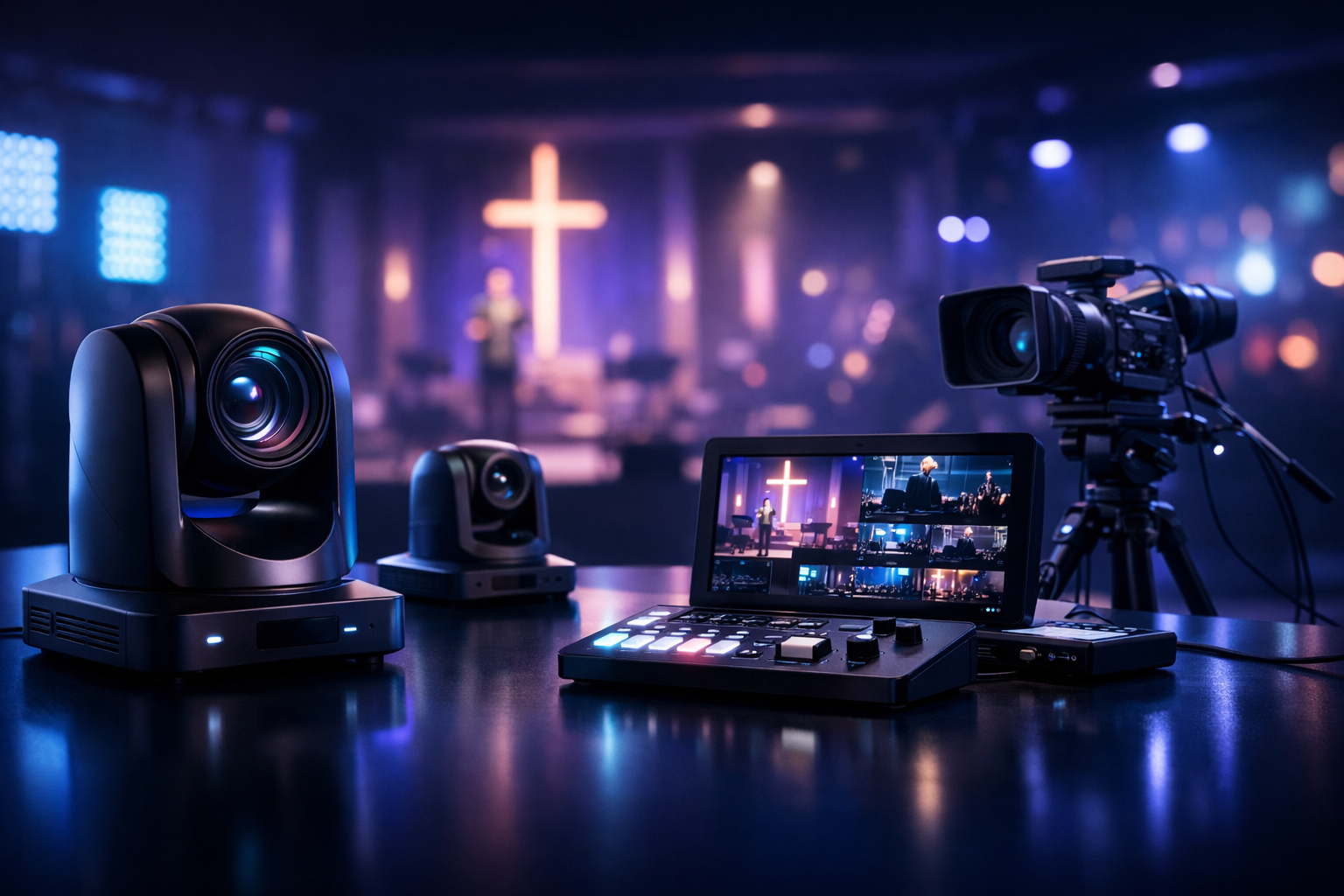
Best Streaming Cameras for Churches Under $500 (2026 Buyer’s Guide)
Church livestreaming in 2026 doesn’t require a $2,000 camera or a broadcast truck. With the right under-$500 camera, you can capture clear sermons, worship sets, and events—and pair it with reliable audio and a stable streaming platform. This guide is built for church broadcasters, school radio stations, DJs, podcasters, and live event streamers who want dependable video without blowing the budget.
We’ll focus on what actually matters in a sanctuary: clean HDMI or USB output, dependable autofocus, low-light performance, simple operator workflow, and compatibility with common tools like OBS. We’ll also show a practical setup that lets you stream from any device to any device and even bridge any stream protocols to any stream protocols (RTMP, RTSP, WebRTC, SRT, etc) when you’re scaling beyond basic one-platform streaming.
What you’ll get
- Quick picks for the best under-$500 church cameras
- A ranked top-7 list with real-world church use cases
- A recommended end-to-end livestream setup
- Platform tips, including Restream to Facebook, Twitch, YouTube
Table of Contents
- Quick Picks: Top Streaming Cameras Under $500
- How We Ranked These Church Streaming Cameras
- Top 7 Best Streaming Cameras for Churches Under $500
- Recommended Church Livestream Setup (Camera + Audio + Encoder)
- Streaming Software & Platform Tips (OBS + Shoutcast Net)
- Buyer Checklist: What to Look for in a Church Streaming Camera
Quick Picks: Top Streaming Cameras Under $500
If you want the shortest path to a strong church livestream, these are the “safe bets” under $500 based on clarity, reliability, and ease of setup. Some are true camcorders with long record times and stable autofocus; others are dedicated PTZ-style webcams for simple sanctuary installs. Pick based on your operator and how permanent your setup is.
| Quick Pick | Best For | Why It Wins Under $500 |
|---|---|---|
| Canon Vixia HF R800 | Simple, reliable sermon shots | Great stabilized video and “set it and forget it” handling |
| Panasonic HC-VX1 (sale-priced) | Sharper 4K capture for editing | 4K detail with camcorder ergonomics |
| Sony ZV-1 (used/refurb) | Close-ups, worship leaders, talking head | Excellent autofocus and low-light for the money |
| Logitech Mevo Start | Volunteer-friendly, app-controlled streaming | Quick multi-location deployment with minimal gear |
| OBSBOT Tiny 2 Lite / Tiny series | PTZ tracking from a fixed position | Auto-tracking makes one-person production easier |
Pro Tip
Budget cameras look “pro” when your audio is clean and your stream is stable. Put $100–$200 of the budget toward a good mic path (wireless lav or board feed + a simple audio interface) and use a reliable platform. Shoutcast Net’s flat-rate, unlimited model avoids Wowza’s expensive per-hour/per-viewer billing so you don’t get punished for growth.
How We Ranked These Church Streaming Cameras
Church streaming is different from casual vlogging. You typically have a fixed stage, mixed lighting (spotlit platform + darker congregation), and a volunteer team. We ranked cameras by what improves the broadcast week after week—without complicated workflows.
Ranking factors we prioritized
- Clean output + compatibility: USB UVC webcam mode or clean HDMI to a capture card/encoder so OBS doesn’t fight your camera.
- Low-light and dynamic range: Churches often have bright screens, colored LEDs, and dark rooms. Better sensors and processing matter.
- Autofocus and stability: “Hunting” focus ruins sermons. Optical stabilization helps if you’re on a light tripod.
- Ease for volunteers: Fast setup, predictable menus, and fewer failure points win on Sunday morning.
- Total cost: We assumed you still need a tripod, power, and possibly a capture device—so we favored cameras that reduce hidden add-ons.
We also considered how the camera fits into a full delivery chain: OBS or a hardware encoder, then distribution. Many churches want to Restream to Facebook, Twitch, YouTube while also sending an audio-only stream for radio-style listeners. That’s where a flexible streaming host matters.
Pro Tip
Avoid locking your ministry into “legacy Shoutcast limitations” from older providers or complex billing models. With Shoutcast hosting from Shoutcast Net you get flat-rate plans (starting around $4/month), 100–1,000 listeners (by plan), SSL streaming, and 99.9% uptime—without Wowza-style per-hour/per-viewer costs.
Top 7 Best Streaming Cameras for Churches Under $500
Below is the ranked list for 2026. Pricing changes constantly, so treat “under $500” as new, sale, used, or manufacturer-refurb pricing. Each pick includes the best use case and what to watch out for in a church environment.
1) Canon Vixia HF R800 (best “set it and forget it” camcorder)
For churches that just want a dependable, clean-looking shot every Sunday, the Canon Vixia HF R800 remains a standout value. It’s easy for volunteers to operate: power on, frame the pulpit, and you’re live. The camcorder form factor is built for long sessions, and stabilization helps if your balcony tripod gets bumped. In many sanctuaries, the R800 delivers a pleasing image that looks natural on Facebook or YouTube without heavy color work.
The biggest advantage is reliability: camcorders are generally less fussy than interchangeable-lens cameras when you need consistent results. Pair it with a simple HDMI capture device and OBS, and you’ll have a stable pipeline. For audio-focused ministries, you can also run an audio-only stream through Shoutcast Net and keep video separate—useful if some members prefer listening on mobile with minimal data.
- Best for: single-camera sermon streams, small/medium churches, volunteer teams
- Watch for: you may need a capture card for HDMI into your computer
- Suggested add-on: AC power adapter so you never rely on batteries
2) Logitech Mevo Start (best for ultra-simple, app-driven church streaming)
If your team wants a camera that feels more like “push a button and stream,” the Mevo Start is a strong under-$500 option. It’s popular for churches because it reduces the amount of gear: the control happens in an app, and the camera is easy to position on a small tripod. For temporary setups (portable church plants, youth rooms, school events), this simplicity is gold.
The Mevo ecosystem also makes it easier to scale into multi-camera later without building a full switcher rig on day one. While it won’t replace the look of a larger sensor camera for cinematic close-ups, it can produce a clean, broadcast-friendly image in typical sanctuary lighting—especially when you keep framing consistent and avoid extreme zoom. Combine it with a wired network (or solid Wi‑Fi) and a consistent streaming destination. For distribution, Shoutcast Net supports growth with flat-rate streaming versus Wowza’s expensive per-hour/per-viewer billing that can spike during holidays.
- Best for: portable churches, small volunteer teams, quick setup/teardown
- Watch for: lighting—add a small front fill light if faces look dim
- Suggested add-on: Ethernet adapter/solid router for stability
3) OBSBOT Tiny 2 Lite (best PTZ-style webcam for one-person operation)
Auto-tracking webcams are a cheat code for churches with limited operators. The OBSBOT Tiny line (including the Tiny 2 Lite tier) offers PTZ-like movement from a fixed mounting point, with face/body tracking that can keep a preacher framed without someone riding a tripod head. For small sanctuaries, classrooms, Bible studies, and midweek services, this can be the difference between “watchable” and “professional.”
Because it connects via USB, it integrates smoothly with OBS on a budget laptop or mini PC. That reduces complexity: no capture card required, fewer cables, and less troubleshooting for volunteers. The tradeoff is that USB PTZ webcams are best at moderate distances; if you’re shooting from a far back balcony, you may prefer a camcorder with optical zoom. Still, for the under-$500 bracket, auto-tracking delivers real production value—especially when combined with clean audio and a stable encoder path that targets very low latency 3 sec when the platform supports it.
- Best for: one-person livestreams, classrooms, smaller stages
- Watch for: distance and zoom needs—optical zoom wins in large rooms
- Suggested add-on: sturdy mount (tripod or wall/beam clamp)
4) Sony ZV-1 (used/refurb) (best image quality + autofocus for faces)
When you can find it used or refurbished under $500, the Sony ZV-1 is a powerhouse for face-focused church streaming—think pastor close-ups, worship leader shots, announcements, and podcast-style segments recorded at the church. Sony’s autofocus is especially helpful for sermons where the speaker moves naturally. The sensor and processing tend to handle mixed lighting well, keeping skin tones believable with minimal tweaking.
The ZV-1 shines in tighter shots rather than long-distance balcony work, since it’s not a long-zoom camcorder. But if your camera position is within a reasonable distance to the stage (front-of-house center, side aisle, or first balcony row), it’s a high-impact upgrade. In a hybrid workflow, you can record locally for higher quality edits and still feed a live stream through HDMI capture. Pair that with Shoutcast Net for audio simulcast and a consistent listener experience—flat-rate unlimited beats Wowza’s meter-running approach every time your audience grows.
- Best for: face close-ups, worship leader, studio corner content
- Watch for: availability/price—often best as refurbished
- Suggested add-on: dummy battery/AC adapter for long services
5) Panasonic HC-VX1 (when discounted) (best 4K camcorder detail under budget)
If you want 4K detail for cropping, future-proofing, or sharper archives, the Panasonic HC-VX1 can land under $500 during promotions or as an open-box deal. A 4K capture can be a practical advantage even if you stream in 1080p: you can digitally crop in OBS to create a “second angle” (like a tighter pulpit shot) from one camera, provided your computer can handle it.
Camcorders like the VX1 are built for long events, and their zoom range helps in larger sanctuaries where the camera must sit far back. This is often the real “church win”—optical zoom that doesn’t make the image fall apart. Pair it with a solid tripod and you can cover a lot of stage area without moving the camera. For distribution, think beyond one destination: you might stream video to YouTube while also running audio-only to Shoutcast Net so members can listen in the car with minimal buffering and SSL streaming security.
- Best for: balcony shots, large rooms, 4K archives
- Watch for: you’ll likely need HDMI capture hardware
- Suggested add-on: fluid head tripod for smooth pans during worship
6) Canon EOS M50 Mark II (used) (best budget “cinematic” look for church media teams)
For churches building a small media ministry—sermon clips, reels, testimonies, and podcasts—the Canon EOS M50 Mark II is still a practical option when found used under $500. It can deliver a more “cinematic” look than typical camcorders, especially for mid shots and interviews. Canon’s color science is forgiving, which helps teams that don’t want to color grade every week.
The key is workflow: mirrorless cameras can be more sensitive to setup details (power, heat, clean HDMI settings, focus modes). If you have volunteers rotating weekly, create a simple one-page checklist and lock your settings. Used M50 kits often include a lens, which makes the deal even better, but make sure you can frame your stage from your camera position. If you’re also running an online radio stream between services, Shoutcast Net plus AutoDJ lets you schedule worship music, announcements, and rebroadcasts—something old-school providers with legacy Shoutcast limitations don’t make nearly as simple.
- Best for: interviews, sermon clips, social media, youth content
- Watch for: power and HDMI settings—use AC power and test before Sunday
- Suggested add-on: basic key light for interviews (huge quality boost)
7) A budget HDMI PTZ camera (sale-priced) (best for fixed installs that want “operator-like” control)
If your church wants PTZ-style control—presets for pulpit, lectern, and worship center—an entry-level HDMI PTZ camera can sometimes be found under $500 on sale. The advantage is operational: a volunteer can switch between preset angles without physically touching a tripod. This reduces shake and helps keep your shot consistent week to week.
The caution is that the under-$500 PTZ tier varies widely in quality and support. Prioritize brands with solid firmware updates and straightforward control options (IR remote, USB/serial, or network control). Also consider the total install cost: mounts, longer HDMI runs, and possibly SDI converters if you grow later. When you’re ready to distribute more broadly, you’ll want a platform strategy that doesn’t punish success. Shoutcast Net’s flat-rate unlimited approach (starting around $4/month, with a 7 days trial) stands out versus Wowza’s expensive per-hour/per-viewer billing—especially on holidays when viewership spikes.
- Best for: fixed installs, preset angles, consistent framing
- Watch for: brand support and return policy—test thoroughly early
- Suggested add-on: joystick/controller (optional) for smoother operation
Pro Tip
If you’re torn between “best camera” and “best results,” choose the camera that your volunteers can run reliably. A consistent 1080p stream with clean audio beats a shaky 4K image every Sunday. Spend time on your audio chain and streaming platform—Shoutcast Net gives you up to 1,000 listeners, SSL streaming, and a flat-rate model that’s easier to budget than Wowza.
Recommended Church Livestream Setup (Camera + Audio + Encoder)
A great church stream is a system, not a single purchase. Below is a practical “minimum friction” setup that works for most sanctuaries and volunteer teams. You can start simple and upgrade one piece at a time.
Option A: USB camera + OBS (fastest, simplest)
- Camera: OBSBOT Tiny series (USB)
- Audio: mixer board feed into a USB audio interface (or a dedicated USB mixer)
- Encoder: OBS on a mid-range laptop/mini PC (wired Ethernet)
- Why it works: fewer adapters/cables, quick troubleshooting
Option B: Camcorder HDMI + capture card (best zoom and “church distance” coverage)
- Camera: Canon Vixia HF R800 or Panasonic HC-VX1
- Capture: HDMI capture device (UVC-compatible)
- Audio: board feed + safety mic (even a single condenser near the congregation helps)
- Why it works: optical zoom covers big rooms better than most webcams
Audio note (the part many churches miss)
Don’t rely on the camera mic from the back of the room. Ideally, take a post-fader feed from your mixer, then add a small “room mic” for ambience so worship doesn’t feel sterile. Even a perfect camera can’t fix thin, distant audio.
Pro Tip
Build an “audio fallback” stream alongside video. With Shoutcast Net you can run an audio-only station with AutoDJ, schedule reruns, and keep members connected throughout the week. Flat-rate, up to 1,000 listeners is easier to sustain than platforms that charge like Wowza per hour/per viewer.
Streaming Software & Platform Tips (OBS + Shoutcast Net)
Most churches can produce a professional-looking livestream with OBS Studio. The key is setting expectations: start with a stable 1080p workflow, then add scenes, lyrics, lower-thirds, and multiple cameras after you’ve proven reliability.
OBS settings that keep streams stable
- Resolution: 1920×1080 output is usually enough (even if you record 4K locally).
- Frame rate: 30 fps is safer for older machines; 60 fps is nice for fast worship movement if your CPU can handle it.
- Bitrate: pick a sustainable bitrate based on your upload (don’t max it out).
- Audio: keep sample rate consistent (48 kHz across interface + OBS).
- Network: wired Ethernet whenever possible.
Example: simple OBS “start point” config
Video:
  Base (Canvas): 1920x1080
  Output (Scaled): 1920x1080
  FPS: 30

Output (Streaming):
  Rate Control: CBR
  Bitrate: 4500 Kbps
  Keyframe Interval: 2s
  Encoder: Hardware (if available)

Audio:
  Sample Rate: 48 kHz
  Track 1: Program Mix (from mixer/interface)
Platform strategy: go beyond one destination
A common 2026 approach is: live video to YouTube/Facebook, plus an audio station for listeners who prefer “radio mode.” Shoutcast Net is ideal for audio streaming because you get up to 1,000 listeners, SSL streaming, and dependable performance with 99.9% uptime. Plans start around $4/month, and you can test with a 7 days trial.
If you’re building a more advanced workflow, you may also want to stream from any device to any device, translate any stream protocols to any stream protocols (RTMP, RTSP, WebRTC, SRT, etc), and keep audience interaction usable with very low latency 3 sec. Even then, keep your costs predictable: Shoutcast Net’s flat-rate model is far easier to budget than Wowza’s expensive per-hour/per-viewer billing that scales unpredictably during big events.
Multi-platform distribution
If your community lives on different platforms, design your workflow so you can Restream to Facebook, Twitch, YouTube without rebuilding your entire setup. Start with one “master” output from OBS, then add restreaming once stability is proven.
Pro Tip
Use Shoutcast Net for your 24/7 audio presence between services—announcements, worship rotation, sermon replays—powered by AutoDJ. It’s a simple way to keep engagement high without paying extra per listener the way Wowza-style pricing can.
Buyer Checklist: What to Look for in a Church Streaming Camera
Before you click “buy,” match your camera to your room, volunteer skills, and streaming goals. Under $500, you’re choosing tradeoffs—zoom versus low-light, simplicity versus flexibility, USB versus HDMI. This checklist helps you avoid the most common mistakes churches make.
Camera & output essentials
- Clean HDMI or USB UVC output: makes OBS integration straightforward and reliable.
- Optical zoom (for larger sanctuaries): better than digital zoom when the camera is far away.
- Low-light performance: look for clean faces under stage lighting without excessive noise.
- Autofocus you can trust: face detect and stable continuous AF reduces volunteer stress.
- Power solution: AC adapter/dummy battery so you never die mid-sermon.
- Mounting: tripod stability matters more than most people think.
Workflow & team realities
- Volunteer-friendly menus: fewer hidden settings means fewer Sunday surprises.
- Repeatability: can you “lock” the camera and keep it consistent week to week?
- Upgrade path: can this camera join a multi-cam setup later?
- Support and returns: especially important with budget PTZ options.
Don’t forget the platform
Your camera is only one part of the experience—delivery matters. For audio streaming, Shoutcast Net stands out with a flat-rate, unlimited model (starting around $4/month), 100–1,000 listeners (by plan), SSL streaming, and 99.9% uptime. That predictability contrasts sharply with Wowza’s expensive per-hour/per-viewer billing. If you need an audio station that runs all week, add AutoDJ and schedule content without babysitting a computer.
Ready to build your church stream stack? Browse gear in our shop, then launch a station with a 7 days trial and scale confidently without worrying about surprise fees.
Pro Tip
If you’re upgrading on a budget, prioritize in this order: audio (clarity) → stability (wired network, reliable host) → camera (image). A “good enough” camera with a rock-solid stream will grow your audience faster than a fancy camera feeding an unstable platform.