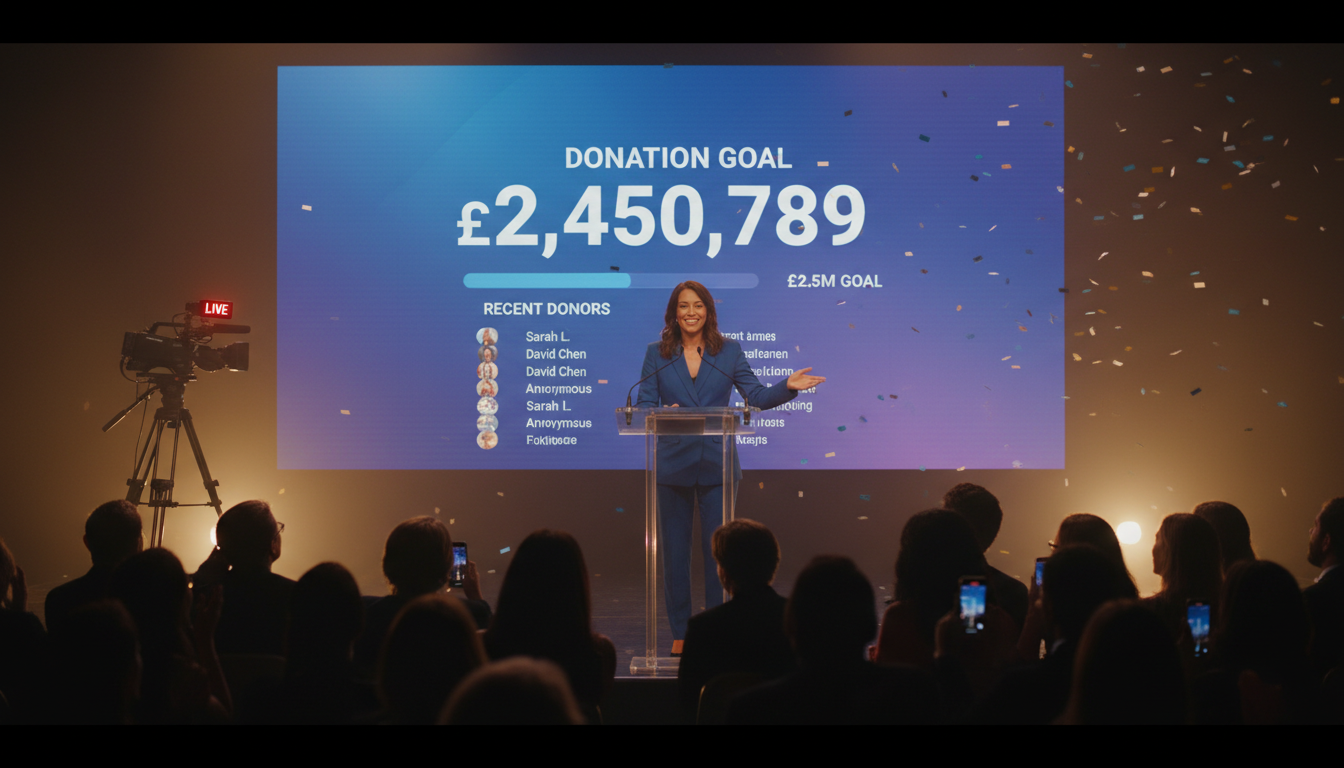
The traditional fundraising telethon—with its bustling phone banks and local TV studio—has served nonprofits well for decades. But in an increasingly digital world, its reach is limited. How do you connect with a global audience of potential donors who live on their smartphones and laptops? The answer is live streaming.
Welcome to the future of fundraising. By streaming your telethon, you can break down geographical barriers, engage with donors in real-time, and raise more money for your cause than ever before. Worried about complexity and cost? Don't be. Modern platforms have made professional-quality broadcasting accessible and affordable for any organization, from a local church or school radio station to a national charity.
This comprehensive guide will walk you through everything you need to know to plan, produce, and broadcast a successful fundraising telethon online in 2026. Let's get started.
Why Stream Your Nonprofit Telethon?
Taking your fundraiser online isn't just about keeping up with the times; it's a strategic move with tangible benefits that can dramatically amplify your impact. If you're still on the fence, consider the powerful advantages of streaming.
1. Unprecedented Global Reach
A local venue or TV station limits you to a specific geographic area. A live stream is borderless. You can reach supporters, ex-pats, and new donors across the country and around the world. Anyone with an internet connection can tune in, feel connected to your mission, and contribute, turning a local event into a global phenomenon.
2. Massive Cost Savings
Think about the costs of a traditional event: venue rental, broadcast television airtime, extensive on-site staffing, and catering. These expenses can eat significantly into your donations. Streaming eliminates most of these overheads. With an affordable platform like Shoutcast Net (starting at just $4/month), your primary costs are the gear you likely already own and a solid internet connection. More of every dollar raised goes directly to your cause.
3. Deeper Donor Engagement
Streaming is a two-way street. Unlike passive television, a live stream allows for real-time interaction. You can integrate live chats, host Q&A sessions with your team, run interactive polls, and give instant shout-outs to donors. This level of engagement makes your audience feel like active participants, not just spectators, fostering a stronger community and encouraging more generous giving.
4. Actionable Data & Analytics
How many people watched your local TV spot? It's hard to say for sure. With streaming, you get detailed analytics. You can see exactly how many people are watching, where they're from, how long they stay, and which segments of your broadcast are most popular. This invaluable data helps you understand your audience and refine your strategy for even more successful future events.
5. Ultimate Convenience and Accessibility
Your donors are busy. Streaming meets them where they are. They can watch on their phone during their commute, on a tablet while making dinner, or on their smart TV from the comfort of their couch. Because modern streaming services like Shoutcast Net are built to stream from any device to any device, you remove all barriers to participation, making it effortless for people to tune in and donate.
Pro Tip: Calculate Your ROI
Before you even start, create a simple spreadsheet. Estimate the costs of a traditional physical event vs. a live-streamed one. Factor in the potential for a larger audience and increased donations from streaming. The numbers will almost certainly show a dramatically higher Return on Investment (ROI) for a digital-first approach, making it an easy sell to your board or leadership team.
Choosing a Platform: Flat-Rate vs. Per-Viewer Costs
Your choice of streaming platform is the single most important technical decision you'll make. It directly impacts your budget, reliability, and scalability. The primary difference comes down to the pricing model: unpredictable per-viewer costs versus a predictable flat rate.
The Danger of Per-Viewer/Per-Hour Billing
Some enterprise platforms, most notably Wowza, use a metered billing model. They charge you based on factors like the number of viewers, the total hours of streaming, and the amount of data (bandwidth) consumed. While this might seem flexible, it's a trap for a successful fundraising event.
Imagine your telethon goes viral. Your viewer count explodes from 500 to 5,000. With a per-viewer model, your streaming bill just increased by 10x. You are effectively penalized for your success. This creates unpredictable costs that can soar without warning, eating into the very funds you're trying to raise. For a nonprofit, this budget uncertainty is unacceptable.
The Power of Flat-Rate, Unlimited Streaming
Shoutcast Net was built to solve this exact problem. We offer a simple, predictable flat-rate monthly fee. For one low price, you get up to 1,000 listeners and unlimited bandwidth. Whether 10 people or 1,000 people tune into your telethon, your cost remains exactly the same. This allows you to budget with 100% confidence and focus on your fundraising goal, not on a ticking meter.
Let's see how the options stack up:
| Feature | Shoutcast Net | Wowza | Legacy SHOUTcast (Self-Hosted) |
|---|---|---|---|
| Pricing Model | Flat-Rate Monthly | Per-Viewer/Per-Hour/Per-GB | Server Hardware Costs |
| Listener Caps | Unlimited | None (but you pay for each one) | Limited by Server CPU/Bandwidth |
| Bandwidth | Unlimited | Metered & Billed | Limited by ISP Plan |
| Supported Protocols | All Modern Protocols (HLS, DASH, RTMP, etc.) | All Modern Protocols | Audio-only (MP3/AAC) |
| Latency | Very low latency 3 sec | Variable (Configurable) | High (15-30 seconds) |
| AutoDJ Fallback | Included | No (Requires custom development) | Yes (Audio only) |
| Social Restreaming | Built-in & Easy | Complex Manual Setup | Not Supported |
| Free Trial | 7 days trial | Yes (Limited) | N/A |
Pro Tip: Predictability is Profitability
For a nonprofit, every dollar counts. Choosing a platform with predictable costs like Shoutcast Net means you can accurately forecast your event expenses. This ensures the maximum amount of money raised goes towards your mission, not towards surprise bandwidth bills. Don't gamble with your donations.
Step 1: Planning Your Fundraising Stream
A successful stream doesn't happen by accident. It's the result of careful planning and preparation. Just like a traditional telethon, your online event needs a solid strategy, engaging content, and a robust promotional plan.
Define Your Goals & KPIs
Start with the most important question: what does success look like? Go beyond just a total fundraising number. Set clear, measurable Key Performance Indicators (KPIs).
- Fundraising Goal: The total amount you aim to raise. Be ambitious but realistic.
- Number of Unique Donors: This measures the breadth of your support.
- Average Donation Size: Helps you understand donor generosity.
- Peak Concurrent Viewers: How many people were watching at the busiest moment?
- Total Unique Viewers: The total number of individuals who tuned in at any point.
- Audience Retention: How long, on average, did viewers stick around?
Tracking these metrics will provide a complete picture of your event's performance.
Content is King: Structure Your Telethon
An hours-long stream of someone just asking for money will fail. You need to create a compelling show that entertains, informs, and inspires. Build a "run-of-show" document—a minute-by-minute schedule for the entire broadcast.
- Mix Live and Pre-recorded Content: Alternate between live hosts, musical performances, or interviews and high-impact, pre-recorded videos showcasing your nonprofit's work and beneficiary testimonials.
- Pacing is Key: Structure your event in blocks or segments. Build energy, make a powerful appeal for donations, show a story of impact, then give the audience a moment to breathe with a musical guest before repeating the cycle.
- Involve Your Community: Feature staff, volunteers, board members, and the people you serve. Authentic stories are far more powerful than slick corporate presentations.
- Integrate Milestones: Plan special moments for when you hit 25%, 50%, 75%, and 100% of your goal. This could be a fun stunt, a special announcement, or a message from a key supporter.
Build a Multi-Channel Promotion Strategy
You can have the best show in the world, but it won't matter if no one knows about it. Start your promotion at least 3-4 weeks before the event day.
- Email Marketing: Your email list is your most valuable promotional tool. Send a series of emails: a "save the date," an announcement of special guests, a 24-hour reminder, and a "we're live now!" blast.
- Social Media Blitz: Create a consistent visual identity for your telethon. Share behind-the-scenes photos, countdown graphics, and short video teasers. Create a unique hashtag for the event.
- Partner & Influencer Outreach: Ask sponsors, community partners, and local influencers to share the event with their followers. Their endorsement can bring in a whole new audience.
- Create a Landing Page: Your website should have a dedicated page for the telethon with the embedded player, a prominent "Donate" button, the event schedule, and information about your cause.
Pro Tip: Use a Shared Run-of-Show
Create your run-of-show document in a cloud-based tool like Google Sheets. Share it with your entire team—hosts, tech crew, social media managers, and guest coordinators. This ensures everyone is literally on the same page, with real-time access to timings, cues, and any last-minute changes.
Step 2: Essential Gear & Software for a Pro Broadcast
The phrase "broadcast gear" can conjure images of million-dollar TV studios, but you can achieve a professional and reliable stream for your telethon with surprisingly affordable equipment. The key is to focus on the elements that have the biggest impact: clear audio, good lighting, and stable software.
Video: Your Window to the World
You have several options here, ranging from budget-friendly to more advanced.
- Good: A modern smartphone (iPhone or Android). Their cameras are incredibly capable. Use a tripod to keep the shot stable.
- Better: A DSLR or mirrorless camera with a "clean HDMI" output. This allows you to send a high-quality video signal to your computer without any on-screen overlays.
- Best: One or more dedicated PTZ (Pan-Tilt-Zoom) cameras. These can be controlled remotely, allowing a single operator to create dynamic multi-camera shots.
Audio: The Most Critical Element
This is the one area you cannot afford to compromise. Viewers will tolerate less-than-perfect video, but they will immediately click away if the audio is buzzing, muffled, or hard to hear. Do not rely on your camera's built-in microphone.
- For a Single Host: A high-quality USB microphone like a Blue Yeti or Rode NT-USB+ is simple to set up and provides excellent clarity.
- For Multiple Guests: An audio interface (like a Focusrite Scarlett 2i2) with two or more XLR microphones (like the Shure SM58) is the professional standard. This gives you individual control over each person's volume level.
- For Musical Acts: You will need a more advanced audio mixer to handle multiple instruments and vocal mics.
Lighting: Look Your Best
Good lighting is the secret ingredient that separates an amateurish-looking stream from a professional one. You don't need expensive studio lights. A basic "three-point lighting" setup using affordable LED panels or even ring lights can make a world of difference. Your setup should include a Key Light (main light), Fill Light (to soften shadows), and a Backlight (to separate you from the background).
The Brains: Encoding Software & Internet
The encoder is a piece of software on your computer that takes all your video and audio sources, mixes them together, and sends the final product to your streaming platform (Shoutcast Net).
- OBS Studio: This is the gold standard for most streamers. It's free, open-source, incredibly powerful, and compatible with all major platforms. You can create scenes, add graphics, manage audio, and control your entire broadcast from one place.
- Internet Connection: Your stream is only as good as your internet upload speed. A wired Ethernet connection is mandatory. Do not rely on Wi-Fi. Run a speed test (like Ookla) before you go live. For a stable 1080p HD stream, you should have a consistent upload speed of at least 10 Mbps.
Pro Tip: Audio is Everything
If your budget is tight, prioritize spending on a good microphone over a fancy camera. A stream with clear, crisp audio and standard-definition video is far more watchable than a 4K stream with terrible, echoey sound. Do a test recording and listen back with headphones to catch any issues before you go live.
Step 3: Setting Up Your Stream on Shoutcast Net
This is where all your preparation comes together. With your gear and software ready, connecting to a powerful streaming provider like Shoutcast Net is surprisingly straightforward. We handle all the heavy lifting on the server side, so you can focus on your content. Let's walk through the simple setup process.
1. Get Your Server Credentials
The first step is to sign up for a Shoutcast Net plan. We recommend starting with our 7 days trial. It's fully-featured, allowing you to test your entire workflow from end-to-end without any commitment. Once you've signed up, you'll get access to your control panel. Here, you'll find the three crucial pieces of information you need:
- Server URL: The address your encoder will send the stream to.
- Stream Name/Key: A unique password for your stream.
- Port: The port number for the connection.
2. Configure Your Encoder (OBS Studio)
Now, open OBS Studio on your computer and connect it to your Shoutcast Net account. It only takes a minute.
- In OBS, go to File > Settings.
- Click on the Stream tab on the left.
- For "Service," select Custom...
- In the "Server" field, enter the RTMP URL provided in your Shoutcast Net control panel. It will look something like `rtmp://live.shoutcastnet.com:1935/live`.
- In the "Stream Key" field, copy and paste the unique key from your control panel.
- Click Apply, then OK.
That's it! When you click "Start Streaming" in OBS, your broadcast will be sent directly to our servers. From there, we take over. Our advanced infrastructure can ingest your standard RTMP feed and transcode it on the fly, handling the conversion from any stream protocols to any stream protocols (RTMP, RTSP, WebRTC, SRT, etc). This guarantees your stream is delivered with very low latency 3 sec and is compatible with every viewer's device.
3. Embed the Player on Your Website
The final step is to make the stream visible to your audience. In your Shoutcast Net control panel, you'll find a simple HTML5 Player embed code. It's a small snippet of code that looks like this:
<iframe src="https://player.shoutcastnet.com/video/your_username" ... ></iframe>Simply copy this code and paste it into the HTML of your nonprofit's website, your dedicated telethon landing page, or wherever you want your video player to appear. Our universal player ensures that you can stream from any device to any device, providing a seamless viewing experience on desktops, laptops, tablets, and smartphones without any extra work on your part. It's backed by our 99.9% uptime guarantee and includes free SSL streaming for added security.
Pro Tip: Conduct a Full Dress Rehearsal
Never let your live event be your first time testing the full setup. Use your 7 days trial to run a full "dress rehearsal" a day or two before the telethon. Go live for 30-60 minutes. Test all your camera switches, graphics, pre-recorded videos, and audio sources. Have team members watch the embedded player on different devices and confirm that everything looks and sounds great. This will give you the confidence to execute flawlessly on event day.
Step 4: Engaging Your Audience & Maximizing Donations
Going live is only half the battle. A successful fundraising telethon is an active, engaging experience that continuously encourages viewers to become donors. Here’s how to turn your viewers into active supporters and maximize your fundraising potential using the powerful features at your disposal.
Make Donating Effortless
The single most important rule of fundraising is to make the donation process as simple and frictionless as possible. Any confusion or extra clicks will cost you money.
- Prominent Button/Link: Place a large, brightly colored, and impossible-to-miss "DONATE NOW" button directly beside or below your embedded video player.
- On-Screen QR Code: Regularly display a QR code on your stream that links directly to your donation page. This is perfect for viewers watching on a TV or desktop who want to donate using their phone.
- Text-to-Give: Set up a text-to-give number and promote it frequently. It’s a fast and easy way for people to contribute.
- Verbal Call-to-Action: Your hosts should verbally repeat the donation website URL and text-to-give info every 10-15 minutes. Don't assume people saw it the first time.
Foster Real-Time Interaction
Engagement is what separates a live stream from a pre-recorded video. Make your audience feel seen and heard.
- Live Chat Moderator: Have a dedicated team member (or several) in the live chat on YouTube or your website. They should be welcoming people, answering questions, and posting the donation link periodically.
- On-Air Shout-Outs: Have a system for the chat moderator to relay donor names and messages to the on-air hosts. Reading a donor's name and thanking them live is an incredibly powerful motivator for others to give.
- Fundraising Thermometer: Use an on-screen graphic that shows your fundraising goal and fills up in real-time as donations come in. This visual progress creates a sense of shared purpose and urgency.
Multiply Your Reach with Restreaming
Why stream to just one place? Your audience is scattered across different platforms. Shoutcast Net’s control panel makes it incredibly easy to Restream to Facebook, Twitch, YouTube, and other social platforms simultaneously. You send your single high-quality stream to us, and we duplicate and forward it to all your connected destinations. This allows you to meet your audience where they are, exponentially increasing your viewership without needing extra upload bandwidth or complex software on your end.
Eliminate Dead Air with AutoDJ
What happens during scheduled breaks, or if your live internet connection unexpectedly drops? The worst thing you can do is broadcast a black screen or silence. This is where Shoutcast Net's AutoDJ feature becomes a lifesaver. You can pre-upload a playlist of content—such as music, sponsor acknowledgements, or short impact stories—to your account. If your live feed is interrupted for any reason, the AutoDJ will automatically switch on, keeping your audience engaged with professional, branded content until your live feed resumes. It's the ultimate safety net for a professional broadcast.
Pro Tip: Gamify Your Giving
Introduce donation tiers and fun incentives to encourage giving. For example: "$25 gets an on-air shout-out," "$100 gets your name added to our virtual 'Donor Wall' graphic," and "$500 lets you request a song from our musical guest." These small gamification elements can create excitement and significantly increase both the number of donors and the average donation size.
Your Cause Deserves a Global Stage
The era of being limited by geography and budget is over. Live streaming has democratized broadcasting, putting the power of a global telethon into the hands of any nonprofit, church, school, or community group with a vital mission.
By following this guide, you can move beyond the limitations of old media and unpredictable, expensive platforms like Wowza. With a predictable flat-rate provider like Shoutcast Net, you gain access to up to 1,000 listeners, powerful tools like AutoDJ and social restreaming, and the peace of mind that comes with a reliable, professional service designed for broadcasters like you.
You have a story to tell and an impact to make. It's time to share it with the world.
Ready to take your fundraising to the next level?
Discover how easy and affordable professional telethon streaming can be.
Start Your Free 7 Days Trial