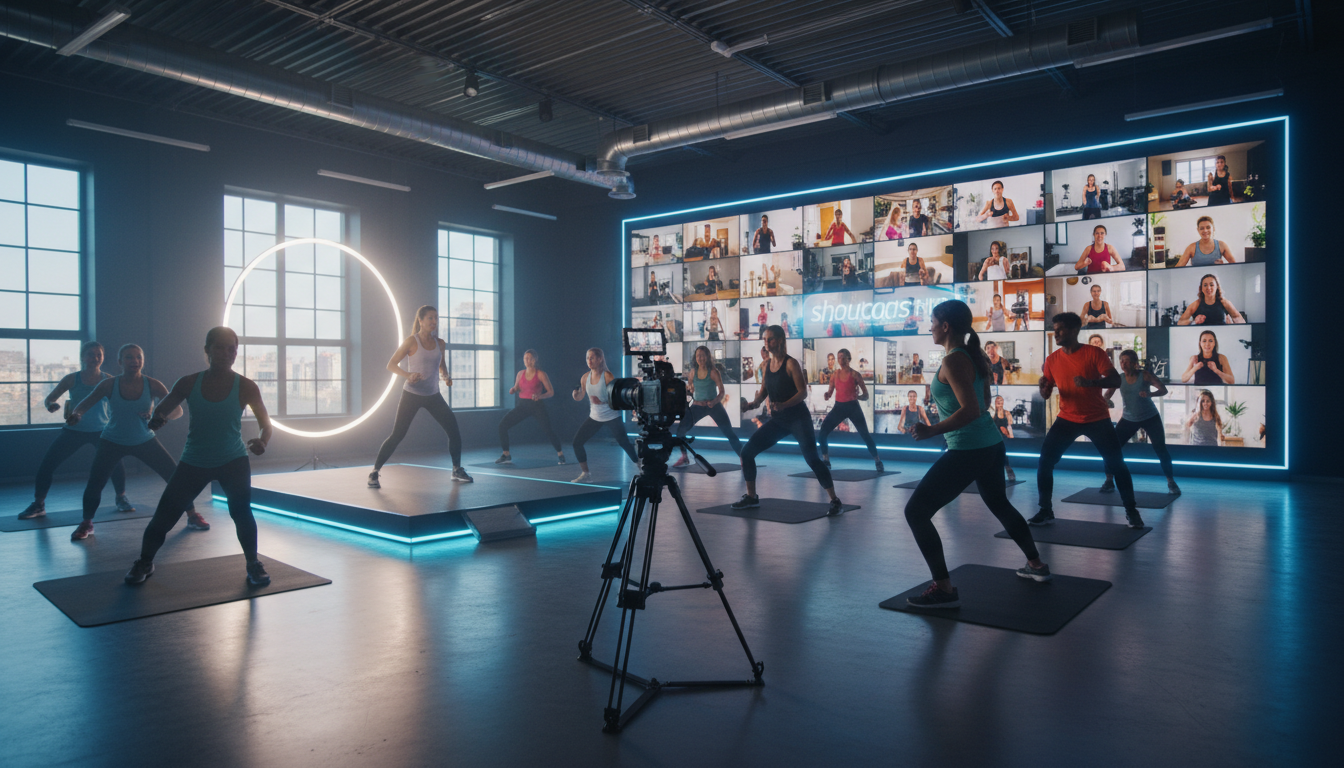
The fitness world has changed forever. The days of being confined to a single physical location are over. For studio owners, instructors, and even broadcasters looking to enter a lucrative new market, the future is hybrid. It's a powerful blend of in-person energy and global digital reach.
But launching a successful online fitness offering isn't as simple as pointing a smartphone and hitting 'Go Live' on Instagram. To build a truly profitable online membership, you need the right strategy, the right gear, and most importantly, the right streaming platform. One that doesn't penalize you for your success.
This guide is your complete roadmap. We'll break down everything you need to know to launch and scale a professional hybrid fitness streaming service in 2026, from choosing a camera to marketing your classes and building a sustainable, recurring revenue stream. Whether you're a seasoned gym owner or a radio DJ with an audience looking for new content, the principles of quality broadcasting remain the same.
Why Go Hybrid? The Future of Fitness in 2026
The term "hybrid fitness" simply means offering both in-person and online (live and on-demand) classes. It's not a temporary trend; it's a permanent evolution in consumer expectations. By 2026, members won't just appreciate the option to join from home—they'll demand it.
Adopting a hybrid model isn't just about keeping up; it's about unlocking unprecedented growth. Here’s why it's the smartest move for any fitness business:
Break the Walls of Your Studio
Your physical location has a capacity limit. Your online studio doesn't. A hybrid model shatters geographical boundaries, allowing you to attract members from across the city, the country, or even the world. Your best instructor could become an international fitness star, and your brand can grow exponentially without the massive overhead of opening new physical locations.
Create New, Scalable Revenue Streams
An online offering isn't just an add-on; it's a whole new product line. You can create digital-only memberships, sell virtual drop-in passes, and build a library of pre-recorded content (Video-on-Demand or VOD) that generates passive income 24/7. This diversification makes your business more resilient and far more profitable.
Boost Member Retention and Engagement
Life gets in the way. Bad weather, travel, busy schedules, or childcare issues are common reasons members miss class and eventually cancel their memberships. A hybrid model removes these barriers. If a member can't make it to the studio, they can still join their favorite class live from their living room, maintaining their routine and connection to your community. This flexibility dramatically increases member loyalty and lifetime value.
Future-Proof Your Business
The last few years have taught us the importance of adaptability. A business model that relies solely on a physical presence is vulnerable. A hybrid model with a strong digital component is resilient, weather-proof, and pandemic-proof. It ensures you can continue to serve your members and generate revenue, no matter what's happening in the world.
Pro Tip: Think Globally
Don't just think of your online offering as a backup for local members. Market it as a standalone product. With a platform like Shoutcast Net, you can have up to 1,000 viewers from anywhere in the world for a single flat fee. Your target audience is no longer just your neighborhood; it's anyone with an internet connection.
Profitable Hybrid Membership Models That Work
The key to a profitable hybrid business is structuring your memberships in a way that provides value to every type of customer. There's no one-size-fits-all solution, but these proven models are a great place to start.
1. The All-Access Pass (Premium Tier)
This is your top-tier offering. It combines full access to in-person classes with unlimited live stream access and the complete video-on-demand (VOD) library. It’s for the dedicated member who wants the ultimate flexibility. Price this as your premium package, highlighting the immense value of having every option available.
2. The Digital-Only Membership
This is your engine for global growth. This membership tier is for remote clients who will likely never step foot in your studio. It includes access to all live-streamed classes and the VOD library. This should be priced competitively to attract a wide audience, as your cost to serve each additional digital member is virtually zero with the right streaming provider.
3. The VOD Library Subscription
Not everyone can make a live class. A subscription that gives access only to your library of pre-recorded workouts is a fantastic source of passive income. You record a class once, and it can be sold thousands of times. This is also a great low-cost entry point for new customers to get a taste of your style. With Shoutcast Net's AutoDJ feature, you can even take this a step further. Schedule your VOD content to play on a 24/7 stream, creating a "Fitness TV" channel that's always on, keeping your audience engaged even when you're not live.
4. Virtual Drop-Ins & Class Packs
Offer the ability to purchase a single virtual class or a small pack of 5 or 10. This is perfect for attracting new clients who want to try before they commit to a full membership, or for members' friends who want to join them for a one-off session. It's a low-barrier-to-entry option that can be a powerful customer acquisition tool.
Pro Tip: Start Simple, Then Expand
If you're just starting, don't feel pressured to launch all these models at once. Begin with two simple tiers: an "All-Access" for your existing members and a "Digital-Only" for new online clients. As you build your VOD library, you can then introduce the VOD-only subscription as a third option. The key is to get started and gather feedback.
Essential Gear for a Professional Streaming Setup
Your members are paying for a professional experience, and your gear needs to reflect that. Grainy video and muffled audio will send them running to your competitors. As a broadcaster, you know quality matters. Here’s a breakdown of the essential equipment.
Video: A Clear Picture is Key
- Good: Smartphone. Modern high-end smartphones (iPhone, Samsung Galaxy, Google Pixel) have surprisingly capable cameras. It's a viable starting point, but ensure it's on a tripod and plugged into power.
- Better: DSLR/Mirrorless Camera. A camera with a larger sensor like a Sony a6400 or Canon M50 provides a much more professional, cinematic look with a nice shallow depth of field. You'll need an HDMI capture card (like a Cam Link 4K) to connect it to your computer.
- Best: PTZ (Pan-Tilt-Zoom) Camera. For the ultimate setup, a PTZ camera allows a single operator to remotely control the camera's pan, tilt, and zoom to follow the instructor. It's what the pros use.
Audio: If They Can't Hear You, They'll Leave
This is the single most overlooked but crucial element. You'll have music playing and an instructor talking, often while out of breath. Your camera's built-in microphone will be a disaster. You need a dedicated microphone for the instructor.
- Wireless Lavalier Mic: A small mic that clips onto the instructor's shirt. It provides consistent audio levels no matter where they move. The Rode Wireless GO II is a popular, reliable choice.
- Wireless Headset Mic: The "Britney Spears" mic. This is the gold standard for fitness as it stays in a fixed position relative to the instructor's mouth, eliminating noise from clothes rustling and ensuring perfect clarity even during high-impact movements.
You will also need a small audio mixer to combine the instructor's microphone audio with the music from your sound system before sending it to the stream.
Encoder & Computer
The encoder is the software or hardware that takes your video and audio, compresses it, and sends it to your streaming platform.
- Software Encoder: The most common choice is OBS Studio. It's free, incredibly powerful, and runs on Mac, Windows, or Linux. It lets you mix your camera, microphone, music, and add graphics or logos before sending the final feed to Shoutcast Net.
- Computer: You'll need a reasonably modern computer with a decent processor (Intel i5/Ryzen 5 or better) and at least 8GB of RAM to run OBS smoothly. A dedicated streaming computer is ideal.
Internet Connection
Your upload speed is critical. A shaky Wi-Fi connection is a recipe for a pixelated, buffering stream. For a stable 1080p HD stream, you need a minimum of 10 Mbps upload speed. Always use a wired Ethernet connection from your computer directly to your router. Run a speed test during off-peak hours to check your upload speed.
Pro Tip: Invest in Audio First
Viewers will tolerate slightly less-than-perfect video, but they will not tolerate bad audio. If they can't clearly hear the instructor's cues over the music, the workout is useless. If you're on a budget, prioritize a quality wireless microphone system over a fancy camera. Your members will thank you.
Choosing a Platform: Flat-Rate vs. Per-Viewer Costs
This is the most critical business decision you will make. Your choice of streaming platform will directly impact your profitability, scalability, and peace of mind. The industry is dominated by two opposing models: expensive, variable per-viewer pricing and predictable, unlimited flat-rate pricing.
The Per-Viewer Trap: Why Platforms Like Wowza Punish Growth
Legacy enterprise platforms like Wowza have a billing model that seems reasonable at first but quickly becomes a nightmare for growing businesses. They charge you based on a combination of bandwidth usage and/or "viewer hours." Every person who watches your stream, and every minute they watch, adds to your bill.
Imagine your online class suddenly goes viral. You get 500 viewers instead of your usual 50. With a per-viewer model, your streaming bill for that month could skyrocket from $100 to $1,000 or more, completely wiping out your profits. This model actively punishes you for success. It creates unpredictable costs and forces you to cap your own growth to avoid a catastrophic bill.
What about free platforms like YouTube or Facebook Live? While fine for casual streaming, they are unsuitable for a professional paid service. You face random copyright strikes on music, have no control over branding, can't place the stream behind your own website's paywall, and you're subject to their ever-changing algorithms and rules.
The Shoutcast Net Advantage: Up to 1,000 Viewers, Flat-Rate Price
We believe you should be rewarded for your growth, not penalized. Shoutcast Net was built for broadcasters who need professional features with predictable costs. Our model is simple: you pay one low, flat monthly fee, and you get up to 1,000 viewers and unlimited bandwidth.
Whether you have 10 viewers or 1,000, your bill stays the same. Our plans start at just $4/month. This predictability is the foundation of a profitable online business. You know your costs upfront, allowing you to price your memberships for maximum profit and scale without fear. On top of that, we provide a 99.9% uptime guarantee and free SSL streaming for secure, reliable delivery.
Modern Video Streaming for Every Protocol
The name "Shoutcast" is legendary in audio streaming, but our platform is a cutting-edge video delivery network. We are built to handle the demands of modern video. We support **any stream protocols to any stream protocols (RTMP, RTSP, WebRTC, SRT, etc)**. This means whatever encoder you use, we can ingest it. Whatever device your viewers use, we can deliver to it. Our powerful network allows you to **stream from any device to any device** seamlessly.
| Feature | Shoutcast Net | Wowza | YouTube/Facebook Live |
|---|---|---|---|
| Cost Model | Flat-Rate, Unlimited | Per-Viewer / Per-Hour | Free (Ad-supported) |
| Predictable Bills | Yes | No | Yes (it's free) |
| Viewer Limit | Unlimited | Limited by your budget | Unlimited |
| Paywall / Website Embed | Yes, Full Control | Yes | No (Cannot be paywalled) |
| Music Copyright Risk | Low (You control the stream) | Low | High (Automated takedowns) |
| Latency | Very Low (3-5 sec) | Low (Configurable) | High (15-30 sec) |
Pro Tip: Do the Math
Before you choose a platform, calculate your potential costs. With a per-viewer provider, 100 members watching three 1-hour classes per week could easily cost hundreds of dollars per month. With Shoutcast Net, that same scenario costs you only your single flat-rate fee, leaving all the membership revenue in your pocket. Try it yourself with our no-obligation 7 days trial.
How to Set Up Your Stream with Shoutcast Net
Getting your professional fitness stream live is surprisingly straightforward. Our platform is designed to be powerful yet easy to use. Here’s a step-by-step guide using the free OBS Studio software.
Step 1: Get Your Shoutcast Net Account
The first step is to sign up. We want you to be completely confident, so we offer a full-featured 7 days trial. No credit card required. This gives you plenty of time to get set up and run test streams.
Step 2: Find Your Stream Credentials
Once you've signed up and created a video stream service, you'll find your unique stream credentials in your client dashboard. You only need two pieces of information: the Server URL and the Stream Key. It will look something like this:
RTMP Server: rtmp://live.shoutcastnet.com/live
Stream Key: 12345_aBcDeFgHiJkLmNoP
Keep your Stream Key private! It's the password to your channel.
Step 3: Configure Your Encoder (OBS Studio)
Open OBS Studio. In the bottom-right corner, click "Settings."
- Go to the "Stream" tab on the left.
- For "Service," select "Custom..."
- In the "Server" field, paste your RTMP Server URL from the Shoutcast Net panel.
- In the "Stream Key" field, paste your unique Stream Key.
- Click "Apply" and "OK."
That's it! OBS is now configured to send your video and audio feed directly to your Shoutcast Net channel.
Step 4: Optimize for Interactive Fitness
For fitness classes, interaction is everything. You need to be able to see comments and respond to members in near real-time. Standard streaming can have delays of 30 seconds or more, making this impossible. Our network is optimized for speed. We provide **very low latency 3 sec** streaming, which is perfect for creating an engaging, interactive experience that feels just like being in the room.
Step 5: Go Live and Embed Your Player
Back in OBS, set up your video source (your camera) and audio sources (your mic and music). When you're ready, click "Start Streaming." In your Shoutcast Net control panel, you'll find a simple HTML embed code. Copy this code and paste it onto your website on a page protected by your membership system (e.g., MemberPress, WishList Member). Now, only paying members can view your professional, high-quality stream.
Pro Tip: Automate with AutoDJ
What happens between your live classes? Don't leave your channel empty. Use our powerful AutoDJ feature to schedule pre-recorded VOD workouts, intro videos, or even just background music with a "Next class starts at..." graphic. This turns your stream into a 24/7 fitness destination, increasing value and keeping your members engaged.
Marketing Your Hybrid Fitness Classes
You've built a professional streaming setup; now it's time to get viewers. Marketing your new hybrid offering is an ongoing process of reaching new audiences and nurturing your existing community.
Leverage Your Existing Community
Your current in-studio members are your most valuable asset. They already know, like, and trust you. Announce your new digital offerings to them first. Create a special "founder's rate" for existing members who upgrade to an All-Access hybrid membership. Encourage them to share the news with friends and family who live too far away to attend in person.
Content Marketing & Social Media
Show, don't just tell. Use social media to give potential members a taste of the experience.
- Post short, exciting clips from your classes on Instagram Reels and TikTok.
- Share behind-the-scenes photos and videos of your instructors and studio setup.
- Go live on Instagram for a 5-minute warm-up to promote an upcoming class.
- Write blog posts or create short videos with fitness tips to establish your expertise.
Use Restreaming to Widen Your Funnel
How do you attract people who have never heard of you? By meeting them where they are. Our platform includes a powerful feature that allows you to **Restream to Facebook, Twitch, YouTube**, and other social platforms simultaneously. But you don't want to give away your whole class for free.
The strategy is to use restreaming as a "freemium" marketing tool. Stream the first 10-15 minutes of your class for free to all your social channels. Engage with the audience, build excitement, and then give a clear call to action: "To continue this workout with us, click the link in our bio and join our digital studio now!" This drives a massive amount of traffic from free platforms directly to your paid, premium-quality stream on your website.
Build Your Email List
Email is still one of the most powerful marketing tools. Create a simple lead magnet, like a "Free 5-Day Fitness Challenge PDF," to encourage website visitors to sign up for your email list. Then, you can send weekly emails with your class schedule, promotions for your digital membership, instructor spotlights, and valuable fitness content to build a relationship and convert subscribers into paying members.
Pro Tip: The "First Class Free" Offer
Create a coupon code that allows a new user to sign up for a free virtual drop-in class. Promote this offer heavily on social media. It's the digital equivalent of a free trial pass for a physical gym. Once a user experiences the quality of your stream, the energy of your instructor, and the convenience of working out from home, they are far more likely to convert into a full-time paying member.
Your Fitness Empire Awaits
Building a profitable hybrid fitness business is within your reach. It's about combining your passion for fitness with the right strategy and technology. By choosing a scalable, flat-rate streaming platform, you set yourself up for predictable costs and unlimited growth, turning your expertise into a global brand.
You have the content. We have the technology. Let's build your future, together.
Start Your 7-Day Free Trial & Go Live This Week