How to Start a Community Radio Station Online (Step-by-Step for 2026)
Community radio in 2026 isn’t limited by towers, transmitters, or a local coverage radius. With the right plan, you can launch a station that stream from any device to any device, build a loyal audience, and run shows live or automated 24/7.
This guide walks DJs, music streamers, podcasters, churches, schools, and live event teams through the full process—from choosing a mission and handling licensing to setting up Shoutcast/Icecast hosting + AutoDJ, embedding a player, and promoting your programming.
If you want a fast start: Shoutcast Net plans begin at $4/month, include 100–1,000 listeners (by plan), SSL streaming, 99.9% uptime, and a 7 days trial via 7-day free trial.
Quick Start Checklist
- Pick mission + format + schedule
- Confirm music licensing/permissions
- Choose a flat-rate streaming host
- Set up Shoutcast/Icecast + AutoDJ
- Connect encoder + go live
- Embed player + submit directories
- Launch, promote, and iterate
Table of Contents
- Step 1: Define your mission, audience, and format
- Step 2: Sort music licensing and broadcast permissions
- Step 3: Choose your streaming host (flat-rate vs per-viewer)
- Step 4: Set up Shoutcast/Icecast hosting + AutoDJ
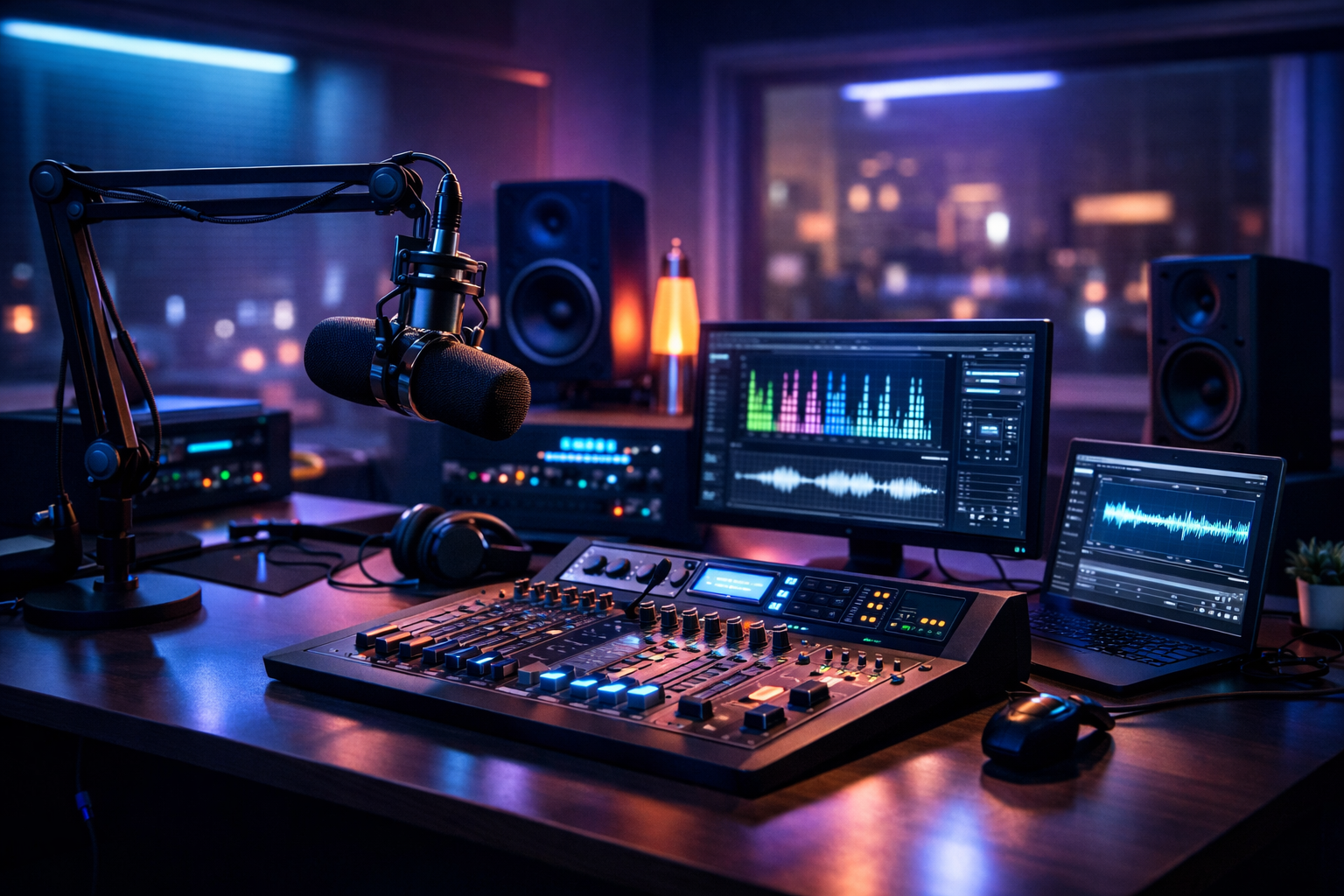
- Step 5: Set up your studio gear and encoder software
- Step 6: Add your player to your website and submit to directories
- Step 7: Launch your schedule, go live, and promote the station
Step 1: Define your mission, audience, and format
A community station grows fastest when people instantly understand who it’s for and why it exists. Before you buy gear or pick hosting, clarify your mission and the listening experience you’re promising.
Write a one-sentence mission statement
Keep it simple and specific. Examples: “A student-run station showcasing local artists and campus news.” “A church station streaming sermons, worship sets, and community outreach updates.” “A city-focused station for local events, talk shows, and independent music.”
Choose a target audience (and what they expect)
Define 1–2 core listener groups. Community radio works best when it feels personal: local scenes, cultural communities, hobby groups, or faith-based audiences. Knowing your audience helps you pick your music policy, your talk content, and even your streaming quality.
- DJs/music streamers: genre-focused shows, curated mixes, guest sets, new releases
- Podcasters: live episodes, call-ins, listener Q&A, simulcast + archive
- Church broadcasters: sermons, worship blocks, announcements, prayer lines
- School radio stations: student shows, sports coverage, club updates
- Live event streamers: festivals, conferences, backstage interviews, on-site reports
Pick a format that’s realistic to maintain
Your format is the “container” for your station: music/talk ratio, show length, and the tone. Don’t overbuild. A consistent 4-hour daily block beats a messy 24/7 schedule you can’t sustain—especially at launch.
- Music-first: rotating playlists + live DJ shows on weekends
- Talk-first: community news, interviews, call-ins + music bumpers
- Hybrid: themed shows by time slot (morning talk, afternoon music, evening specialty)
- Event-driven: pop-up live coverage with automated programming between events
Pro Tip
Create a “minimum viable schedule” for the first 30 days: 2–3 anchor shows + AutoDJ the rest. Consistency builds trust—and you can expand once you see what listeners actually return for.
Step 2: Sort music licensing and broadcast permissions
Licensing is the part many new stations skip—and it’s the part that can shut you down later. Rules vary by country and by content type (music, talk, sermons, sports). Start by mapping what you plan to broadcast and where listeners will be.
Know what you’re streaming
Community stations typically stream a combination of recorded music, live DJ sets, and spoken word. Each can have different rights requirements. For example, playing commercial music often requires performance and sometimes mechanical licenses depending on your region.
Get the right licenses for your region
In the US, online radio frequently involves PROs (performance rights organizations) and digital performance licensing. In the UK/EU and other regions, there are equivalent collecting societies. If you’re a church or school, you may qualify for specific licensing programs—but you still need to confirm coverage for online streaming.
- Music: confirm performance rights and any required reporting
- Live events: get written permissions from venues/organizers when needed
- Call-ins/interviews: use consent forms where applicable
- Sermons: ensure you own/permission any included music clips
Plan for metadata and reporting
Many licensing systems require track logs. Set a workflow now: your automation (or DJ software) should output accurate artist/title metadata. That metadata also improves discovery in radio directories and smart speakers.
Pro Tip
Build a “rights checklist” before launch: music license(s), DJ/host agreements, and guest release forms. It’s far easier to set policies early than to fix problems after you’ve grown.
Step 3: Choose your streaming host (flat-rate vs per-viewer)
Your streaming host is your station’s “transmitter.” The wrong billing model can punish you for success—especially when a show goes viral or you host a live event. In 2026, you want a provider built for growth, stability, and modern delivery.
Compare billing models: flat-rate vs per-viewer/per-hour
Some enterprise video platforms (and older streaming vendors) charge based on hours delivered or concurrent viewers. That can get expensive fast. Wowza is often associated with expensive per-hour/per-viewer billing, which can be unpredictable for community stations with spikes.
| Feature | Flat-rate unlimited model (Shoutcast Net) | Per-viewer/per-hour platforms (e.g., Wowza-style billing) |
|---|---|---|
| Monthly cost predictability | High (fixed plan pricing) | Low (usage spikes increase bills) |
| Growth friendliness | Excellent (audience can scale) | Risky for viral moments/events |
| Radio focus | Built for online radio (Shoutcast/Icecast + AutoDJ) | Often video/enterprise-first |
| Setup speed | Fast (ready-to-stream hosting) | Can require more engineering |
| Listener limits | Up to 1,000 listeners (plan-based resources) | Commonly tied to consumption |
Avoid legacy limitations that block your workflow
“Legacy Shoutcast limitations” can show up as inflexible setups, limited automation options, or extra complexity when you want modern distribution. For 2026, prioritize a host that supports SSL streaming, strong uptime, and flexible station workflows (live + automated + remote DJs).
What to look for in a host in 2026
- Flat-rate pricing you can budget (starting around $4/month)
- 99.9% uptime and reliable network delivery
- SSL streaming to avoid browser “mixed content” issues
- AutoDJ for 24/7 programming without staying live
- Up to 1,000 listeners so you’re not penalized when you grow
If you’re ready to build on a radio-focused platform, explore Shoutcast hosting or Icecast hosting, and activate a 7 days trial to test quality before launch.
Pro Tip
If you plan live events or guest DJs, choose a host that won’t surprise you with usage billing. Shoutcast Net’s flat-rate unlimited approach is the opposite of Wowza’s per-hour/per-viewer cost spiral—ideal for community growth.
Step 4: Set up Shoutcast/Icecast hosting + AutoDJ
Now you’ll create the “always-on” backbone of your station: a streaming server plus automation. This is where Shoutcast Net shines for community radio—quick setup, stable delivery, and AutoDJ that keeps you on-air even when nobody is live.
Choose Shoutcast vs Icecast (both work)
Shoutcast is a classic choice for internet radio and widely supported by encoder tools. Icecast is popular for flexibility and open ecosystem support. Shoutcast Net supports both, so you can pick what matches your workflow and listeners.
- Choose Shoutcast if you want broad compatibility and radio-first tooling: Shoutcast hosting
- Choose Icecast if you prefer its ecosystem or need specific setup patterns: Icecast hosting
Enable AutoDJ for 24/7 programming
AutoDJ lets you upload music, station IDs, promos, and pre-recorded shows—then schedules and plays them automatically. This is essential for schools (after-hours), churches (sermon replays), and DJ collectives (weekday rotation).
You can learn more about automation options on AutoDJ, or browse plans via Shop.
Recommended stream settings (quality vs bandwidth)
Pick settings your audience can play reliably on mobile data, campus Wi‑Fi, and home broadband. For talk-heavy stations, lower bitrates can still sound great. For music stations, consider higher quality if your audience expects it.
- Talk: 48–64 kbps AAC/MP3 (clear voice, efficient)
- Music: 128 kbps MP3 or AAC (balanced)
- High fidelity: 192–320 kbps (larger bandwidth footprint)
Confirm the credentials you’ll need for going live
Your host will provide a server/port and a password (or mount credentials). Keep these in a secure station document shared with trusted admins only.
# Typical encoder connection details (example)
Server: yourstation.shoutcastnet.com
Port: 8000
Password: ********
Format: MP3 (or AAC)
Bitrate: 128 kbps
Metadata: Enabled (Artist - Title)
Once your server is running, you’re ready to connect a live encoder from the studio—or from a remote host—and seamlessly switch between live and automation.
Pro Tip
Use AutoDJ as your “safety net.” When a DJ’s internet drops or a live event ends early, automation keeps the station sounding professional instead of going silent.
Step 5: Set up your studio gear and encoder software
You don’t need a broadcast tower—but you do need a clean audio chain. The good news: in 2026, community stations can sound “FM-quality” with affordable gear and reliable software.
Choose a simple audio chain (beginner to pro)
Start with what matches your format: talk stations prioritize voice clarity; music stations prioritize consistent loudness and clean stereo.
- Starter (solo host): USB microphone + headphones + quiet room
- Standard (best value): XLR mic + audio interface + headphones
- Multi-host: small mixer + 2–4 mics + interface/USB mixer
- DJ setup: DJ controller/mixer + line-in to interface + mic channel
Pick your broadcast/encoder software
Your encoder turns your audio into a stream and sends it to your Shoutcast/Icecast server. Many stations pair a playout app (music library + carts + scheduling) with an encoder, or use an all-in-one solution.
- DJ software: great for live sets + metadata
- Radio automation: rotations, scheduled shows, liners, voice-tracking
- Encoder: connects to Shoutcast/Icecast using your host credentials
Optimize for remote hosts and mobile broadcasting
Community radio often involves remote DJs, campus reporters, or event teams. Build a workflow that supports “studio-from-anywhere” while keeping listeners stable. With Shoutcast Net, you can stream from any device to any device—from a laptop at a school studio to a phone at a charity event.
When you need ultra-fast interaction, plan for low latency
Call-ins, live chats, and interactive shows feel better when the stream delay is minimal. For select use cases, aim for very low latency 3 sec workflows. Keep in mind: lower latency can require tighter network conditions and careful configuration.
Advanced: multi-platform delivery and protocol flexibility
Some stations do more than “just radio.” You may want to simulcast the studio camera, send a feed to partners, or integrate modern contribution links. Plan an architecture that can bridge any stream protocols to any stream protocols (RTMP, RTSP, WebRTC, SRT, etc) as your station evolves.
If your growth plan includes social video, design your show layout so you can Restream to Facebook, Twitch, YouTube while maintaining your audio-first radio stream for listeners who prefer a lightweight player.
Pro Tip
Don’t wait for a perfect studio. Start with a reliable mic and clean gain staging, then upgrade over time. Your hosting and automation matter more on day one than expensive outboard gear.
Step 6: Add your player to your website and submit to directories
A community station needs a “home base” that you control—your website. From there, expand distribution through directories and smart devices so new listeners can find you without a direct link.
Embed a simple web player (fastest win)
Your site should make listening effortless: one obvious “Play” button, show schedule, and a way to contact the studio. Ensure your stream uses SSL streaming so modern browsers don’t block playback.
Create essential station pages
- Listen Live: player + backup link
- Schedule: weekly grid + time zone clarity
- Shows: host bios + episode replays (if you do podcasts)
- Support: donations, sponsorships, volunteer sign-up
- Contact: request line, email, social links
Submit to radio directories (discovery engine)
Directories can drive steady “long tail” listeners, especially for niche genres and community-focused talk. Most require consistent metadata (station name, genre, bitrate) and a reliable stream URL.
- Shoutcast Directory (great for radio-first discovery)
- Community and niche directories based on genre/region
- Smart speaker ecosystems (if you create the required skills/actions)
Add analytics and a listener feedback loop
Track what matters: concurrent listeners by show, top referral sources, and where drop-offs happen. Pair numbers with qualitative feedback: request forms, polls, and a Discord/WhatsApp community (if appropriate for your audience).
Pro Tip
Make your “Listen Live” page load in under 2 seconds. Many community listeners arrive on mobile; a fast, SSL-secured player converts better than a complex page.
Step 7: Launch your schedule, go live, and promote the station
Launching is not a single moment—it’s a short cycle of testing, improving, and building habits. Your first goal is to sound consistent and be easy to find. Your second goal is to give listeners a reason to come back at the same time each week.
Run a 7-day “soft launch”
Before you announce widely, do a controlled test: verify that live DJs can connect, AutoDJ scheduling works, metadata updates correctly, and your player works on mobile and desktop. Invite a small group (friends, community leaders, student clubs, church volunteers) to listen and report issues.
- Test morning, afternoon, and late-night listening
- Verify smooth switching between live and AutoDJ
- Check stream stability during peak usage
- Confirm on-site and remote DJ workflows
Publish a simple, repeatable weekly schedule
Schedules build loyalty. Start with consistent anchor times and repeat them weekly. If you’re unsure, focus on two strong time blocks: a weekday drive-time show and a weekend feature show.
Promote like a community station (not like an ad)
Community stations grow through relationships: local partnerships, cross-promotion, and being genuinely useful. Ask local artists, schools, venues, and nonprofits to share your “Listen Live” link when you feature them.
- Local partnerships: co-host event calendars, interview community leaders
- Social clips: highlight 30–60 second moments from live shows
- Email/SMS: weekly “what’s on” schedule recap
- On-air CTAs: “Save this page,” “Tell a friend,” “Request a song/topic”
Expand with simulcasts and multi-platform moments
For big interviews, live worship nights, school sports, or DJ events, consider a video simulcast strategy so new people can discover you where they already hang out. You can Restream to Facebook, Twitch, YouTube while keeping your audio stream stable for core listeners.
Choose a platform that won’t punish success
When your station grows, the last thing you want is a surprise bill because a show popped off. That’s why a flat-rate host matters. Shoutcast Net is built for community radio with $4/month starting price, 100–1,000 listeners (by plan), 99.9% uptime, SSL streaming, and AutoDJ—without the expensive per-hour/per-viewer model commonly associated with Wowza.
Pro Tip
Announce a “Founding Week” with predictable start times and special guests. Then keep the same time slots for at least 8 weeks so listeners can form a habit.
Ready to go on-air?
Start with Shoutcast Net and test everything before you announce publicly.
Build once, scale confidently—without legacy limitations and without unpredictable usage billing.
FAQ (Quick Answers)
Do I need a physical studio? No. Many stations launch with remote hosts and a simple home setup, then expand later.
Can I run the station 24/7 without being live? Yes—use AutoDJ to schedule music, IDs, and pre-recorded shows.
What’s the biggest mistake new stations make? Choosing a platform that charges per viewer/per hour (leading to surprise costs) and launching without clear programming consistency.