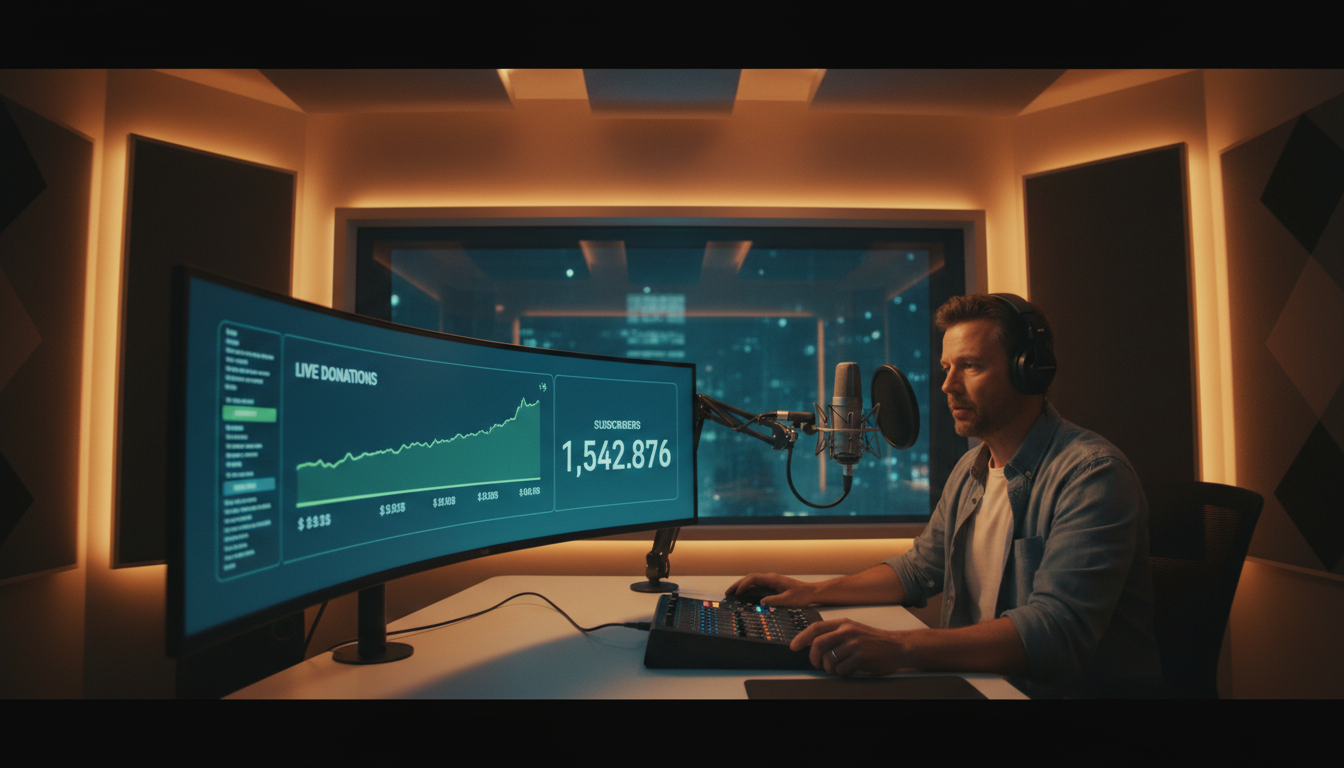
The world of podcasting is no longer just about audio downloads and RSS feeds. As we look towards 2026, the creators who thrive will be those who build vibrant communities and create unmissable live experiences. Live streaming your podcast isn't just a trend; it's a powerful evolution that transforms passive listeners into an active, engaged, and monetizable audience.
Whether you're a seasoned radio DJ, a church looking to expand its reach, a school building a media program, or a podcaster ready to level up, this guide is your roadmap. We'll break down exactly how to turn your live podcast into a significant revenue stream, moving beyond basic ad revenue into a dynamic world of direct audience support and engagement.
Why Live Stream Your Podcast? Beyond the Downloads
If your podcast is already getting consistent downloads, you might wonder, "Why add the complexity of live streaming?" The answer lies in the fundamental shift from one-way broadcasting to two-way interaction. It's the difference between a recorded monologue and a live, electrifying conversation.
Forge a Deeper Community Connection
When you go live, you're not just a voice in your listeners' earbuds; you're a person they can interact with in real-time. A live chat rolling alongside your stream becomes a digital town square. Listeners can ask questions, react to your points, and talk amongst themselves. This creates a powerful sense of belonging and community that a pre-recorded show simply can't replicate. They're no longer just consuming content; they're part of its creation.
Create "Can't-Miss" Event-Based Content
A new podcast episode in a feed is something a listener can get to "whenever." A live stream is an appointment. It has a start and end time, creating urgency and scarcity. This event-based model encourages your most dedicated fans to show up and participate, transforming your podcast from a routine listen into a weekly or monthly highlight they plan their schedule around.
Unlock Immediate Feedback and Content Ideas
Struggling with what to talk about next? Your live audience is an endless well of ideas. You can poll them in real-time, see which topics generate the most buzz in the chat, and answer their most pressing questions on the spot. This immediate feedback loop is invaluable for refining your content strategy and ensuring you're always delivering what your audience truly wants.
The Ultimate Content Repurposing Machine
A single one-hour live stream can be a content goldmine for weeks. Here's a typical workflow:
- The Live Event: The primary piece of content, full of raw energy and interaction.
- The Audio Podcast: Edit the audio from the stream and release it as your regular podcast episode.
- Full Video Replay: Post the entire video on your website or YouTube for those who missed it.
- Short-Form Clips: Cut the most interesting, funny, or insightful 15-60 second moments for TikTok, Instagram Reels, and YouTube Shorts.
- Quote Graphics & Blog Posts: Transcribe key segments to create social media graphics and in-depth articles for your website.
Pro Tip: The Power of the Q&A
Dedicate the last 15-20 minutes of every live show exclusively to audience Q&A. Acknowledge people by their usernames when you answer their questions. This simple act makes your audience feel seen and valued, dramatically increasing loyalty and the likelihood they'll tune in live next time.
Choosing Your Platform: Flat-Rate vs. Per-Viewer Pricing
Your choice of streaming server provider is the single most important technical decision you'll make. It directly impacts your budget, scalability, and peace of mind. The industry is primarily split between two pricing models, and understanding the difference is crucial for your long-term success.
The Trap of Per-Viewer / Per-Hour Pricing
Platforms like Wowza are powerful, but their pricing model can be a nightmare for growing creators. They charge you based on a combination of how many people are watching and for how long. At first, it might seem cheap, but it's a model that fundamentally punishes you for success.
Imagine this scenario: you've been working hard to promote your live show. One week, a guest shares the link, and your stream suddenly goes from 50 viewers to 500. With a per-viewer model, your joy turns to panic as you watch your streaming bill skyrocket. Instead of celebrating your growth, you're hit with a surprise invoice that could be hundreds of dollars. This unpredictable cost makes budgeting impossible and actively discourages the viral moments you're trying to create.
The Freedom of Flat-Rate, Unlimited Streaming
This is where Shoutcast Net changes the game. We believe your streaming bill should be predictable, affordable, and simple. With our plans, starting at just $4/month, you pay one flat monthly fee. That's it.
Whether you have 10 viewers or 1,000, your price doesn't change. We provide up to 1,000 listeners and unmetered bandwidth. This gives you the freedom to grow without fear. Go viral! We want you to. Our infrastructure is built to handle it, and your bill will remain exactly the same. This allows you to focus on creating great content, not on anxiously watching your viewer count and calculating costs.
Feature Comparison: Shoutcast Net vs. The Competition
| Feature | Shoutcast Net | Wowza | Legacy SHOUTcast/Icecast |
|---|---|---|---|
| Pricing Model | Flat-Rate Monthly | Per-Viewer/Per-Hour | (Server Software Only) |
| Listeners/Viewers | Unlimited | Metered & Capped | Limited by Server CPU/Bandwidth |
| Video & Audio | Yes (Video + Audio) | Yes | Audio Only |
| Supported Protocols | Any to Any (RTMP, RTSP, WebRTC, SRT, etc) | Multiple | HTTP/ICY (Legacy) |
| Latency | Very low latency 3 sec | Variable (Can be low) | High (10-30 seconds) |
| AutoDJ | Yes, included with AutoDJ | No (Requires custom solution) | Yes, but often complex setup |
| Free Trial | 7 days trial | Yes | N/A (Open Source) |
Pro Tip: Do the Math Before You Commit
Before choosing a per-viewer provider, use their own pricing calculator. Model a successful scenario: 200 concurrent viewers for a 2-hour show, four times a month. You'll quickly see how costs can balloon to over $100-$200/month. Compare that to a predictable, flat-rate plan from Shoutcast Net and the choice becomes clear.
Top 7 Monetization Strategies for Live Podcasts
Once you have your live stream running on a scalable platform like Shoutcast Net, it's time to open up the revenue floodgates. Live streaming unlocks monetization methods that are far more direct and engaging than traditional podcast advertising. Here are the most effective strategies for 2026.
1. Tiered Subscriptions & Memberships
This is the cornerstone of community-funded content. Using platforms like Patreon, Memberful, or even your own website with a membership plugin, you can offer exclusive perks to paying supporters. For live streamers, this is incredibly powerful.
Examples:
- $5/month: Access to the private live stream, ad-free audio version.
- $10/month: All of the above + access to a members-only Discord, submit questions before the show.
- $25/month: All of the above + a monthly bonus "behind-the-scenes" live stream, name in the credits.
2. Live Donations, Tips, and Super Chats
Give your audience a direct way to show their appreciation during the live event. Services like Streamlabs or Streamelements provide overlays that pop up on screen when someone donates, creating a fun, interactive experience. If you Restream to Facebook, Twitch, YouTube, you can leverage their built-in features like Super Chat (YouTube) or Bits (Twitch), where viewers pay to have their message highlighted in the chat. Acknowledging these donations live is key to encouraging more.
3. Dynamic Sponsorships & Live Reads
Sponsors love live streams. A pre-recorded ad can be skipped, but a live read from a trusted host is compelling. You can go even further: unbox a sponsor's product live on camera, run a live demo, or even host a sponsored segment. This level of integration is far more valuable than a simple audio spot, allowing you to command higher sponsorship fees.
4. High-Conversion Affiliate Marketing
Affiliate marketing is more effective when you can show, not just tell. Instead of just mentioning a product, you can demonstrate it live. Are you a tech podcaster? Show the webcam or microphone you're using and drop your affiliate link in the chat. A cooking show? Use the affiliate-linked kitchen gadget on camera. The visual proof and your live endorsement build trust and drive clicks far more effectively.
5. Selling Your Own Products (Merch, Courses, Books)
Your live stream is the perfect launchpad. Use the event-based nature of the stream to create urgency around your own products.
Ideas:
- Flash Sale: "For the next hour, live viewers get 20% off all merch!"
- Live Unboxing: Unbox your new t-shirt design on camera to show off the quality.
- Course Launch: Host a free introductory workshop as a live stream, then pitch your full paid course at the end.
6. Pay-Per-View (PPV) for Exclusive Events
While most of your live streams might be free to build an audience, you can reserve certain high-value content for a paying audience. This is perfect for special workshops, in-depth interviews with major guests, live music performances, or annual "state of the union" events. You can use a platform with ticketing functionality that embeds a player connected to your Shoutcast Net stream, ensuring only paid attendees get access.
7. Paid Consulting & "Ask Me Anything" (AMA) Sessions
Your expertise is valuable. Offer exclusive, small-group live streams where participants can pay for direct access to you. This works for business coaches, financial advisors, tech experts, and more. You could sell 10 "seats" to a one-hour live Q&A session, providing immense value to the attendees while creating a significant income from a single hour of your time.
Pro Tip: The Monetization Mix
Don't rely on just one income stream. The most successful creators combine several. A great starting point is to have a free, ad-supported live show to build an audience, while simultaneously offering a paid membership for exclusive content and accepting live tips during the broadcast. This diversifies your income and creates a funnel from casual viewer to loyal supporter.
Essential Gear and Software for Professional Live Streams
While content is king, production quality matters. Grainy video and crackling audio can make viewers click away, no matter how good your topic is. The good news is that you don't need a Hollywood budget to look and sound professional. Here's a breakdown of the gear you'll need.
Audio: Your #1 Priority
For a podcaster, audio is non-negotiable. People might forgive mediocre video, but they will not tolerate bad audio. Your laptop's built-in microphone is not an option.
- Good Start: A quality USB microphone like the Blue Yeti or Rode NT-USB+. These are plug-and-play and offer a massive upgrade over basic mics.
- Pro Level: An XLR microphone (like the Shure SM7B or Rode Procaster) connected to a USB audio interface (like the Focusrite Scarlett 2i2). This setup provides the best quality, control, and flexibility.
Video: See the Difference
Visuals are what separate a live stream from a standard podcast. A clear, well-lit image builds a stronger connection with your audience.
- Good Start: A modern, high-quality webcam like the Logitech C920s Pro or a Razer Kiyo Pro. These 1080p webcams are a huge step up from the one built into your laptop.
- Pro Level: A mirrorless or DSLR camera connected to your computer via a capture card like the Elgato Cam Link 4K. This gives you a truly cinematic look with a shallow depth of field (blurry background).
Lighting: The Secret Ingredient
Good lighting is more important than an expensive camera. A well-lit webcam shot will always look better than a poorly-lit DSLR shot.
- Good Start: A single large, dimmable LED ring light or key light (like the Elgato Key Light Air) placed in front of you to illuminate your face.
- Pro Level: A classic three-point lighting setup (Key, Fill, and Backlight) to create depth and separate you from your background, eliminating shadows.
Software & Server: The Brains of the Operation
This is how you mix your audio and video and send it to the world.
- Encoding Software: OBS Studio is the undisputed champion. It's free, open-source, incredibly powerful, and used by amateurs and pros alike. It allows you to create scenes, add your camera, microphone, screen shares, graphics, and more.
- Streaming Server: This is the crucial link. Your OBS software sends one single stream to your streaming server. The server then does the heavy lifting, duplicating and distributing that stream to all your individual viewers. This is the service Shoutcast Net provides. Our platform is designed to be the reliable hub for your broadcast, allowing you to stream from any device to any device. We handle all the complex protocols, ensuring a smooth experience for your audience with very low latency 3 sec, so their comments in the chat sync up perfectly with your live video.
Pro Tip: Invest in Audio First
If you're on a tight budget, allocate most of it to your microphone and learning how to use it properly. You can get by with a decent webcam and a cheap ring light, but your credibility as a podcaster lives and dies with your audio quality. Start there, and upgrade your video gear over time.
Setting Up Your Stream with Shoutcast Net in Minutes
You might think setting up a professional live stream is technically daunting, but with modern tools, you can be live in under 15 minutes. Here’s how easy it is to get started with Shoutcast Net and OBS Studio.
Step 1: Start Your Shoutcast Net Trial
First, you need a server to send your stream to. Head over to our site and grab a 7 days trial. Our video streaming plans are perfect for this, offering everything you need. There's no commitment, so you can test everything out risk-free. Our Shoutcast hosting and Icecast hosting plans are also available for audio-focused broadcasters.
Step 2: Get Your Stream Credentials
Once you've signed up, you'll get access to your Shoutcast Net control panel. This is your command center. In the dashboard, you'll find the two key pieces of information you need:
- Server URL (or RTMP URL): This is the unique address of your streaming server.
- Stream Key: This is like a password for your stream. Keep it private!
Copy these two strings of text. You'll need them in the next step.
Step 3: Configure OBS Studio
Open OBS Studio (if you haven't already, download it for free from obsproject.com). Navigate to File > Settings > Stream. Here's what you'll do:
- Set "Service" to Custom...
- In the "Server" field, paste your Server URL from Shoutcast Net.
- In the "Stream Key" field, paste your Stream Key.
- Click "Apply" and "OK".
That's it! OBS now knows where to send your broadcast.
OBS Settings -> Stream
---------------------------
Service: Custom...
Server:  rtmp://live.shoutcastnet.com/app/
Stream Key: your_unique_stream_key_here
Step 4: Add Your Sources and Go Live!
In the main OBS window, look for the "Sources" box. Click the "+" button to add your camera ("Video Capture Device") and your microphone ("Audio Input Capture"). Arrange them in the preview window how you like. When you're ready, hit the "Start Streaming" button. You are now live!
Your stream is being sent to the Shoutcast Net servers. You can now use the embeddable web player we provide to put the live stream directly on your own website, giving you full control over the viewing experience and keeping your audience on your domain.
Pro Tip: Leverage the AutoDJ
What happens when you're not live? Don't leave your stream silent. Use the Shoutcast Net AutoDJ feature. You can upload pre-recorded shows, music, or "starting soon" countdowns. The AutoDJ will automatically take over when your live broadcast ends, keeping your channel active 24/7. You can even schedule replays of your live shows to cater to audiences in different time zones.
Promoting Your Live Show to Maximize Revenue
Going live is only half the battle. A successful, monetizable stream requires a dedicated audience, and that means you need to promote it effectively. Don't just hit "Start Streaming" and hope for the best. Build anticipation and make your live show an event.
Pre-Show Hype: Build the Audience
- Announce Everywhere: Mention the date and time of your upcoming live stream at the beginning and end of your regular podcast episodes. Announce it to your email list at least twice: once a few days before, and again on the day of the show.
- Use Social Media Countdowns: Use Instagram/Facebook Stories with countdown stickers. Create short video teasers about the topic or guest. Post regularly in the 24-48 hours leading up to the event.
- Create a Central Hub: Make a simple landing page on your website with the event details, a countdown timer, and the embedded player. This gives you one single link to share everywhere.
- Collaborate with Guests: If you have a guest, make sure they promote the live stream to their audience as well. Provide them with pre-made graphics and links to make it easy for them.
During the Show: Maximize Reach & Engagement
Your promotion doesn't stop when you go live. One of the most powerful features of a professional streaming setup is simulcasting. Shoutcast Net allows you to Restream to Facebook, Twitch, YouTube, and your own website simultaneously from a single OBS feed. This multiplies your reach exponentially.
By streaming to social platforms, you meet your audience where they are, leveraging their notification systems to pull in casual viewers. However, always treat your website as the "premium" destination. Encourage viewers on social media to click the link to your site for the best experience, a cleaner interface, and to participate in features like exclusive polls or a more moderated chat.
Post-Show: Keep the Momentum Going
- Publish the Replay Immediately: As soon as the stream ends, make the full replay available on your website and YouTube. Send an email to your list with the replay link for anyone who missed it.
- Repurpose, Repurpose, Repurpose: As mentioned earlier, slice up your live stream into dozens of smaller content pieces. Post the best clips on social media over the next week to promote your show and tease the next live event.
- Analyze and Iterate: Look at your viewership numbers. When did people join? When did they drop off? Which topics got the most chat activity? Use this data to make your next live stream even better.
Pro Tip: Consistency is Your Best Promotion
The single most effective promotional tactic is having a consistent, predictable schedule. "Every Tuesday at 8 PM Eastern." When your audience knows exactly when to expect you, they'll build a habit around your show. It becomes part of their routine, leading to higher baseline viewership and a stronger, more engaged community.
Your Journey to Live Streaming Success Starts Now
Live streaming is the future of podcasting, offering unparalleled opportunities for community building, engagement, and most importantly, monetization. By moving beyond downloads and creating live events, you transform your content into an experience your audience will pay for.
The key is choosing a partner that enables your growth, rather than penalizing it. With Shoutcast Net's predictable flat-rate pricing, up to 1,000 viewers, and powerful features like our AutoDJ and the ability to handle any stream protocols to any stream protocols (RTMP, RTSP, WebRTC, SRT, etc), you have the freedom to experiment, grow, and succeed without fear of surprise bills. Our robust platform ensures a professional, very low latency 3 sec stream every time.
Ready to unlock your podcast's true revenue potential?
Start Your Free 7 Days TrialNo credit card required. Go live in minutes.