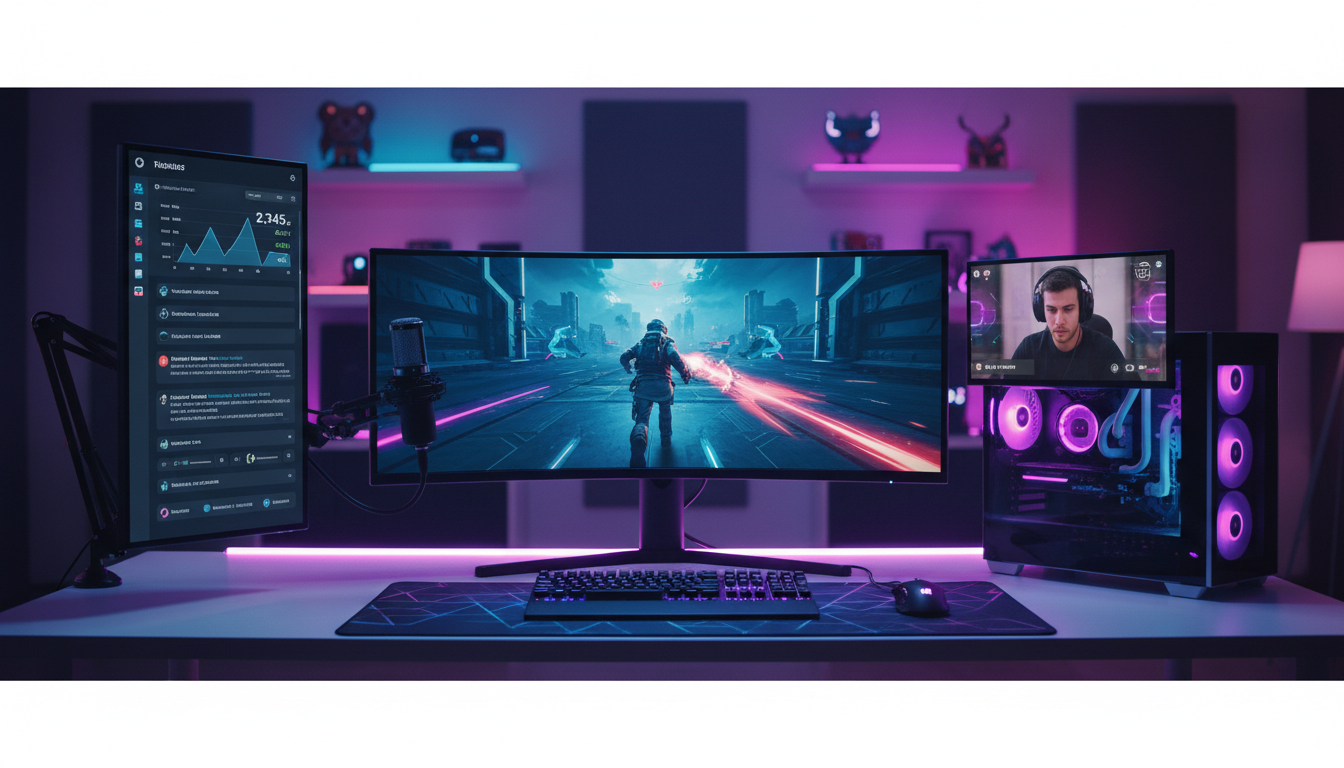
Are you tired of the ever-changing rules, algorithm whims, and restrictive revenue splits on platforms like Twitch and YouTube? As a gamer and content creator, you pour your heart into building a community, only to have a massive corporation dictate how you interact with them and how much you earn. It's time to take back control.
In 2026, the most successful independent creators are building their own platforms. By setting up your own gaming livestream server, you unlock unparalleled freedom in branding, monetization, and content. You're no longer just a channel; you're the entire network. This guide will walk you through every step of setting up a professional-grade, private livestreaming server using Shoutcast Net, giving you the power to broadcast your gameplay your way.
We'll cover everything from choosing the right server plan to connecting your OBS software, optimizing your quality for buttery-smooth gameplay, and exploring monetization strategies that let you keep what you earn. Let's build your streaming empire.
Why Choose a Private Server Over Twitch?
While platforms like Twitch, YouTube Gaming, and Kick offer a built-in audience, they come with significant trade-offs. Relying solely on them is like building a house on rented land. A private server from Shoutcast Net gives you the deed to your own digital property. You set the rules, you control the experience, and you reap the rewards.
Let's break down the key differences:
| Feature | Shoutcast Net Private Server | Twitch / YouTube |
|---|---|---|
| Control & Branding | Total control. Your own domain, player, and branding. No platform logos. | Limited to platform profiles. Your brand is always secondary to theirs. |
| Monetization | 100% of revenue from direct donations, subscriptions, and sponsorships. You set the terms. | 50/50 to 70/30 revenue splits on subscriptions. Strict rules on ads and sponsorships. |
| Content Freedom | Broadcast what you want, when you want (within legal bounds). No arbitrary content strikes or DMCA takedowns from bots. | Strict, often vaguely enforced Terms of Service. Risk of demonetization or permanent ban. |
| Technical Quality | You control your bitrate and quality. Achieve very low latency 3 sec streams. | Platform-enforced bitrate caps. Latency can be high and variable. |
| Audience Data | You own your audience data. Build direct email lists and community relationships. | The platform owns the audience data. You can't directly contact your followers. |
| Cost Structure | Predictable, flat-rate monthly fee with up to 1,000 listeners. | "Free," but at the cost of your revenue share and control. |
Shoutcast Net vs. The Competition (like Wowza)
You might have heard of other streaming server solutions like Wowza. While powerful, they often operate on a complex and costly billing model based on bandwidth usage, per-viewer hours, or transcoded minutes. This makes budgeting a nightmare—a successful stream could unexpectedly cost you hundreds or thousands of dollars. Shoutcast Net is different. We offer simple, flat-rate monthly pricing starting at just $4/month. You get up to 1,000 listeners and predictable costs, so you can focus on creating content, not on calculating bandwidth bills.
Pro Tip: Own Your Platform
Think of your private server as your home base. You can still use Twitch and YouTube as outposts. With Shoutcast Net, you can Restream to Facebook, Twitch, YouTube, and other platforms simultaneously. Use them to attract new viewers and then drive your loyal community back to your own website for an exclusive, premium experience that you fully control and monetize.
Step 1: Choose Your Shoutcast Net Server Plan
The first step is selecting the right engine for your streaming operation. Shoutcast Net offers a range of plans tailored for different needs, from simple internet radio to high-definition video streaming. For gaming, you'll want to focus on our Video Streaming plans.
Our video plans are built on a powerful modern media server, a significant upgrade over legacy Shoutcast hosting or Icecast hosting, which are primarily designed for audio. These modern servers are engineered to handle high-bitrate video, multiple protocols, and provide the low latency crucial for interactive gaming streams.
What to Look For in a Gaming Stream Plan:
- RTMP Ingest: This is the standard protocol used by OBS and most streaming software. All our video plans fully support it.
- Low Latency: Our infrastructure is optimized for very low latency 3 sec delivery, allowing you to interact with your chat in near real-time.
- Bandwidth & Storage: Choose a plan with enough monthly bandwidth for your expected viewership and stream quality. Our plans offer generous amounts, and you can always upgrade. Storage is key if you plan to use our AutoDJ feature for VODs and highlights.
- Protocol Flexibility: Our servers can handle any stream protocols to any stream protocols (RTMP, RTSP, WebRTC, SRT, etc), making them incredibly versatile for future needs.
For most gamers starting out, our "Video Streaming 1" plan is the perfect entry point. It provides ample resources to stream in high quality to a growing audience. The best part? You can try it completely free. We offer a 7 days trial on our plans, so you can get everything set up and see the power for yourself before committing.
Pro Tip: Start Smart, Scale Easy
Don't overbuy at the start. Begin with a plan that matches your current needs. As your channel grows, you can seamlessly upgrade your Shoutcast Net plan with a few clicks in your client area. Our platform is designed to grow with you, from your first viewer to your ten-thousandth.
Step 2: Initial Server Configuration
Once you've signed up for your 7 days trial or full plan, you'll receive an email with your login details for our streaming control panel. This is your command center for managing every aspect of your stream.
After logging in, you'll find the essential details you need to connect your streaming software. While the interface is user-friendly, the three most important pieces of information are your Server URL, Port, and Stream Key (or Mount Point).
Finding Your Connection Details
Typically, these are found on the main "Quick Links" or "Dashboard" page of the control panel. It will look something like this:
- Server / Hostname: `live.shoutcastnet.com`
- Port: `1935` (This is the standard port for RTMP)
- Stream Name / Key: `a1b2c3d4-e5f6-g7h8-i9j0` (This is a unique key for your stream)
Your full ingest URL, which you'll need for OBS, is a combination of these details. It will be structured like this:
rtmp://[Server]:[Port]/liveUsing the example details above, your ingest URL would be `rtmp://live.shoutcastnet.com:1935/live`. The Stream Key is entered into a separate field in your encoder.
Powering Up with AutoDJ
One of the most powerful features included with your Shoutcast Net server is the AutoDJ. While you're offline, the AutoDJ can automatically broadcast a playlist of content. For gamers, this is a game-changer. You can upload:
- Your best VODs (past broadcasts)
- A highlight reel of your best clips
- Royalty-free music for a 24/7 "channel radio"
- "Starting Soon" and "Be Right Back" video loops
This keeps your channel active and engaging even when you're not live, providing value to your viewers and keeping them on your site. You can configure your AutoDJ playlists directly from the control panel.
Pro Tip: Secure Your Stream
Your Stream Key is like the password to your channel. Never share it publicly. If you ever suspect it has been compromised, you can easily generate a new one from your Shoutcast Net control panel to secure your stream immediately.
Step 3: Connect OBS or Your Encoder
With your server details in hand, it's time to connect your broadcasting software. We'll use OBS Studio for this guide, as it's free, powerful, and the industry standard for game streaming. The process is very similar for other encoders like Streamlabs Desktop or XSplit.
Configuring OBS Studio
- Open OBS Studio and go to File > Settings.
- Click on the Stream tab on the left.
- For the "Service" dropdown, select Custom...
- In the "Server" field, enter the full RTMP ingest URL from Step 2.
- In the "Stream Key" field, paste the unique Stream Key from your control panel.
- Uncheck "Use Authentication" unless specifically instructed by our support team.
- Click Apply, then OK.
Your OBS settings should look like this:
Service: Custom...
Server: rtmp://live.shoutcastnet.com:1935/live
Stream Key: a1b2c3d4-e5f6-g7h8-i9j0
That's it! When you click "Start Streaming" in OBS, your video feed will now be sent directly to your private Shoutcast Net server instead of Twitch or YouTube.
Beyond RTMP: Unmatched Flexibility
While RTMP is the standard for ingest, your Shoutcast Net server is a true multi-protocol powerhouse. Our system is designed to stream from any device to any device using a wide array of technologies. We can process any stream protocols to any stream protocols (RTMP, RTSP, WebRTC, SRT, etc). This means that as streaming technology evolves, your server is ready for it. Whether you're experimenting with ultra-low latency SRT from a remote co-host or WebRTC for browser-based broadcasting, your server can handle it all, providing future-proof value that legacy platforms can't match.
Pro Tip: Use OBS Profiles
In OBS, go to Profile > New to create a dedicated profile for your Shoutcast Net stream. You can create separate profiles for Twitch, YouTube, etc. This allows you to switch between streaming destinations instantly without having to copy and paste your server details and stream keys every time. It's a massive time-saver for multi-platform creators.
Step 4: Optimize Your Bitrate & Quality
One of the biggest advantages of a private server is freedom from arbitrary quality restrictions. You can push your stream quality as high as your internet connection and server plan will allow. Finding the right balance between quality and stability is key.
In OBS, go to Settings > Output. Set the "Output Mode" to Advanced to unlock all the options.
Key Settings Explained
- Encoder: For gaming, always choose a hardware encoder if you have a modern NVIDIA (NVENC) or AMD (AMF/VCN) graphics card. This uses a dedicated chip on your GPU, having minimal impact on your game's performance. If not, use `x264`, but be aware it uses your CPU.
- Rate Control: Set this to `CBR` (Constant Bitrate). This is the standard for live streaming and ensures a stable connection.
- Bitrate: This is the most important setting. It determines how much data you send per second. Higher bitrate means better quality, but requires more upload speed.
- Keyframe Interval: Set this to `2` seconds for optimal compatibility with most players and services.
Recommended Gaming Bitrates
Here are some common starting points. Your ideal settings will depend on the game you're playing (fast-paced vs. slow) and your upload speed.
| Resolution | FPS | Recommended Video Bitrate | Audio Bitrate |
|---|---|---|---|
| 1920x1080 | 60 | 6000 - 9000 Kbps | 160 - 192 Kbps |
| 1920x1080 | 30 | 4000 - 6000 Kbps | 160 Kbps |
| 1280x720 | 60 | 3500 - 5000 Kbps | 128 Kbps |
With Shoutcast Net, you're not stuck with Twitch's old 6000 Kbps cap. If you have the upload speed, you can stream at 8000, 10000, or even higher for pristine 1080p60 quality that will blow platform streams out of the water. Our 99.9% uptime and robust network ensure your high-bitrate stream remains stable. And thanks to our very low latency 3 sec architecture, this high quality doesn't come at the cost of interactivity.
Pro Tip: The 80% Rule
Before you go live, run an internet speed test (like Speedtest.net or Cloudflare's test). Your total bitrate (Video + Audio) should not exceed 80% of your stable upload speed. For example, if your upload speed is 10 Mbps (10,000 Kbps), a safe maximum total bitrate would be 8000 Kbps. This leaves headroom for game data and network fluctuations, preventing a laggy, dropped-frame stream.
Step 5: Go Live & Embed Your Player
You've configured your server and OBS. Now for the exciting part: going live and sharing your stream with the world. After clicking "Start Streaming" in OBS, your stream is being sent to your Shoutcast Net server. Now, you need a way for your audience to watch it.
Embedding Your Player
Your Shoutcast Net control panel provides a simple, ready-to-use HTML5 web player. Look for a section called "Player Links" or "Embedding." You'll find a snippet of HTML code that looks something like this:
<iframe src="https://player.shoutcastnet.com/video/your_username"
        frameborder="0"
        allowfullscreen="true"
        scrolling="no"
        height="360"
        width="640">
</iframe>
You can copy this code and paste it directly into the HTML of your website, whether you use WordPress, Squarespace, Wix, or a custom-coded site. The player is fully responsive and works on all modern devices. This is the essence of our philosophy: stream from any device to any device. Your viewers on desktops, iPhones, and Android tablets will all get a perfect viewing experience with no app required.
Don't forget, all streams on Shoutcast Net can be delivered with free SSL streaming (HTTPS), which ensures a secure connection and gives your viewers peace of mind.
Expand Your Reach with Restreaming
Want the benefits of your own platform *and* the reach of the big guys? No problem. Your Shoutcast Net server can act as a distribution hub. You send your single high-quality stream from OBS to our server. Then, from our control panel, you can configure it to Restream to Facebook, Twitch, YouTube, and more, all at the same time.
This saves your computer's resources and your internet bandwidth, as you only need to upload your stream once. It's the ultimate strategy for building an audience across multiple platforms while establishing your own website as the premium destination.
Pro Tip: Create a "Stream Hub" Page
On your website, create a dedicated page called "Live" or "Stream." Embed your Shoutcast Net player at the top. Below it, embed a chat widget (like a Discord channel widget or a service like Chatroll). Surround this with links to your social media, donation pages, and merch store. This creates a fully-featured, branded broadcast hub that you own and control completely.
Step 6: Monetize Your Independent Stream
This is where a private server truly shines. You are no longer bound by a platform's restrictive and often unfavorable revenue-sharing models. With your own server, you open up a world of direct monetization possibilities, and you keep what you earn.
Because Shoutcast Net offers a flat-rate fee for up to 1,000 listeners, your costs don't scale with your success. Unlike servers from providers like Wowza, where more viewers mean a higher bill, our model means more viewers simply mean more profit for you. It's a business model that's actually on your side.
Direct Monetization Strategies:
- Direct Donations & Tips: Integrate PayPal, Ko-fi, or Stripe buttons directly on your stream page. Instead of a platform taking a cut, you receive 100% of the tip (minus standard payment processor fees).
- Private Subscriptions: Use services like Patreon, Memberful, or Ghost to offer premium memberships. You can offer perks like ad-free viewing, access to a private, password-protected version of your stream, or exclusive VODs.
- Run Your Own Ads: Land a sponsorship deal? You can run their video ad as a pre-roll or mid-roll using OBS scenes. You negotiate the price and keep 100% of the revenue. No ad-split, no platform approval needed.
- Pay-Per-View (PPV) Events: Host a special tournament or an exclusive coaching session? You can sell tickets and grant access to the stream page using simple e-commerce or membership plugins for your website.
- Affiliate & Merch Sales: Drive traffic directly to your own merchandise store or affiliate links without a platform's restrictions. You have full control over the presentation and promotion.
Pro Tip: The Freemium Model
Use the restreaming feature to send a free, public stream to Twitch and YouTube. Include a simple on-screen graphic or bot command that says "For an ad-free, higher-quality, and lower-latency experience, watch on MyAwesomeSite.com!" This uses the big platforms as a free marketing funnel to drive your most dedicated fans to your premium, monetized platform where you control the experience.
Your Stream, Your Rules, Your Revenue
You now have the complete blueprint to break free from the limitations of mainstream platforms and build your own independent streaming empire. By combining your gaming passion with the powerful, reliable, and affordable infrastructure of Shoutcast Net, you gain full control over your content, your community, and your income.
Stop renting your audience and start owning your platform. With predictable flat-rate pricing, up to 1,000 listeners, very low latency, and powerful features like AutoDJ and restreaming, Shoutcast Net provides the professional-grade backbone for your creative freedom.
Ready to take the next step?
Start Your Free 7 Days Trial Explore Our Plans