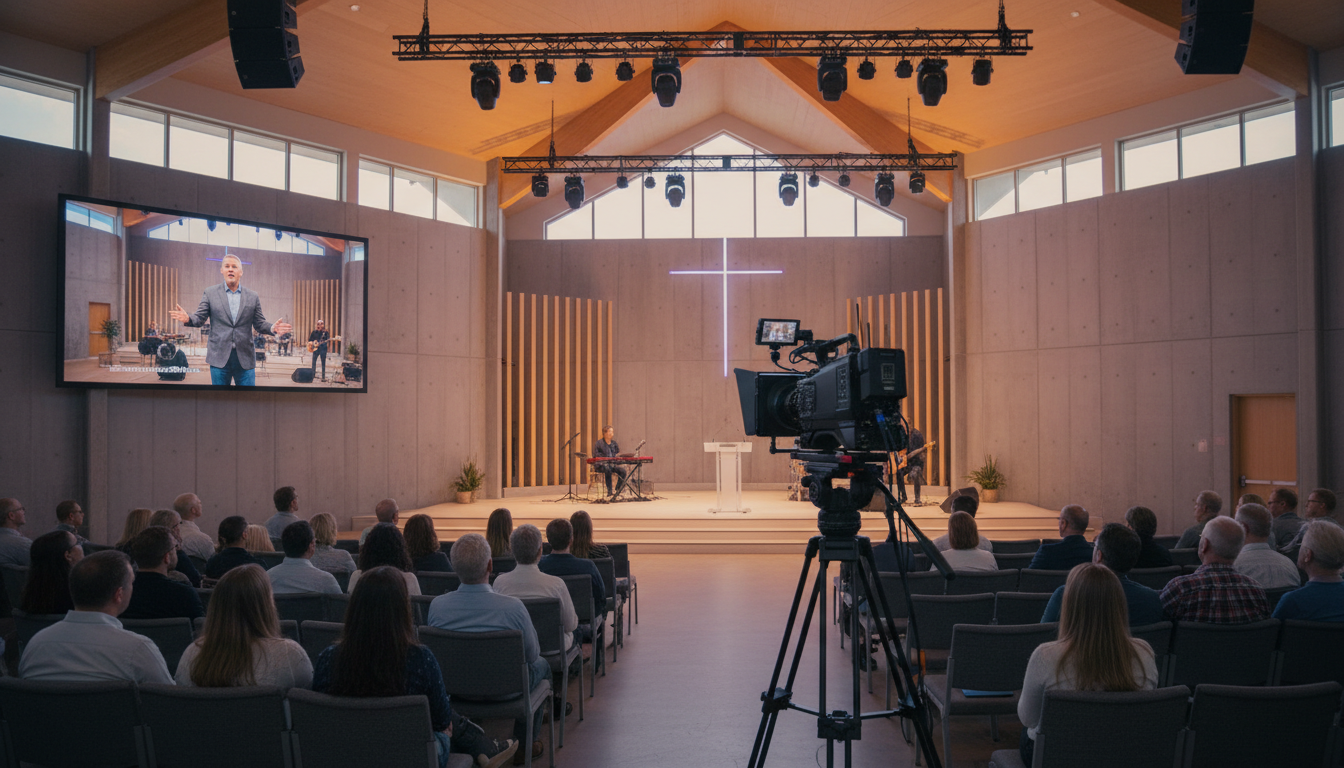
In a world where community is more distributed than ever, the definition of a "church" is evolving. It's no longer just a single building, but a network of believers connected by faith and, increasingly, by technology. As we look toward 2026, the ability to seamlessly connect multiple physical campuses with a consistent, high-quality worship experience is no longer a luxury for megachurches—it's an essential strategy for growth and unity for churches of all sizes.
This guide is your roadmap. Whether you're a church tech director, a pastor, or a dedicated volunteer, you'll learn the ins and outs of multisite campus streaming. We'll cover the challenges, the technology, and the strategies you need to bridge the distance and create a unified "one church, many rooms" experience for your entire congregation. Let's build a more connected church, together.
What Is Multisite Church Streaming?
At its core, multisite church streaming is the practice of broadcasting a live service from a central "hub" campus to one or more remote "satellite" campuses in real-time. This isn't just about putting your service on YouTube for at-home viewers; it's a dedicated, high-quality feed designed to be the centerpiece of a worship experience happening simultaneously in different physical locations.
Imagine your pastor delivering a sermon at your main location. With a multisite stream, that same sermon is displayed on large screens at your other campuses with crystal-clear audio and video, allowing everyone to participate in the same teaching at the same time. The live worship band can lead everyone in song, creating a powerful, shared experience that transcends geography.
The "Hub & Spoke" Model Explained
The most common structure for multisite streaming is the "Hub and Spoke" model:
- The Hub: This is your main broadcasting campus. It's where the primary teaching, worship, and production originates. The Hub is responsible for capturing the service with cameras and microphones and sending it out via an encoder to a streaming server.
- The Spokes: These are your satellite campuses. Each spoke location is equipped to receive the live stream from the hub and display it on projectors or video walls. While they receive the main content from the hub, they often have their own local campus pastor, welcome team, and sometimes even a live worship band for the pre-service music.
This model allows for incredible efficiency and consistency. You can launch a new campus without needing a dedicated teaching pastor for that location, ensuring the core message and vision of the church remain unified across all sites.
Key Benefits of Multisite Streaming
- Consistent Teaching & Vision: Ensure every member of your congregation, regardless of campus, receives the same high-quality, biblically sound teaching directly from the senior leadership.
- Accelerated Growth: Launch new campuses more quickly and with lower overhead. It allows you to expand your reach into new neighborhoods and communities, meeting people where they are.
- Shared Community Experience: By participating in the same service, members across all campuses feel part of a larger, unified church family. Big announcements, celebrations, and sermon series are experienced together.
- Efficient Use of Resources: Maximize the impact of your best communicators and centralize your high-end production efforts. This frees up resources and personnel at satellite campuses to focus on local connection and pastoral care.
Pro Tip: Beyond the Stream
The goal of multisite streaming isn't just to broadcast a video; it's to replicate the *feeling* of a unified service. Encourage your hub pastor to regularly and specifically acknowledge the satellite campuses during the service. A simple "It's so good to be worshipping with our friends at the North Campus and our new family at the Downtown location!" can make a world of difference in helping everyone feel seen and connected.
Overcoming Common Multisite Challenges
While the vision for a connected, multisite church is powerful, the technical and logistical path can be filled with potential pitfalls. Acknowledging these challenges is the first step to overcoming them. The good news is that with modern platforms and a solid strategy, they are all solvable.
1. Technical Glitches: The Unforgivable Sins of Streaming
Nothing breaks the immersion of a worship service faster than a buffering wheel, pixelated video, or audio that sounds like it's coming through a tin can. These issues often stem from an unreliable server, insufficient bandwidth, or protocol mismatches. Your congregation's spiritual experience shouldn't be at the mercy of a flaky connection. This is why choosing a robust streaming host with **99.9% uptime** and a global delivery network is non-negotiable.
2. Latency: The Experience Killer
Latency is the delay between when an event happens at the hub campus and when it's seen at the satellite campuses. Traditional web streaming can have delays of 30-45 seconds or more. Imagine the hub campus clapping along to a worship song, but the satellite campuses don't see it until the song is almost over. It creates a jarring disconnect.
For a true multisite experience, you need to minimize this delay. This is where modern streaming protocols come in. At Shoutcast Net, we've engineered our platform for **very low latency 3 sec** delivery. This near-instantaneous transmission is crucial for making satellite campuses feel like they are in the room, not just watching a recording.
3. Complexity & Volunteer Burnout
Your tech team is likely comprised of passionate, but often overworked, volunteers. Complicated setups with cryptic settings, multiple software dashboards, and constant troubleshooting can lead to burnout. The ideal solution should be powerful yet simple to manage. A platform that allows you to set up your stream once and have it "just work" every Sunday is the gold standard. It should be easy to **stream from any device to any device**, without needing a computer science degree to configure it.
4. Unpredictable and Spiraling Costs
This is the silent killer of many church media budgets. Many legacy streaming providers, like Wowza, operate on a per-viewer or per-gigabyte/per-hour pricing model. This means your bill changes every single month. What happens on Easter or Christmas when your attendance doubles? Your streaming bill could skyrocket unexpectedly, punishing you for successful outreach. This model creates budget anxiety and can stifle growth, forcing you to think about cost instead of connection.
Pro Tip: Designate a "Stream Captain"
At each satellite campus, empower a dedicated volunteer to be the "Stream Captain." This person's sole responsibility during the service is to monitor the stream's quality, manage the local sound levels, and be the first point of contact for any issues. This proactive approach ensures problems are caught and addressed quickly, often before the general congregation even notices.
Choosing a Platform: Flat-Rate vs. Per-Viewer
The single most important decision you'll make for your multisite strategy is your streaming platform. It's the engine that powers the entire experience. The primary philosophical and financial difference comes down to two billing models: Flat-Rate and Per-Viewer.
Understanding this difference is critical for the long-term health and scalability of your ministry.
| Feature | Flat-Rate (Shoutcast Net) | Per-Viewer/Per-Hour (e.g., Wowza) |
|---|---|---|
| Cost Structure | Predictable, fixed monthly fee. Our plans start at just $4/month. | Variable, based on number of viewers, hours watched, and data transferred. |
| Budgeting | Simple and stress-free. You know your exact cost every month. | Complex and stressful. Impossible to predict, especially for special events. |
| Scalability | Encourages growth. Unlimited campuses and viewers don't increase your cost. Add 10 campuses or 10,000 online viewers; your price stays the same. | Punishes growth. Every new campus, every new online viewer adds to your bill. Success becomes expensive. |
| Listener/Viewer Cap | Up to 1,000 listeners are included in our plans. No worries about hitting a cap. | Often imposes strict viewer limits per pricing tier, with expensive overage fees. |
| Big Events (Easter/Christmas) | Celebrate the high attendance without worrying about the bill. | A source of financial anxiety. A successful outreach can lead to a massive, unexpected invoice. |
Beyond Cost: The Technology Matters
While budget is a huge factor, the underlying technology is just as important. A truly modern streaming platform must be flexible and future-proof.
This is where Shoutcast Net excels. We are built on a philosophy of ultimate compatibility. Our platform is designed to handle any stream protocols to any stream protocols (RTMP, RTSP, WebRTC, SRT, etc). What does this mean for your church? It means you can use a professional hardware encoder at your hub campus that sends an SRT stream for maximum reliability, and your satellite campuses can receive it as a simple WebRTC stream in a web browser on a laptop. Or you can send a standard RTMP stream from free OBS software and have it delivered to a specific hardware decoder at another site. You're never locked into a single technology. As streaming standards evolve, our platform evolves with them, protecting your investment.
Legacy Shoutcast servers or basic restreaming services can't offer this level of flexibility. They often lock you into a single audio protocol and lack the robust video handling and protocol conversion needed for a serious multisite deployment. With Shoutcast Net, you get the simplicity of a single solution with the power to handle any technical requirement.
Pro Tip: Test Drive Before You Buy
Don't just take our word for it. The best way to understand the difference is to experience it. We offer a no-obligation 7 days trial. Use this time to set up a test stream between your main campus and a potential satellite location. Test the latency, check the quality, and see how easy our control panel is to use. This hands-on experience will give you the confidence to make the right choice for your ministry.
How to Set Up Your Multisite Stream with Shoutcast Net
Getting started with Shoutcast Net is designed to be straightforward. Here’s a step-by-step guide to get your first multisite stream up and running, connecting your hub campus to your satellites.
Step 1: Choose Your Shoutcast Net Plan
First, head over to our Shoutcast Hosting or Icecast Hosting pages. For most video multisite applications, our core streaming server plans are the perfect fit. All plans come with our protocol conversion technology and are backed by our flat-rate, unlimited bandwidth promise. Select a plan that fits your needs—and remember, you can start with a 7 days trial to get everything configured perfectly.
Step 2: Configure Your Encoder at the Hub Campus
The encoder is the piece of software or hardware at your main campus that captures your video and audio and sends it to your Shoutcast Net server. A popular and free software option is OBS Studio.
In your Shoutcast Net control panel, you'll find your unique stream credentials. The setup in your encoder will look something like this:
- Service: Custom...
- Server URL: rtmp://your-server-address.shoutcastnet.com/live
- Stream Key: your_unique_stream_key
You'll simply copy and paste these values into your encoder's settings. Once you hit "Start Streaming" in your encoder, your feed is live on our server.
// Example Encoder Configuration (e.g., in OBS)

[Stream Settings]
Service: Custom
Server: rtmp://s1.shoutcastnet.com:1935/live
Stream Key: your_stream_key_from_control_panel
Step 3: Set Up Players at Your Satellite Campuses
This is the beautifully simple part. Your Shoutcast Net service provides you with a unique playback URL for your stream. At each satellite campus, all you need is a device that can play this URL.
This demonstrates our "stream from any device to any device" capability. The receiving device could be:
- A simple laptop connected to a projector, playing the stream URL in a web browser or VLC media player.
- A dedicated small form-factor PC (like an Intel NUC) tucked behind a TV.
- A smart TV with a built-in web browser.
You simply point the device's player to your stream URL (e.g., `https://your-server.shoutcastnet.com/live/your_stream_key/index.m3u8`) and the live service from the hub campus appears, with that **very low latency 3 sec** connection keeping everyone in sync.
Step 4 (Optional): Expand Your Reach
Your multisite stream is just the beginning. With your Shoutcast Net account, you can easily add more destinations. Use our built-in tools to Restream to Facebook, Twitch, YouTube, and your church website simultaneously. This allows you to serve your in-person satellite campuses and your online-only congregation from a single, easy-to-manage source.
Pro Tip: Perfect Your Pre-Service with AutoDJ
Create a seamless experience for people arriving early at your satellite campuses. Use our AutoDJ feature to schedule a playlist of worship music, a welcome video from your campus pastor, or a countdown timer that plays automatically before your live stream begins. When your main service goes live, AutoDJ can automatically switch to the live feed, providing a professional and engaging experience from the moment people walk in the door.
Essential Equipment for Flawless Streaming
While the streaming platform is the heart of your multisite setup, the right equipment is the body. High-quality gear ensures the message you're sending is received with clarity and impact. Here’s a breakdown of the essential equipment for your hub and spoke campuses.
For the Hub Campus (Broadcasting)
-
Quality Camera(s)
This is your congregation's window into the service. It can range from a single, high-quality PTZ (Pan-Tilt-Zoom) camera that you can control remotely to a multi-camera setup with a video switcher. Start with the best camera you can afford, ensuring it has a clean HDMI or SDI output.
-
Clear Audio
Audio is more important than video. People will forgive a slightly grainy image, but they will not tolerate bad audio. You need a feed from your main soundboard that provides a clean mix of the pastor's microphone, the worship team, and some ambient room mics to capture the energy of the congregation. A separate "mix for broadcast" is ideal.
-
Encoder (Software or Hardware)
This device encodes your audio and video into a streamable format.
Software (e.g., OBS, vMix): Cost-effective and flexible, runs on a dedicated computer. Requires a powerful computer to avoid dropped frames.
Hardware (e.g., Teradek, AJA, Blackmagic): More expensive but incredibly reliable. These are dedicated boxes built for one purpose: streaming. They are less prone to computer-related issues like software updates or crashes. -
Reliable Internet Connection
For the hub campus, upload speed is king. You need a stable, wired ethernet connection with at least 10-15 Mbps of *sustained* upload speed to send a high-quality 1080p stream without issues. Do not rely on Wi-Fi for your main broadcast encoder.
For the Satellite Campuses (Receiving)
-
Display System
This is how your satellite campus will view the service. It could be one or more bright, high-contrast projectors and screens, or large LED video walls for bigger venues. Ensure it's large and bright enough for everyone in the room to see clearly.
-
Sound System
The audio from the stream needs to be fed into the campus's local sound system. This ensures the worship and teaching are heard with the same impact as if they were live in the room. Don't rely on projector or TV speakers.
-
Receiving Device
A simple, reliable device is needed to access the stream URL and output it to the display and sound systems. A dedicated mini-PC (like an Intel NUC or Mac Mini), or even a robust laptop, is a perfect choice. This device should be used only for streaming to maximize reliability.
-
Reliable Internet Connection
For satellite campuses, download speed is the critical factor. A stable connection with at least 20-25 Mbps download speed is recommended to ensure a smooth, buffer-free playback experience.
Pro Tip: Create a "Campus-in-a-Box" Kit
As you plan to launch more campuses, standardize your satellite tech package. Create a "Campus-in-a-Box" kit that includes a pre-configured mini-PC, all necessary cables, and a laminated instruction sheet. This makes setup at a new location incredibly fast, reduces technical errors, and ensures a consistent experience across all your current and future sites.
Engaging Worshippers Across Every Campus
The technology is the vehicle, but the destination is community. A successful multisite strategy goes beyond a flawless technical broadcast; it intentionally fosters a sense of connection and engagement at every location. The goal is to make people at the satellite campuses feel like active participants, not passive viewers.
Bridge the Gap: Make it a Two-Way Street
The biggest mistake is to treat the stream as a one-way communication channel. You must create systems and moments that bridge the distance between campuses.
- Empower Local Leadership: Every satellite campus should have a live, in-person host or campus pastor. This person is the "face" of the campus, welcoming people, making local announcements, and providing on-site pastoral care. They are the warm handshake and hug that the video stream can't provide.
- Acknowledge and Interact: The teaching pastor at the hub should regularly and specifically speak to the satellite campuses. Mention them by name, reference stories or events happening at their locations, and look at the camera as if speaking directly to them. This simple act transforms the experience from watching a screen to being part of the service.
- Create Shared Interactive Moments: Use technology to create unified points of engagement. This could be a live poll everyone can participate in via their phones, or a moment where the hub pastor asks everyone at all campuses to turn to their neighbor and share something.
Tailor the Experience Without Losing Unity
While the core teaching is unified, there's room to tailor the experience to each local context. This hybrid approach makes each campus feel both unique and connected.
- Live Local Elements: Many multisite churches have a live worship band at the satellite campus that leads the first few songs before transitioning to the streamed worship and sermon. This gives local musicians a place to serve and creates a unique energy at the start of the service.
- Campus-Specific Pre- and Post-Service Content: This is a perfect use case for the AutoDJ. Before the main stream starts, use the time to run a slide loop with announcements specific to that campus (e.g., "Men's breakfast next Saturday in the fellowship hall here at West Campus"). After the service, the local campus pastor can come on stage for final announcements and a closing prayer.
The Ultimate Goal: One Church, Many Rooms
Ultimately, every decision—from the streaming platform you choose to the way you greet people at the door—should serve the vision of being one church family, simply meeting in different rooms. The technology, when implemented thoughtfully, should become invisible. It's the tool that fades into the background, allowing the message of hope and the feeling of community to come to the forefront.
By pairing a reliable, flat-rate streaming solution like Shoutcast Net with an intentional strategy for engagement, you can effectively and affordably expand the reach of your ministry, connecting your congregation and building your community in ways you never thought possible.
Pro Tip: Use Your Stream for Mid-Week Connection
Your flat-rate Shoutcast Net subscription isn't just for Sunday mornings! Since you have unlimited bandwidth and no per-hour fees, leverage your stream during the week. Host a private, password-protected stream for leadership training, volunteer onboarding, or an all-campus prayer meeting. This maximizes the value of your investment and uses the same powerful technology to keep your core team aligned and engaged.
Ready to Connect Your Campuses?
Stop worrying about surprise bills and complex technology. It's time to focus on what matters: your message and your community.
With Shoutcast Net, you get a powerful, reliable, and affordable platform built for ministry growth. Experience the difference with our 7 days trial and see how easy it is to unite your congregation, no matter where they are.
See Plans & Start Your Free Trial