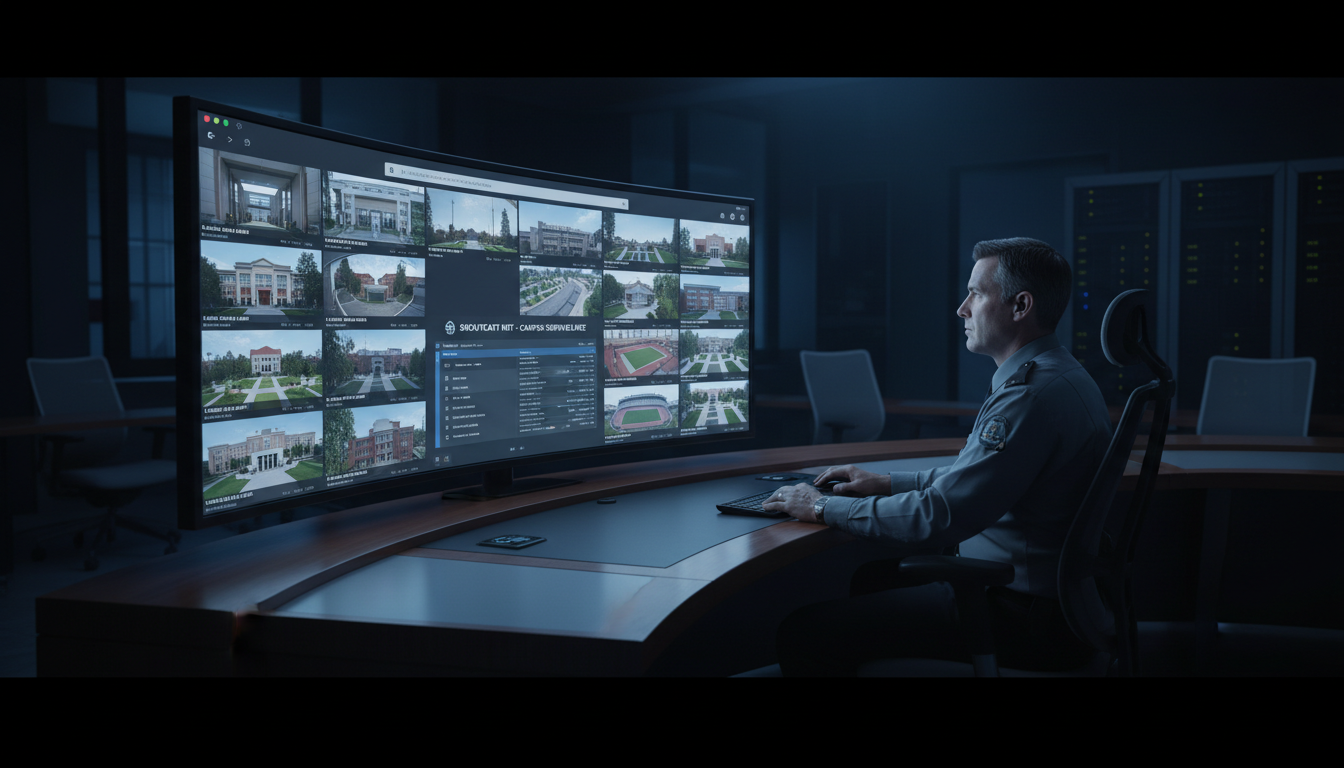
Why Centralized Streaming is a Game-Changer for Campus Security
In 2026, managing a campus—whether it's a school, a corporate park, a church, or a large event venue—is more complex than ever. A key component of modern safety infrastructure is the security camera network. However, these networks often grow organically, resulting in a chaotic mix of different camera brands, proprietary software, and siloed video feeds that are impossible to monitor effectively.
Imagine this common scenario: the security office has one monitor for the parking lot cameras (a Dahua system), another for the main building entrances (a Hikvision NVR), and a third for a new wing that uses cloud-based Wyze cams. An incident occurs, and the security team has to scramble, switching between three different interfaces, each with its own login and layout. By the time they piece together the full picture, precious seconds—or even minutes—have been lost.
This is where a centralized, unified streaming dashboard changes everything. Instead of a fragmented mess, you get a single pane of glass—a command center, accessible from any web browser, that displays every camera feed in real-time. This isn't a futuristic dream; it's a practical, achievable reality using modern streaming technology.
The Core Benefits of a Unified System
- Drastically Improved Situational Awareness: See everything at once. A grid view of all critical locations allows security personnel to spot anomalies and correlations between different areas instantly.
- Faster Response Times: No more fumbling with different apps or logins. When an alert comes in, the relevant camera feed is just a click away, enabling immediate verification and dispatch.
- Simplified Operations & Training: Training your team on one simple web interface is far easier than teaching them the quirks of half a dozen different proprietary systems. This reduces errors and increases team efficiency.
- Unmatched Scalability & Flexibility: Adding a new camera, or even a whole new building, is as simple as adding another stream to your central server. You are no longer locked into a single camera brand or hardware vendor.
- Remote & Secure Access: Empower authorized personnel—from the head of security to the school principal—to securely view feeds from their office, their home, or their mobile device, without needing special software.
Pro Tip
A unified dashboard isn't just for live monitoring. Use it for post-incident reviews. By embedding multiple camera feeds with synchronized timestamps onto a single page, investigators can easily follow a subject or event as it moves across campus, creating a clear and comprehensive timeline without juggling multiple video files.
The Problem with Per-Viewer Pricing Models (like Wowza)
So, a centralized system sounds great. But how do you build it? Many institutions turn to established enterprise video platforms like Wowza. While powerful, they come with a critical flaw that can cripple a security budget: per-viewer, per-hour, or bandwidth-based pricing.
This legacy pricing model was designed for pay-per-view events, not for the "always-on" nature of security monitoring. It creates a financial penalty for usage, which is the exact opposite of what you need in a security context.
Let's break down the nightmare scenario. Your campus has 50 cameras and 5 security officers monitoring them 24/7 in a central office. With a per-viewer model, you are paying for:
5 viewers x 50 streams x 24 hours/day x 30 days/month = A massive, recurring bill.
Now, imagine a campus-wide emergency. You need to grant temporary access to 20 administrators, 10 department heads, and local first responders. Your viewer count suddenly jumps from 5 to 85. With a provider like Wowza, your costs for that period will skyrocket, leading to a shocking bill at the end of the month. This model actively discourages you from sharing access when it's needed most.
Shoutcast Net vs. Legacy Providers: A Cost Comparison
| Feature | Shoutcast Net | Legacy Providers (e.g., Wowza) |
|---|---|---|
| Pricing Model | Flat-rate monthly fee | Per-viewer, per-hour, bandwidth usage, or a complex combination |
| Viewers / Listeners | Unlimited | Limited and metered; each additional viewer costs more |
| Budget Predictability | 100% predictable. Your bill is the same every month. | Highly unpredictable. Costs fluctuate wildly with usage. |
| Scalability Incentive | Add viewers and share access freely with no financial penalty. | Discourages sharing access to control runaway costs. |
| Typical Use Case | 24/7 monitoring, large audiences, broadcasts, campus-wide access | Ticketed one-time events, small-scale corporate webcasts |
Pro Tip
When evaluating streaming providers, always ask for a cost projection based on your worst-case scenario (e.g., a major campus event or emergency). If they can't give you a fixed number, their pricing model is too volatile for a critical application like security. With Shoutcast Net's flat-rate plans, the cost is the same whether you have 1 viewer or 1,000.
Choosing the Right Tech: Shoutcast Net's IPTV Streaming Explained
Many of you know Shoutcast Net as a leader in the internet radio world, providing rock-solid Shoutcast hosting and Icecast hosting for thousands of broadcasters. What you may not know is that the same powerful, scalable, and affordable infrastructure can be used for robust IPTV and video streaming.
We've rejected the punitive pricing models of the past and built a solution perfect for campus security. Our platform is founded on two core principles: up to 1,000 viewers at a flat monthly rate and universal compatibility.
The Power of Universal Compatibility
Your campus has a mix of camera brands. Some are old, some are new. They output video in different formats. This is not a problem. Our IPTV streaming platform is designed to be a universal translator for video streams. We can ingest virtually any stream protocols to any stream protocols (RTMP, RTSP, WebRTC, SRT, etc).
This is the secret sauce. Most IP security cameras output a stream using RTSP (Real-Time Streaming Protocol). Our servers take that RTSP feed and transcode it in real-time to modern formats like HLS or MPEG-DASH. These formats are designed for mass distribution and can be played back in any standard web browser on any device, with no plugins required. This core function allows you to stream from any device to any device, breaking down the walls between proprietary systems.
For security, real-time matters. That's why our entire video pipeline is optimized for speed, delivering a very low latency 3 sec stream from camera to viewer. This ensures that what your security team sees on their screen is happening right now, not ten or twenty seconds ago.
The Shoutcast Net Advantage
- Affordable Flat-Rate Pricing: Plans start at an incredibly low $4/month, with 100–1,000 viewers (by plan) included. You can budget with absolute certainty.
- Guaranteed Reliability: We provide a 99.9% uptime guarantee, essential for a mission-critical security system.
- Secure Streaming: All web-based streams are delivered via HTTPS, ensuring that your video feeds are encrypted and secure from end-to-end with free SSL streaming.
- Risk-Free Trial: Not sure if it will work for you? We offer a no-obligation 7 days trial so you can test the platform with your own cameras.
Pro Tip
Take advantage of our protocol conversion to modernize old equipment. Do you have an older IP camera that only works with a clunky Internet Explorer plugin? As long as it has an RTSP output, you can pull it into Shoutcast Net and instantly make it viewable on any modern browser, including Chrome and Safari on both desktop and mobile.
Step-by-Step: Setting Up Your Unified Security Dashboard
You don't need to be an IT genius to set this up. The process is straightforward and can be done in an afternoon. Here’s a simple guide to getting your unified dashboard live.
Step 1: Choose Your Shoutcast Net IPTV Plan
Head over to our shop and select one of our Video Streaming / IPTV plans. The main difference between plans is the amount of server resources (CPU/RAM) and disk space for recording. If you're unsure, start with a basic plan—you can always upgrade later. Remember, all plans come with our 7 days trial.
Step 2: Find Your Camera's RTSP Stream URL
This is the most crucial piece of information you need for each camera. The RTSP URL is like a direct address to the camera's video feed. The format is typically:
rtsp://[username]:[password]@[camera_ip_address]:[port]/[stream_path]For example, a common URL might look like rtsp://admin:Pa$$w0rd123@192.168.1.108:554/stream1. You can usually find this format in your camera's documentation or online support forums. Websites like iSpyConnect also have extensive databases of camera RTSP URLs.
Step 3: Add Your Camera as a Stream in the Control Panel
Once your Shoutcast Net service is active, you'll get access to our powerful web-based control panel. The process is simple:
- Log in to your control panel.
- Navigate to the "Stream Management" or "Channels" section.
- Click "Add New Stream" or "Create Channel".
- Give your stream a descriptive name, like "Main Lobby Entrance" or "Parking Lot - North View".
- In the "Stream Source" or "Input URL" field, paste the full RTSP URL you found in Step 2.
- Save the stream. Our server will now connect to your camera and begin processing the feed.
Step 4: Get Your Public Player URL
After the stream is set up, the control panel will provide you with a public playback URL. This is typically an HLS (.m3u8) link. It will also provide a simple embed code. This code can be pasted into any HTML page to display the video.
Step 5: Build Your Dashboard
You can now create a simple, private HTML file to act as your dashboard. Arrange the embed codes for each camera in a grid. Here is a basic Bootstrap 5 example for a 2x2 grid:
<!DOCTYPE html>
<html lang="en">
<head>
  <!-- Add Bootstrap 5 CSS -->
  <link href="https://cdn.jsdelivr.net/npm/bootstrap@5.3.0/dist/css/bootstrap.min.css" rel="stylesheet">
  <style>
    .video-wrapper { position: relative; padding-bottom: 56.25%; height: 0; }
    .video-wrapper iframe { position: absolute; top: 0; left: 0; width: 100%; height: 100%; }
  </style>
</head>
<body class="bg-secondary">
  <div class="container-fluid">
    <div class="row">
      <div class="col-md-6 p-1">
        <!-- Embed Code for Camera 1 -->
        <div class="video-wrapper"><iframe src="YOUR_PLAYER_URL_1"></iframe></div>
      </div>
      <div class="col-md-6 p-1">
        <!-- Embed Code for Camera 2 -->
        <div class="video-wrapper"><iframe src="YOUR_PLAYER_URL_2"></iframe></div>
      </div>
      <div class="col-md-6 p-1">
        <!-- Embed Code for Camera 3 -->
        <div class="video-wrapper"><iframe src="YOUR_PLAYER_URL_3"></iframe></div>
      </div>
      <div class="col-md-6 p-1">
        <!-- Embed Code for Camera 4 -->
        <div class="video-wrapper"><iframe src="YOUR_PLAYER_URL_4"></iframe></div>
      </div>
    </div>
  </div>
</body>
</html>
Save this file and open it in a browser. You now have a unified security dashboard!
Pro Tip
For enhanced security, ensure your cameras are on a separate network VLAN that only allows outbound connections to your specific Shoutcast Net server IP address. Also, always change the default administrator password on your cameras to something long and complex before connecting them to any network.
Advanced Features: Recording, Restreaming, and Mobile Access
A unified live view is just the beginning. The Shoutcast Net platform unlocks a suite of advanced features that can replace expensive, dedicated hardware and software, further simplifying your security infrastructure.
Cloud DVR and 24/7 Recording
What happens when you need to review footage from 3 AM yesterday? Our IPTV plans come with generous disk space, allowing you to enable server-side recording for your camera streams. This acts as a cloud-based Network Video Recorder (NVR).
- Always-On Recording: Configure your streams to record 24/7, ensuring you never miss a moment. Recordings are automatically saved and cataloged by date and time.
- Remote Footage Access: Access and download recorded footage from anywhere through the web control panel. No need to physically access an on-site NVR.
- Redundancy: Use server-side recording as a secure, off-site backup for your existing local NVRs, protecting your footage from on-site theft or hardware failure.
Powerful Restreaming Capabilities
As a broadcaster, you're familiar with multistreaming. While you probably won't Restream to Facebook, Twitch, YouTube with a private security camera, the underlying technology is incredibly useful. Our platform can take a single incoming camera feed and restream it to multiple destinations simultaneously.
A practical security application is to restream a critical camera feed to a secondary, geographically separate backup server for ultimate redundancy. In a more public-facing context, you could take a scenic camera overlooking the campus quad and restream it to your school's website or public YouTube channel as a 24/7 live view, boosting community engagement.
Scheduling with "AutoDJ" for Video
Our radio clients love the Shoutcast Net AutoDJ feature for scheduling music and creating automated playlists. We bring a similar concept to video. Imagine a digital signage screen in your main lobby. Using our scheduling tools, you can program it to show a live camera feed of the entrance during business hours, then automatically switch to a pre-recorded video of campus announcements in the evening, and then to a static "Campus Closed" image overnight. This level of automation and scheduling is built right into our platform.
Seamless Mobile Access
Because our platform outputs standard HLS streams, your security feeds are instantly compatible with mobile devices. Authorized staff can securely log in and view the live dashboard or specific cameras directly from their iPhone or Android device's web browser, giving them real-time eyes on the campus from anywhere.
Pro Tip
Create user-specific dashboards. You can create multiple private HTML pages with different combinations of cameras. For example, the athletics director gets a dashboard with only the sports facilities' cameras, while the facilities manager gets one with cameras covering mechanical rooms and service entrances. All powered by the same central server, with no extra cost.
Scaling Your System: From a Single Building to a Multi-Campus Network
Your needs will grow. You'll add more cameras, expand to new buildings, and maybe even open new campuses. A modern streaming solution must scale with you, not hold you back. Thanks to our flat-rate, up-to-1,000-viewer model and robust infrastructure, scaling your security streaming with Shoutcast Net is both simple and cost-effective.
From One Building to a Full Campus
Expanding your system from 10 cameras to 100 is as easy as the initial setup. You simply repeat the process: find the RTSP URL for each new camera and add it as a new channel in your control panel. Since you have up to 1,000 viewers, you don't need to worry about increased monitoring costs. The only consideration is ensuring your Shoutcast Net plan has enough CPU resources to handle the transcoding for the additional streams. Our support team can help you choose the right plan, and upgrades are seamless.
Connecting a Multi-Campus Network
This is where a centralized cloud solution truly shines. Let's say you manage a school district with three separate campuses, each with its own internet connection and local camera network. With traditional systems, you'd need three separate monitoring stations. With Shoutcast Net, you can create a single, unified command center for the entire district.
The cameras at each campus simply send their secure RTSP stream over the internet to your single, centralized Shoutcast Net server. The server then ingests all feeds, transcodes them, and makes them available on a single dashboard. Your district's head of security can now monitor every camera across all three campuses from one browser window. This provides an unprecedented level of oversight and coordination that is simply not feasible with on-premise NVRs alone.
Bandwidth and Reliability
A common concern is bandwidth. "Will streaming 50 cameras 24/7 cripple my campus internet?" The answer is no. Your campus only needs enough outbound bandwidth to send one copy of each camera's source stream to our server. All the heavy lifting—distributing the stream to potentially hundreds of security staff, administrators, and mobile users—is handled by our high-throughput network. This saves you a fortune in internet connectivity costs.
For a critical system like security, reliability is non-negotiable. Our infrastructure is built for broadcasting, offering a 99.9% uptime guarantee. We handle the server maintenance, security patching, and network redundancy, so you can focus on keeping your campus safe.
Pro Tip
For very large deployments (100+ cameras) or multi-campus setups, contact our team for a consultation. We can help you architect a solution with dedicated server resources and geo-distributed ingestion points to ensure the lowest possible latency and highest performance for your specific needs.
Take Control of Your Campus Streaming Today
Stop juggling dozens of apps and paying unpredictable, exorbitant fees. Unify your security camera network with a powerful, scalable, and affordable solution from a trusted name in streaming.
Start Your FREE 7 Days TrialOr, explore our IPTV plans to find the perfect fit for your campus.