Adaptive Bitrate Streaming Explained: HLS vs MPEG-DASH in 2026 for Radio, Podcasts, and Church Live Streams
If you’ve ever watched a live stream that stayed smooth even when your Wi‑Fi hiccupped, you’ve experienced adaptive bitrate streaming (ABR). For radio DJs, music streamers, podcasters, church broadcasters, school radio stations, and live event producers, ABR is now the standard way to deliver reliable, great‑sounding (and great‑looking) streams to audiences on any device, network, and location.
This in‑depth guide demystifies ABR, compares HLS and MPEG‑DASH in 2026, and shows practical steps to implement it for audio‑only and video workflows. We’ll also share recommended bitrate ladders, FFmpeg examples, and best practices to keep latency low, quality high, and your listeners happy.
- Perfect for: Radio stations (AM/FM/online), DJs, podcasts, churches, schools, sports and events, and community broadcasters.
- Why it matters: Better reliability, fewer dropouts, higher engagement, and access to every device from iPhone to smart TV.
Table of Contents
- What Is Adaptive Bitrate Streaming?
- How ABR Works: Segments, Manifests, and Players
- HLS vs MPEG-DASH in 2026: Pros, Cons, and Use Cases
- Recommended Audio and Video Profiles for Broadcasters
- Implementing ABR with Shoutcast Net (Shoutcast/Icecast/Video)
- Best Practices: Latency, CDN, DRM, and QoS Monitoring
- Migration Checklist and Next Steps
What Is Adaptive Bitrate Streaming?
Adaptive bitrate streaming (ABR) is a method of delivering audio and video over HTTP where the player dynamically chooses the best quality based on current network conditions and device performance. Instead of sending one continuous stream at a fixed bitrate, ABR breaks content into short segments available in multiple quality levels. The player switches up or down to keep playback smooth with minimal buffering.
For broadcasters, ABR is a game‑changer. Traditional ICY/HTTP radio streams (Shoutcast/Icecast) are usually fixed bitrate—great when bandwidth is consistent, but brittle when it isn’t. ABR formats like HLS and MPEG‑DASH make the experience resilient for mobile listeners, commuters, rural audiences, and anyone on congested networks.
Why ABR matters to your audience
- Reliability: Fewer dropouts when bandwidth dips. The player simply switches to a lower bitrate.
- Quality: When bandwidth improves, the player ramps up to a higher bitrate automatically.
- Reach: ABR runs on mainstream browsers, phones, tablets, TVs, and set‑top boxes.
- Scalability: Delivered over standard HTTP and CDNs—easy to cache, easy to scale to up to 1,000 listeners.
Audio‑only ABR vs. video ABR
Audio‑only ABR (e.g., for radio and podcasts) uses multiple audio bitrates in one manifest. Mobile users on 3G might play 48–64 kbps while home listeners get 128–192 kbps. Video ABR adds multiple video resolutions and frame rates (e.g., 480p, 720p, 1080p) with an audio track. Churches and event streamers benefit from easy switching between qualities without buffering.
Pro Tip
For radio and podcasts, use AAC for broad HLS compatibility (especially on Apple devices). For web players that support it, consider offering an Opus rendition too—but keep AAC as your primary to ensure seamless playback everywhere.
How ABR Works: Segments, Manifests, and Players
ABR relies on three core parts: segments, manifests, and players. Once you understand these, the rest falls into place.
Segments: small, cacheable chunks
Your encoder outputs short media files (segments), typically 2–6 seconds each. For low latency, segments are even shorter or delivered as partial segments (e.g., 200–500 ms) with CMAF/fMP4. Short segments let players switch bitrates quickly and let CDNs cache content efficiently.
Manifests: the playlist of qualities
The manifest tells the player what qualities are available and where to find the segments. For HLS, the master playlist is an M3U8 file; for MPEG‑DASH, it’s an MPD XML file.
Example HLS master playlist for audio‑only ABR:
#EXTM3U
#EXT-X-VERSION:7
# Audio renditions
#EXT-X-STREAM-INF:BANDWIDTH=64000,CODECS="mp4a.40.5"
low.m3u8
#EXT-X-STREAM-INF:BANDWIDTH=96000,CODECS="mp4a.40.2"
mid.m3u8
#EXT-X-STREAM-INF:BANDWIDTH=128000,CODECS="mp4a.40.2"
high.m3u8
Example MPEG‑DASH MPD snippet (CMAF, audio‑only):
<MPD xmlns="urn:mpeg:dash:schema:mpd:2011" type="dynamic" minBufferTime="PT2S" profiles="urn:mpeg:dash:profile:isoff-live:2011">
  <Period start="PT0S">
    <AdaptationSet mimeType="audio/mp4" lang="en">
      <Representation id="audio-64" bandwidth="64000" audioSamplingRate="48000" codecs="mp4a.40.5">
        <SegmentTemplate media="audio/64k/$Number$.m4s" initialization="audio/64k/init.mp4" duration="2" startNumber="1"/>
      </Representation>
      <Representation id="audio-128" bandwidth="128000" audioSamplingRate="48000" codecs="mp4a.40.2">
        <SegmentTemplate media="audio/128k/$Number$.m4s" initialization="audio/128k/init.mp4" duration="2" startNumber="1"/>
      </Representation>
    </AdaptationSet>
  </Period>
</MPD>
Players: the brains of switching
Modern players continuously measure bandwidth and buffer health to pick the right quality. For HLS, Safari plays natively; on other browsers you can use hls.js. For DASH, use Shaka Player or dash.js. On mobile, ExoPlayer (Android) and AVPlayer (iOS) are common. In 2026, Low‑Latency HLS (LL‑HLS) and Low‑Latency DASH with CMAF are mature, enabling end‑to‑end glass‑to‑glass latencies in the 3–8s range with careful tuning.
Key encoding parameters that affect ABR
- GOP/keyframe interval: Target 1–2 seconds (video) so each segment starts on a keyframe; aligns switching.
- Segment duration: 2–6 seconds for standard latency; 1–2 seconds plus partial segments for low latency.
- Audio sample rate: 44.1 kHz for music; 48 kHz for video workflows and modern pipelines.
- CMAF/fMP4: Use fragmented MP4 for shared HLS/DASH packaging and low‑latency modes.
Pro Tip
If you plan to serve both HLS and DASH, encode once to CMAF (fMP4) and let your packager emit both manifests. This keeps audio/video perfectly aligned and simplifies your workflow.
HLS vs MPEG-DASH in 2026: Pros, Cons, and Use Cases
HLS and MPEG‑DASH are the two dominant ABR formats. In 2026, HLS remains the de facto standard for Apple devices and has broad adoption elsewhere. DASH thrives on Android, smart TVs, and browsers via JavaScript players. Here’s how they stack up.
| Category | HLS (including LL‑HLS) | MPEG‑DASH (CMAF, Low‑Latency) |
|---|---|---|
| Device support | Native on iOS, iPadOS, tvOS, macOS (Safari); wide support via hls.js elsewhere | Strong on Android, TVs, set‑top boxes; desktop browsers via Shaka/dash.js |
| Audio‑only broadcasting | Excellent; AAC widely supported; common for radio/podcasts | Excellent; especially in web players and OTT devices |
| Low latency | Mature LL‑HLS with parts/preload hints; 3–8s achievable | Low‑latency DASH with CMAF chunked transfer; similar latencies achievable |
| DRM | FairPlay (Apple) with HLS/fMP4 | Widevine/PlayReady common; multi‑DRM with CMAF |
| Codecs (audio) | AAC‑LC, HE‑AAC v1/v2; Opus support varies by platform | AAC, Opus widely supported in browsers/players |
| Ad insertion | Server‑side/Client‑side supported; SCTE‑35, EXT‑X‑DATERANGE | Server‑side/Client‑side supported; SCTE‑35, event streams |
| Apple ecosystem | First‑class | Requires JS players or app frameworks |
| Implementation complexity | Straightforward, especially for audio and web | Also straightforward with modern players; more common in OTT |
Which should you choose?
- Radio and podcasts: Choose HLS (AAC) as your primary. Optionally offer DASH for web/TV apps.
- Church/live events: HLS first for maximum reach (iPhone/iPad/Apple TV), DASH as a supplemental output.
- Smart TV/OTT heavy audiences: Provide both HLS and DASH off the same CMAF ladder.
Pro Tip
Standardize on CMAF (fMP4) segments and emit both HLS and DASH manifests. You’ll cover every device family with one encoding ladder and reduce storage/bandwidth overhead.
Recommended Audio and Video Profiles for Broadcasters
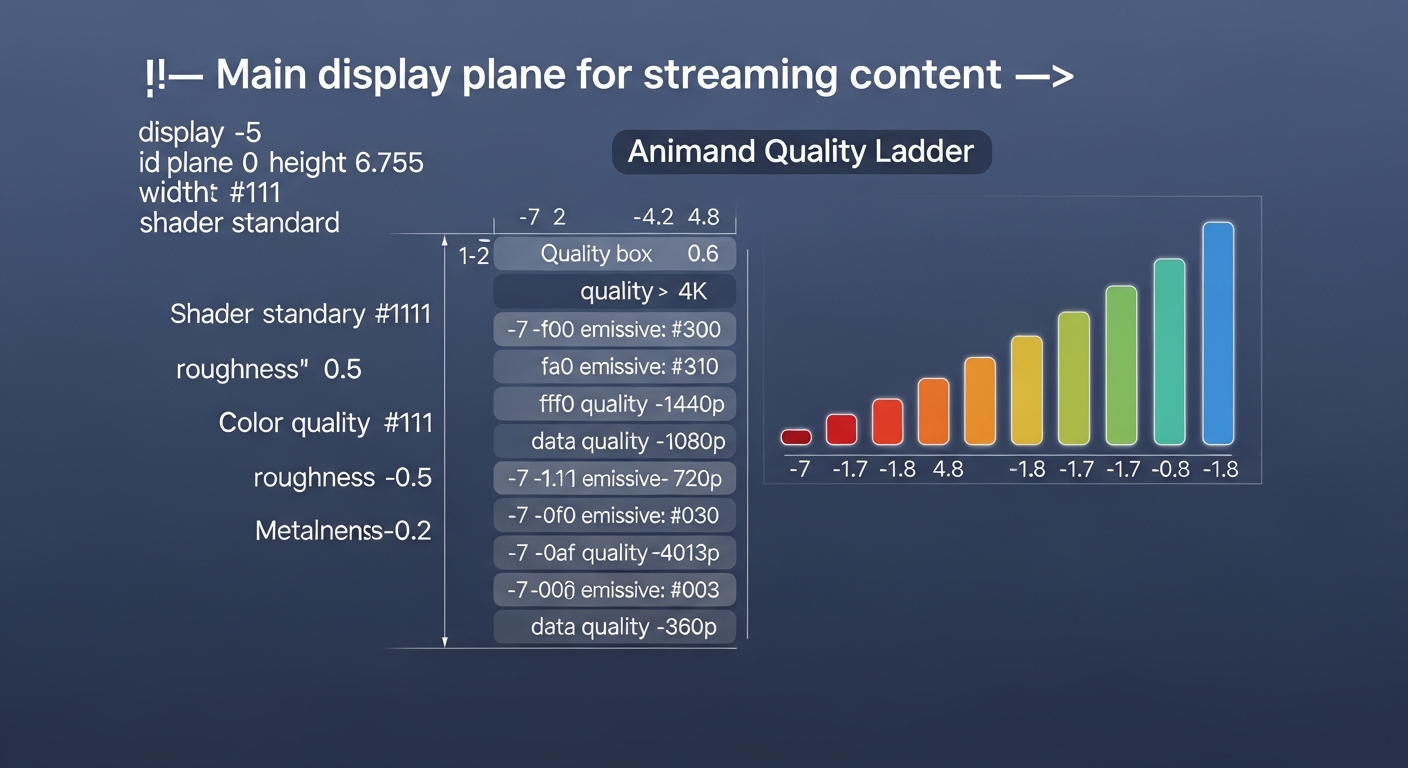
A well‑designed ABR ladder ensures great quality for high‑bandwidth users while staying resilient for those on slower networks. Below are sensible defaults for audio‑only and video workflows in 2026.
Audio‑only (HLS primary, DASH optional)
- Speech/podcasts: 32–48 kbps HE‑AAC v2 (mono or stereo), 64–96 kbps AAC‑LC (stereo) for higher quality.
- Music radio: 64–96 kbps HE‑AAC v2 (stereo), 128–192 kbps AAC‑LC (stereo) as top rendition.
- Sample rate: 44.1 kHz for music streams; 48 kHz if your pipeline is video‑oriented.
- Segment duration: 2–6 seconds; for LL‑HLS, use partial segments.
Video + audio (events, church services)
- 1080p60: 6–8 Mbps video + 128 kbps audio (for action/sports).
- 1080p30: 4–6 Mbps video + 128 kbps audio (sermons, concerts).
- 720p30: 2.5–4 Mbps video + 128 kbps audio (broad compatibility).
- 480p: 1–1.5 Mbps video + 96–128 kbps audio (for low bandwidth).
- 360p: 600–800 kbps video + 96 kbps audio (fallback).
- Keyframe interval: 2 seconds; Segment duration: 2–4 seconds standard, 1–2 seconds for low latency.
- Codec: H.264/AVC for maximum compatibility; HEVC/AV1 optional for higher efficiency where supported.
FFmpeg: audio‑only ABR HLS (CMAF, AAC)
# Input: live source (e.g., Icecast/Shoutcast or local audio device)
ffmpeg -re -i input.aac \
  -filter_complex "[0:a]aformat=sample_fmts=fltp:sample_rates=44100:channel_layouts=stereo,asplit=3[a64][a96][a128]" \
  -map "[a64]"  -c:a aac -b:a 64k  -ac 2 -ar 44100 \
  -map "[a96]"  -c:a aac -b:a 96k  -ac 2 -ar 44100 \
  -map "[a128]" -c:a aac -b:a 128k -ac 2 -ar 44100 \
  -f hls -hls_time 3 -hls_list_size 6 -hls_flags independent_segments+delete_segments+append_list \
  -hls_segment_type fmp4 -master_pl_name index.m3u8 \
  -var_stream_map "a:0,name:low a:1,name:mid a:2,name:high" \
  -hls_segment_filename "out_%v/seg_%03d.m4s" "out_%v/playlist.m3u8"
FFmpeg: video ABR ladder (HLS/CMAF, 1080p–360p)
ffmpeg -re -i input.mp4 -filter_complex \
"[0:v]split=5[v1080][v720][v480][v360][v-a];
 [v1080]scale=-2:1080:flags=lanczos[v1080s];
 [v720] scale=-2:720:flags=lanczos[v720s];
 [v480] scale=-2:480:flags=lanczos[v480s];
 [v360] scale=-2:360:flags=lanczos[v360s]" \
-map "[v1080s]" -map 0:a -c:v:0 libx264 -b:v:0 6M -maxrate:v:0 6.5M -bufsize:v:0 12M -preset veryfast -g 60 -keyint_min 60 -sc_threshold 0 -c:a:0 aac -b:a:0 128k \
-map "[v720s]"  -map 0:a -c:v:1 libx264 -b:v:1 3.5M -maxrate:v:1 4M   -bufsize:v:1 7M  -preset veryfast -g 60 -keyint_min 60 -sc_threshold 0 -c:a:1 aac -b:a:1 128k \
-map "[v480s]"  -map 0:a -c:v:2 libx264 -b:v:2 1.5M -maxrate:v:2 1.8M -bufsize:v:2 3M  -preset veryfast -g 60 -keyint_min 60 -sc_threshold 0 -c:a:2 aac -b:a:2 128k \
-map "[v360s]"  -map 0:a -c:v:3 libx264 -b:v:3 800k -maxrate:v:3 1M   -bufsize:v:3 2M  -preset veryfast -g 60 -keyint_min 60 -sc_threshold 0 -c:a:3 aac -b:a:3 96k \
-f hls -hls_time 2 -hls_list_size 10 -hls_flags independent_segments+delete_segments+append_list \
-hls_segment_type fmp4 -master_pl_name master.m3u8 \
-var_stream_map "v:0,a:0,name:1080 v:1,a:1,name:720 v:2,a:2,name:480 v:3,a:3,name:360" \
-hls_segment_filename "v_%v/part_%03d.m4s" "v_%v/playlist.m3u8"
Pro Tip
Use constant keyframe intervals (e.g., 2 seconds) and align segments across all renditions. Misaligned GOPs cause stutters during quality switches and break low‑latency performance.
Implementing ABR with Shoutcast Net (Shoutcast/Icecast/Video)
At Shoutcast Net, we make it easy to deliver modern ABR while supporting legacy players. Whether you stream audio‑only via Shoutcast hosting or Icecast hosting, or you’re adding video for services and events, our platform handles secure delivery with SSL streaming, 99.9% uptime, and up to 1,000 listeners. Plans start at $16/month, and you can test drive everything with a 7-day free trial. Need 24/7 automation? Our AutoDJ spins your playlists in the cloud.
Two common workflows
- Audio‑only ABR: Send a single contribution stream (e.g., AAC) to our ingest. We generate HLS (and optional DASH) audio ladders and provide secure playback URLs and embed code.
- Video + audio ABR: Send RTMP/SRT to our ingest or use your on‑prem encoder. We package to HLS/DASH CMAF with multiple resolutions and provide low‑latency options where needed.
Embedding an audio‑only HLS stream on your site
<audio id="radio" controls preload="auto"></audio>
<script src="https://cdn.jsdelivr.net/npm/hls.js@latest"></script>
<script>
  const audio = document.getElementById('radio');
  const src = 'https://your-hls-endpoint.example.com/index.m3u8'; // Provided by Shoutcast Net
  if (audio.canPlayType('application/vnd.apple.mpegurl')) {
    audio.src = src; // Safari/iOS
  } else if (Hls.isSupported()) {
    const hls = new Hls({lowLatencyMode: true});
    hls.loadSource(src);
    hls.attachMedia(audio);
  } else {
    // Fallback: provide legacy MP3/AAC stream URL for very old browsers
    audio.src = 'https://your-legacy-stream.example.com/stream.mp3';
  }
</script>
Publishing from a DJ app or encoder to Icecast/Shoutcast
Most DJ/encoder apps (BUTT, Mixxx, Nicecast alternatives, OBS for audio, etc.) can publish AAC/MP3 to a mountpoint. We can then transcode and package to ABR HLS.
# Example: FFmpeg pushing AAC to Icecast (source)
ffmpeg -re -i playlist.m3u \
  -c:a aac -b:a 128k -content_type audio/aacp \
  -f adts "icecast://source:password@server.example.com:8000/live.aac"
Adding video (church services, events)
Use OBS, Wirecast, vMix, or hardware encoders to send RTMP/SRT to our ingest. We’ll generate a multi‑resolution HLS/DASH output and provide an embeddable player with secure URLs, tokenization options, and SSL.
Pro Tip
Keep a legacy MP3/AAC mountpoint for very old players, but promote your HLS endpoint everywhere else. This maximizes reach while delivering ABR’s reliability to most listeners.
Best Practices: Latency, CDN, DRM, and QoS Monitoring
Latency tuning
- Standard latency: Segment 4–6s, player buffer 10–20s, stable playback for radio/music.
- Low latency (LL‑HLS / Low‑Latency DASH): Segment 1–2s with partial segments; target player buffer 3–6s.
- Ultra‑low latency: If you need sub‑2s (e.g., auctions), consider WebRTC for interactive use cases; for most church/events, LL‑HLS suffices.
CDN and caching
- Cacheable segments: Use HTTP caching for segments and short TTL for manifests.
- Origin shielding: Enable shielding to reduce origin hits during spikes.
- TLS/SSL everywhere: Keep URLs HTTPS to avoid mixed‑content issues. Shoutcast Net provides SSL streaming by default.
Security and DRM
- Audio streams: Usually don’t need DRM. Prefer tokenized URLs, signed cookies/URLs, and referrer controls.
- Video streams: For premium content, use DRM (FairPlay for HLS, Widevine/PlayReady for DASH). CMAF simplifies multi‑DRM.
QoS metrics to track
- Startup time: Time to first audio/video; aim for under 2 seconds audio, under 3 seconds standard latency video.
- Rebuffer ratio: Total stall time divided by play time; lower than 1% is ideal.
- Average bitrate: Are users reaching higher qualities? Indicates network health and ladder tuning.
- Error rate: Playback failures, 4xx/5xx on manifests/segments.
- Concurrency: Monitor peak simultaneous listeners; ABR scales efficiently via CDN.
Shoutcast Net provides robust infrastructure with 99.9% uptime and SSL streaming to keep your streams healthy. Combine server stats with player analytics (via your web player) for a complete picture of listener experience.
Pro Tip
For low‑latency events, test end‑to‑end at your venue’s actual network. Tune segment durations, part sizes, and player buffer targets until you consistently hit your latency goal without rebuffering.
Migration Checklist and Next Steps
Ready to move from a single fixed stream to modern ABR? Use this checklist to plan a smooth migration that protects legacy listeners while upgrading the experience for everyone else.
Step‑by‑step migration checklist
- Define goals: Audio‑only or add video? Standard or low latency? Target devices?
- Choose your ladder: Pick 2–4 audio bitrates (e.g., 64/96/128 kbps AAC) and, if video, 3–5 resolutions (360p–1080p).
- Select formats: HLS primary (AAC), optional DASH for broad device coverage.
- Set contribution path: DJ app/encoder to Shoutcast/Icecast or RTMP/SRT for video ingest.
- Enable packaging: Use CMAF/fMP4 with aligned GOPs; generate HLS (and DASH) manifests.
- Embed and test: Add HLS to your site/app; verify on iOS, Android, macOS, Windows, and a smart TV.
- Legacy fallback: Maintain a classic MP3/AAC mountpoint link for very old players.
- Security: Ensure SSL endpoints; add tokenization if needed.
- Monitoring: Track startup time, rebuffering, error rates, concurrency.
- Announce the upgrade: Tell listeners they’ll get a more reliable experience; provide help links.
Why broadcasters choose Shoutcast Net
- Affordable: Plans from $16/month with 7-day free trial.
- Scalable: Up to 1,000 listeners via HTTP delivery and CDN caching.
- Reliable and secure: 99.9% uptime and SSL streaming included.
- Automation built‑in: AutoDJ keeps music and shows running 24/7.
- Flexible: Shoutcast, Icecast, and video workflows supported.
Whether you’re a radio DJ wanting better reliability on mobile, a podcaster aiming for a slick web player, a church broadcaster streaming Sunday services, or a school radio station preparing for a big event, ABR is the upgrade your audience will notice—because what they won’t notice are dropouts, stalls, and “stream not supported” messages.
Pro Tip
Don’t flip the switch all at once. Run ABR in parallel with your legacy stream for a week or two, gather listener feedback, and then update links across your website, apps, and directories.